

Data engineering is not just about moving data from one place to another. It is about creating reliable, structured, and scalable datasets that can support analytics, reporting, and business intelligence. One of the most common tasks in Microsoft Fabric is creating a DataFrame from raw data and persisting it as a Delta table for future analysis.
In this article, we'll walk through a complete PySpark example that defines a schema, creates sample sales data, loads it into a DataFrame, and writes it as a Delta table in Microsoft Fabric.
Why Start with an Explicit Schema?
A common mistake among beginners is allowing Spark to infer data types automatically. While schema inference may work for small datasets, it can lead to inconsistent data types and unexpected behaviour in production environments.
By defining a schema explicitly, you gain:
Better performance
Improved data quality
Consistent data types
Easier debugging and maintenance
More predictable transformations
Let's begin by importing the required libraries.
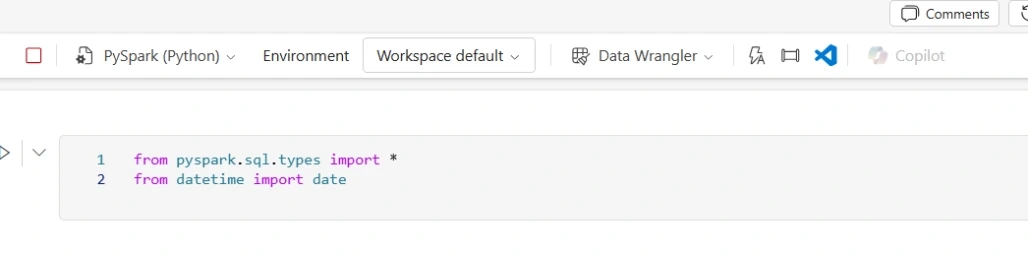
The pyspark.sql.types package provides the data types used to define the DataFrame structure, while Python's date object is used to create date values for our sales records.
Defining the Sales Schema
The first step is to define the structure of the dataset.
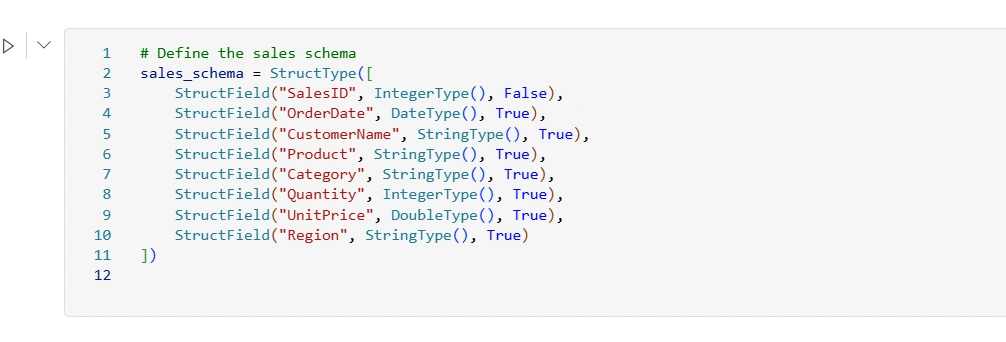
Notice that the SalesID field is marked as False, meaning it cannot contain null values. This helps enforce data integrity.
Creating Sample Sales Data
Next, we create a collection of sales transactions.
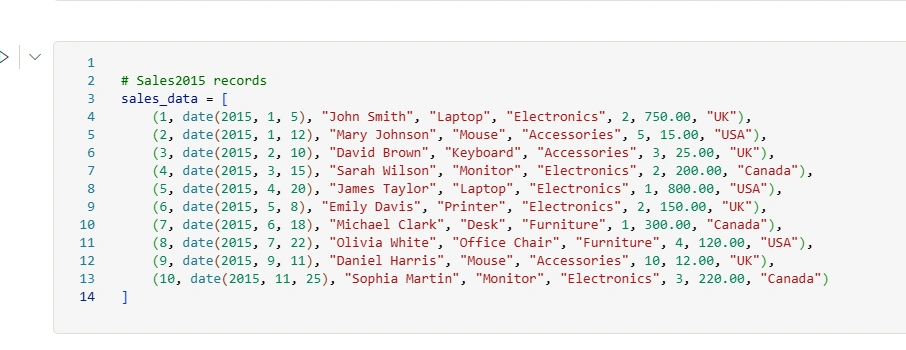
This dataset represents sales transactions for multiple products across the UK, USA, and Canada.
Although the dataset is small, it mirrors the type of structured transactional data commonly found in sales, retail, and finance systems.
Creating a Spark DataFrame and Displaying the Data
With both the schema and data prepared, we can create a Spark DataFrame.
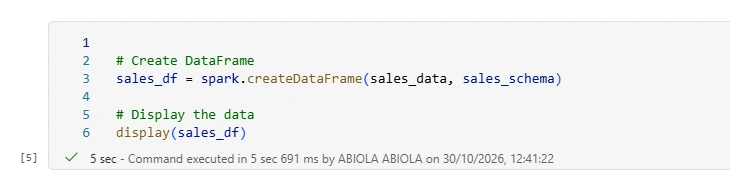
The resulting DataFrame combines:
The data records
The explicitly defined schema
Spark's distributed processing capabilities
At this point, Spark now understands exactly how each column should be stored and processed.
This command renders the DataFrame inside a Microsoft Fabric notebook, allowing you to:
Verify data quality
Check column values
Confirm schema correctness
Identify missing or unexpected data
Writing the DataFrame as a Delta Table
Once you've confirmed the data looks correct, the next step is persisting it to your Lakehouse.
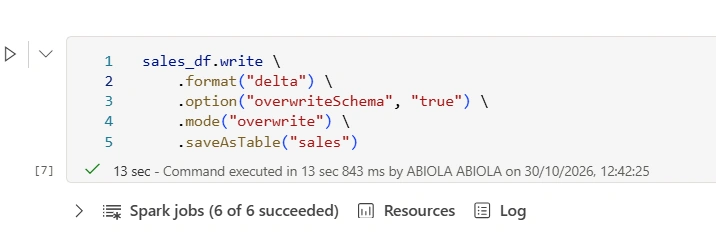
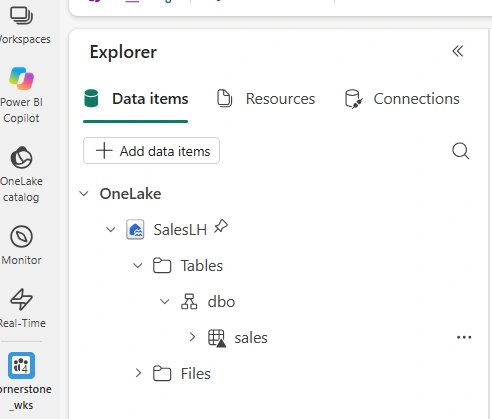
Within Microsoft Fabric Lakehouse, this table becomes available through:
SQL analytics endpoint
Spark notebooks
Power BI reports
Dataflows
Other Fabric workloads
This enables downstream teams to consume the data without needing to understand the underlying storage structure.
Why Delta Tables Is Important in Fabric
Traditional Parquet files are excellent for analytics, but Delta tables add enterprise-grade capabilities.
Benefits include:
✅ Transactional consistency
✅ Schema enforcement
✅ Better governance
✅ Improved query performance
✅ Compatibility across Fabric workloads
✅ Support for modern medallion architectures
This is why Delta has become the default storage format for many modern data platforms, including Microsoft Fabric.
Join the conversation! Your thoughts help the community grow.