
Previously we discussed the concept of Hit Count breakpoints and Conditional breakpoints. We will now explain function breakpoints. This functionality allows us to set the name of a function as the condition for the breakpoint to hit.
Let's start by creating 2 functions, SetString() and GetString(), and call them as SetString() first and then GetString().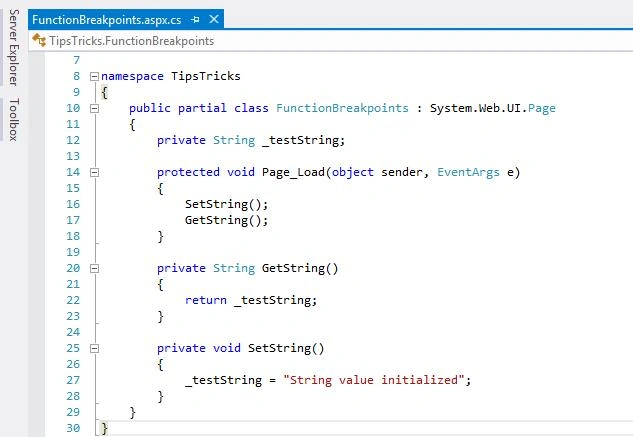
Figure 1: Breakpoint Function
To set the breakpoints for this type, go to Debug, then Windows and select Breakpoints to open the Breakpoints window. Select the option New, then the Break at Function option from the window.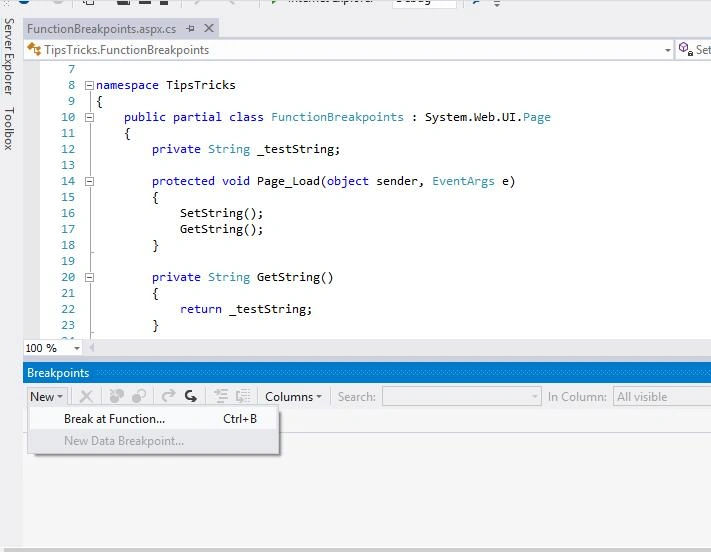
Figure 2: Break at Function
This opens up a new window and we specify the name of the GetString() function as the function condition for the breakpoint to be hit.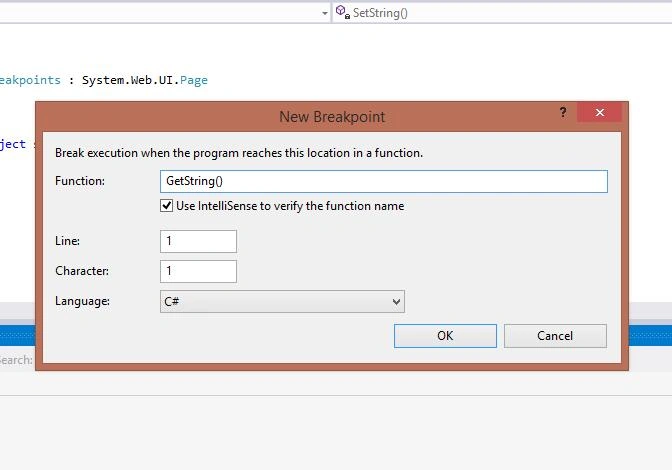
Figure 3: New breakpoint
Hover over the breakpoint and we can see its details.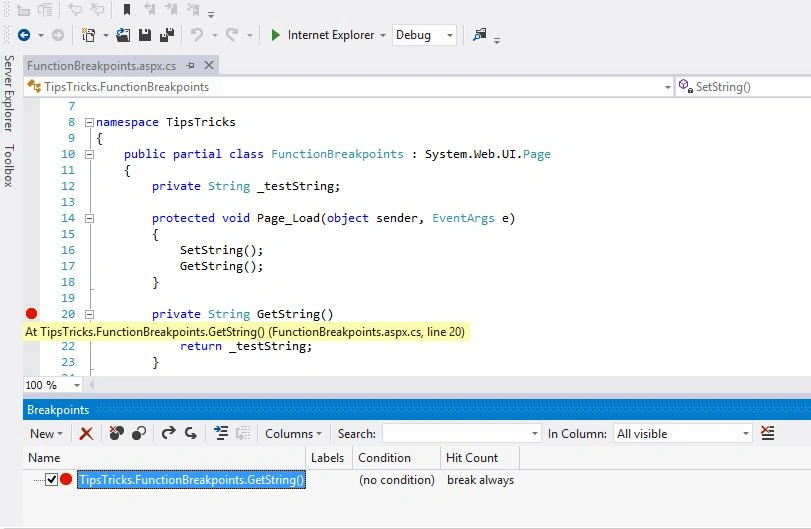
Figure 4: Tips Tricks Function
Run the application and the breakpoint will be hit only when the execution of the GetString() function starts.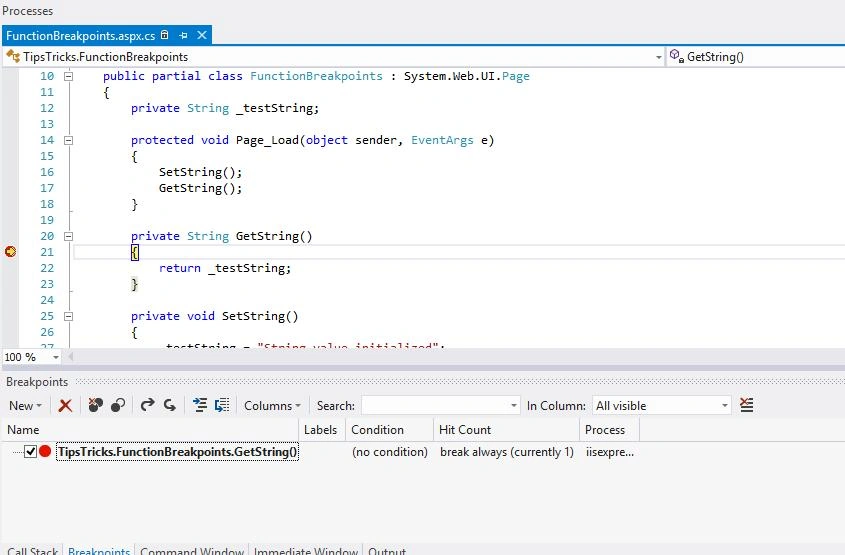
Figure 5: Run Application
Easy and helpful, isn't it? Happy coding!

Function Breakpoint in Visual Studio
Join the conversation! Your thoughts help the community grow.
Sign in to leave a comment
It is the same account you read, post and publish with — and you will come straight back to this page.
Gopi ChandPosted Jul 11, 2015, 1:26 PM
Very good
Santhakumar MunuswamyPosted Jul 11, 2015, 2:54 AM
Good article! Thanks for sharing
Nilesh JadavPosted Jul 11, 2015, 1:18 AM
Nice one sir
Neeraj KumarPosted Jul 10, 2015, 6:44 PM
Nice...
Narasimha Reddy ChennupalliPosted Jul 10, 2015, 9:53 AM
Good one...
Pankaj Kumar ChoudharyPosted Jul 10, 2015, 9:32 AM
Nice one Sir.........
Rakesh KalluriPosted Jul 10, 2015, 7:30 AM
Good one..
Filippo BerardoPosted Jul 10, 2015, 6:01 AM
Useful! Other tip and tricks on debugging?? :)
Gowtham RajamanickamPosted Jul 10, 2015, 5:04 AM
Good one..
Sibeesh VenuPosted Jul 10, 2015, 4:47 AM
God one.