

Introduction
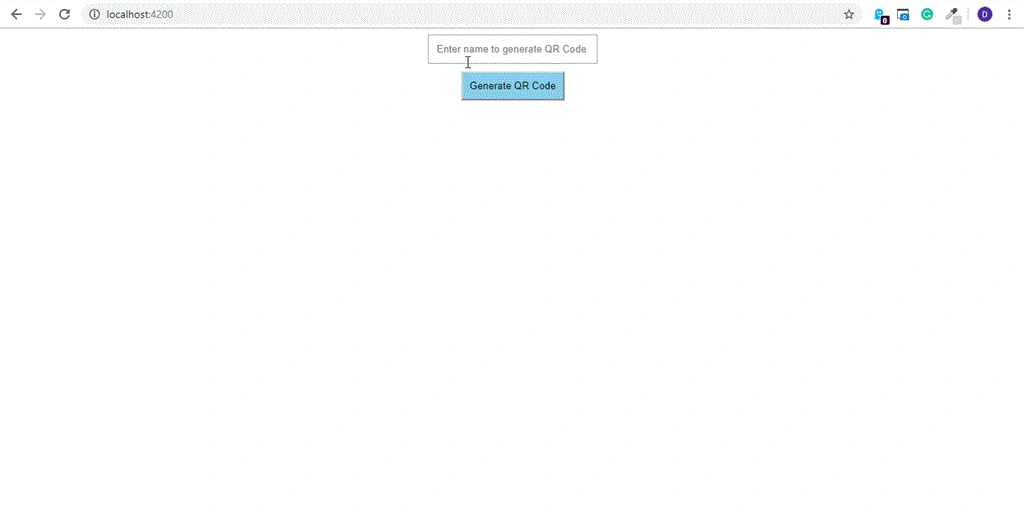
Here, we will learn how to generate a QR code dynamically using Angular 7 and download it. It's now a basic requirement of many applications to generate and download the QR code.
Prerequisites
- Basic knowledge of Angular 7
- Visual Studio Code
- Angular CLI must be installed
- NodeJS must be installed
Let’s get started.
Open Visual Studio Code and open a new terminal.
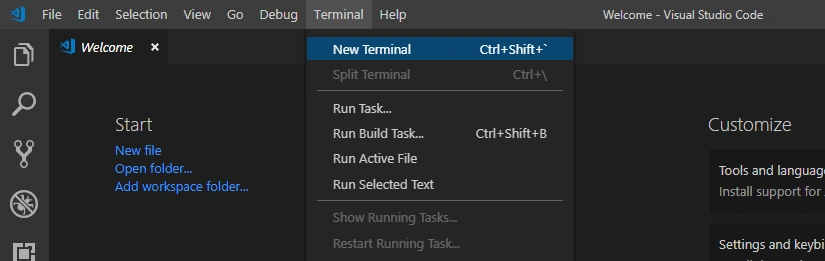
Type the following command to generate the new Angular 7 application.
- ng new generate-qrcode --routing

Now, open the project by opening the folder from Visual Studio Code.
We have to install the QR Code package - the functionality for generating the QR code from the text.
Type the following command in the terminal.
- npm install ngx-qrcode2 --save
Now, the package will be installed in our application.
Go to the app.module.ts file add a reference there for the QR code package.
- import { BrowserModule } from '@angular/platform-browser';
- import { NgModule } from '@angular/core';
- import { AppRoutingModule } from './app-routing.module';
- import { AppComponent } from './app.component';
- import { NgxQRCodeModule } from 'ngx-qrcode2';
- import { FormsModule } from '@angular/forms';
- @NgModule({
- declarations: [
- AppComponent
- ],
- imports: [
- BrowserModule,
- AppRoutingModule,
- NgxQRCodeModule,
- FormsModule
- ],
- providers: [],
- bootstrap: [AppComponent]
- })
- export class AppModule { }
LAKAMSANI KUMARPosted Feb 9, 2021, 10:32 AM
How to add logo or text in the Qr code from angular
Mike SnyderPosted Sep 16, 2019, 4:15 PM
This is exactly what I was looking for, except that for some reason after installing the package and adding it to the imports, I get a "TypeError: ngModuleType.ngModuleDef is undefined" error.
Amit KishorePosted Jun 28, 2019, 12:19 PM
Not working error is coming. Project definition is missing. Please give full information.
Amit MohantyPosted Jun 26, 2019, 2:06 AM
Nice description.