

Introduction
This article explains how to create and detect your own gestures in Android.
Android shows the gestures in yellow for recognized gestures and a lighter yellow for gestures that are not registered. You can turn this off, via setGestureColor(Color.TRANSPARENT) or setUncertainGestureColor(Color.TRANSPARENT) on the GestureOverlayView.
Step 1
First, let us create some gestures.
Start your emulator. Open the "Gestures Builder" app in your emulator. You will see something like:
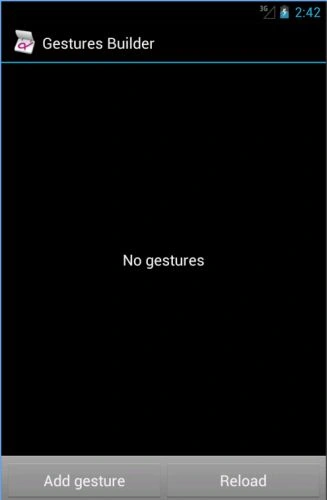
At present in this emulator, no gestures have been added.
Add some gestures by clicking on "Add gesture".
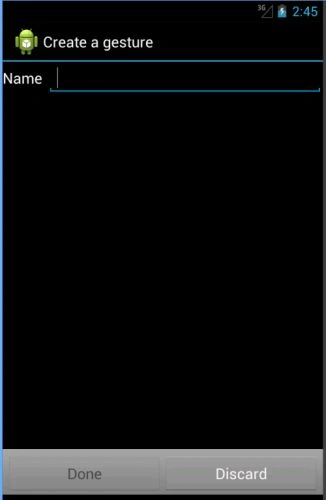
Enter a name for your gesture and draw the gesture in the remaining area and click on done. For example:
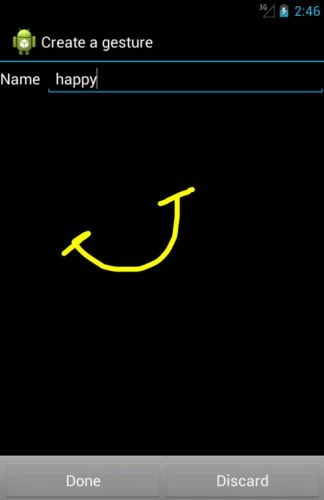
I have added 3 gestures with names "happy", "sad", "surprised" as in the following:
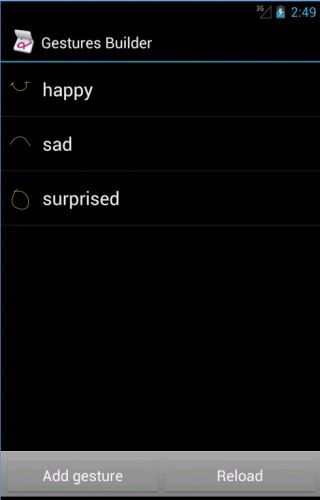
You can also rename the gesture added by holding the click/touch on the gesture name in the list shown above.
After creating the gestures, the most obvious step is to pull the gesture file and add it to your project.
Step 2
For pulling the gesture file from the emulator.
Open Android Debug Monitor (DDMS included) then select "File Explorer" -> "mnt" -> "sdcard" -> "gestures". Now click on "Pull a file from device" in the top right corner. Save this file anywhere on your computer. I have saved this with the name "expressions".
Step 3
Right-click on res then select "New" -> "Android Resource Directory". Name the directory "raw" and choose the type as "raw".
Copy the file saved in step 2 (expressions in this case), to the clipboard and paste it in the "raw" folder that you created.
Now you can use this file.
Step 4
Open "activity_main" and add the following code to it:
- <LinearLayout xmlns:android="http://schemas.android.com/apk/res/android"
- android:orientation="vertical"
- android:layout_width="fill_parent"
- android:layout_height="fill_parent"
- android:background="#ffc366" >
- <TextView
- android:layout_width="fill_parent"
- android:layout_height="wrap_content"
- android:textSize="20dp"
- android:gravity="center_horizontal"
- android:text="Draw the expression"
- android:layout_margin="10dip"/>
- <android.gesture.GestureOverlayView
- android:id="@+id/gesture_area"
- android:layout_width="fill_parent"
- android:layout_height="0dip"
- android:layout_weight="1.0"
- android:background="#454545"/>
- </LinearLayout>
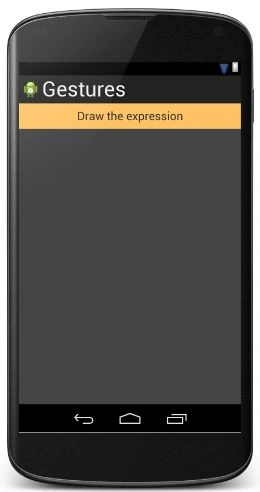
"GestureOverlayView" in the code above is the area where the user can draw their gestures,
The layout looks like:
Step 5
Open "MainActivity" and add the following code to it:
- package com.chhavi.gestures;
- import android.gesture.Gesture;
- import android.gesture.GestureLibraries;
- import android.gesture.GestureLibrary;
- import android.gesture.GestureOverlayView;
- import android.gesture.Prediction;
- import android.os.Bundle;
- import android.app.Activity;
- import android.view.Menu;
- import android.widget.Toast;
- import java.util.ArrayList;
- public class MainActivity extends Activity implements GestureOverlayView.OnGesturePerformedListener {
- private GestureLibrary gesLib;
- @Override
- public void onCreate(Bundle savedInstanceState) {
- super.onCreate(savedInstanceState);
- setContentView(R.layout.activity_main);
- gesLib = GestureLibraries.fromRawResource(this, R.raw.expressions);
- if (!gesLib.load()) {
- finish();
- }
- GestureOverlayView overlay = (GestureOverlayView) findViewById(R.id.gesture_area);
- overlay.addOnGesturePerformedListener(this);
- }
- public void onGesturePerformed(GestureOverlayView overlay, Gesture gesture) {
- ArrayList<Prediction> predictions = gesLib.recognize(gesture);
- if (predictions.size() > 0) {
- Prediction prediction = predictions.get(0);
- if (prediction.score > 1.0) {
- Toast.makeText(this, prediction.name, Toast.LENGTH_SHORT).show();
- }
- }
- }
- }
In the code above, "GestureLibrary" is an abstract class.
"GestureLibraries.fromRawResource" gets the "expressions" file we placed in "raw" in step 3. This loads the gestures in this activity.
GestureOverlayView is a transparent overlay for gesture input that can be placed on top of other widgets or can contain other widgets.
"onGesturePerformed" is a method of the "OnGesturePerformedListener" interface. This will be called as soon as the gesture area encounters any gesture input.
Finally, the toast used above will display the name of the gesture drawn.
Output snapshots:
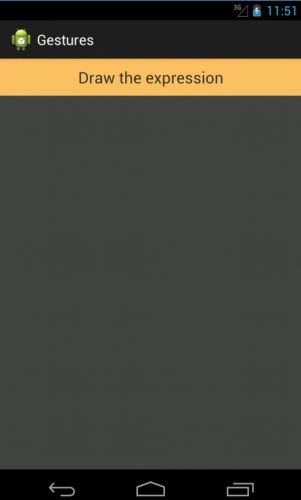
Draw an expression:
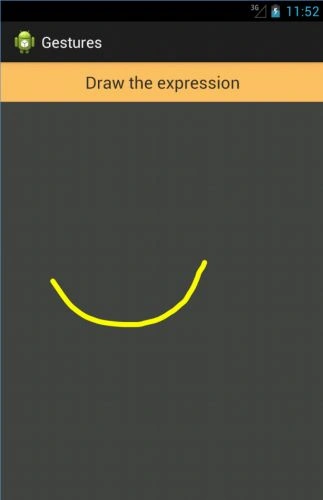
Toast recognizing the expression drawn:
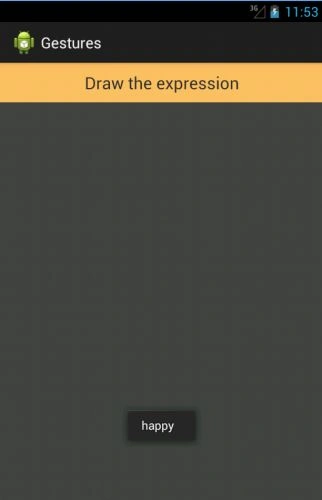
Another expression:
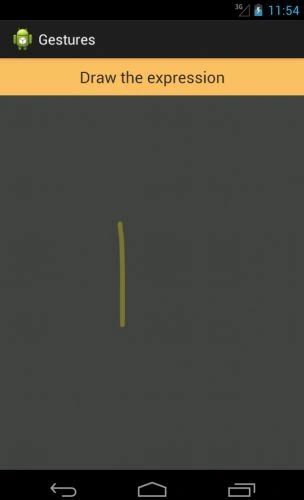
Note that since this gesture is not defined, it will not be recognized. Also, it appears in light yellow color that shows that this gesture is not registered.
Thank you...
Join the conversation! Your thoughts help the community grow.