

In the previous article, we have already seen how to email the activity of all users using Graph API.
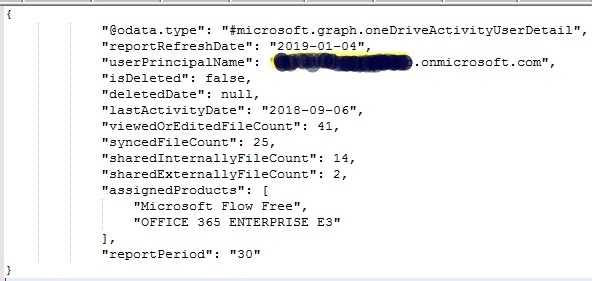
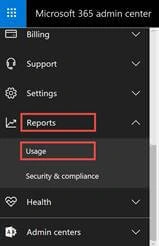
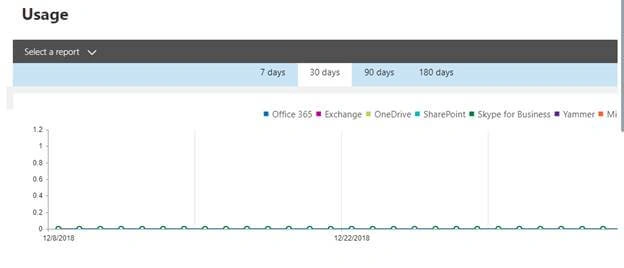
In our organization, we have this requirement to get the synced file count of all OneDrive users, shared external file count, and shared internal file count for the last 30 days. We have used Microsoft Graph API to achieve this. Here, I’m sharing the steps involved in getting the OneDrive activities and how to check the Graph API results in O365 portal reports.
We can get the 7, 30, 90, 180 days activity details using the below API.
API URL: https://graph.microsoft.com/v1.0/reports/getOneDriveActivityUserDetail(period='D7')
Version 1.0 provides the results in CSV format.
Using the beta version, we can get the JSON results. Here is the URL for the beta version.
Here are the available column details from the OneDrive Activity Graph API.
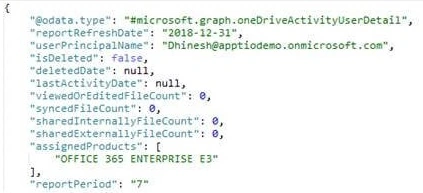
From Microsoft documentation
“Microsoft Graph is the gateway to data and intelligence in Microsoft 365. Microsoft Graph provides a unified programmability model that you can use to take advantage of the tremendous amount of data in Office 365, Enterprise Mobility + Security, and Windows 10.
You can use Microsoft Graph API to build apps for organizations and consumers that interact with the data of millions of users. With Microsoft Graph, you can connect to a wealth of resources, relationships, and intelligence, all through a single endpoint. https://graph.microsoft.com.
Reference URL: https://developer.microsoft.com/en-us/graph/docs/concepts/overview
Here is the Microsoft Documentation URL.
https://developer.microsoft.com/en-us/graph/docs/concepts/overview
Steps to retrieve OneDrive user activity details using node.js
Let us look at the code part first. Follow the below-listed steps and code.
- End-point URL: https://graph.microsoft.com/v1.0/reports/getOneDriveActivityUserDetail(period='D30')
- Graph Token URL: https://login.microsoftonline.com/{tenantID}/oauth2/v2.0/token
- Graph Token body: client_id=" + configValues.clientId + "&scope=" + configValues.scope + "&client_secret=" + configValues.clientSecretId + "&grant_type=client_credentials
Step 1. Register the app in Azure AD using the client ID, Tenant ID, and secret key.
Follow the URL below to register the app in Azure.
How to Register An App In Azure Active Directory
Make sure to check that your registered Azure app has permission to read the directory data.
Step 2. In your node.js solution, just create the config file and provide the below values. We have created a config file to avoid the hard-coded things. Provide your tenantId, clientId, and secret key. Please don't use the below-mentioned one; it is just a sample (it won't work).
{
    "scope": "https%3A%2F%2Fgraph.Microsoft.com%2F.default",
    "tenantId": "7aa111ae-1ab6-4256-af4c-a0c1cdb4575d",
    "clientId": "bff7fae8-c253-37e5-9b6a-e096bed54f11",
    "clientSecretId": "XgfrmWfX0K/N7SRouCdAskTKrz0cnKN2rS12IkJ9SJk="
}
Step 3. Refer to the config file in your JS file, as shown below.
var request = require('sync-request');
var fs = require('fs');
var configValues = JSON.parse(fs.readFileSync('emailactivityconfig.json'));
Step 4. Then, frame the Graph Token URL and Graph Token Body to get the authorized token.
var graphAccessUrl = "https://login.microsoftonline.com/" + configValues.tenantId + "/oauth2/v2.0/token";
var graphTokenBody = "client_id=" + configValues.clientId + "&scope=" + configValues.scope + "&client_secret=" + configValues.clientSecretId + "&grant_type=client_credentials";
Step 5. Get the Authorized Token using the below method.

dhanabalan RangasamyPosted Apr 3, 2019, 10:29 AM
What are the ways to use Graph API? Only via JS or any other code