

Introduction
In this article you will see how to get all the views for a particular list in
SharePoint 2010 using ECMAScript. I have a list named "List Request" which has
the following views (Navigate to the SharePoint list. Click on List tab in the
ribbon interface. Click on List Settings button).
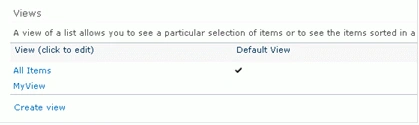
In this you will see how to get all the views for a list "List Request" using
ECMA script.
Steps Involved
- Navigate to the SharePoint site (I have a site page created in my site where I am going to add the content editor web part).
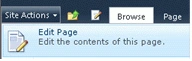
- Go to Site Actions, click on Edit Page.
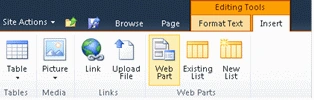
- Click on Insert tab in the ribbon
interface and then click on Web Part button.
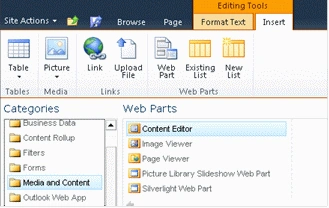
- Select Media and Content in the Categories
section and then click on Content Editor.
- Click on Add.
- Content editor web part will be added to the site page.
- Click on down arrow and then click on Edit
Web Part.
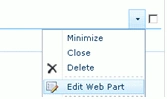
- Click on "Click here to add new content".

- Click on Format Text tab in the ribbon
interface and then click on HTML drop down.

- Click on Edit HTML source.
- HTML source window will pop up.
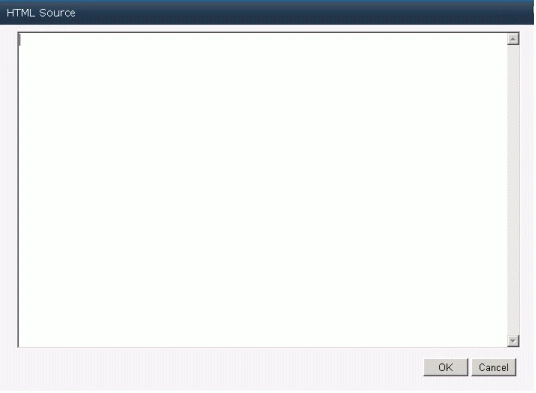
- Copy and paste the following script.
<script language="ecmascript" type="text/ecmascript">var web = null;
var listCollection = null;
var list = null;
var viewCollection = null;function getViews() {
var clientContext = new SP.ClientContext.get_current();
if (clientContext != undefined && clientContext != null) {
this.web = clientContext.get_web();
this.listCollection = web.get_lists();
this.list = listCollection.getByTitle("List Request");
this.viewCollection = list.get_views();
clientContext.load(this.viewCollection);
clientContext.executeQueryAsync(Function.createDelegate(this, this.onQuerySucceeded), Function.createDelegate(this, this.onQueryFailed));
}
}function onQuerySucceeded() {
var viewName = 'Views: \n';
var viewsEnumerator = this.viewCollection.getEnumerator();
while (viewsEnumerator.moveNext()) {
var view = viewsEnumerator.get_current();
viewName += view.get_title() + '\n';
}
alert(viewName);
}function onQueryFailed(sender, args) {
alert('Request failed. ' + args.get_message() + '\n' + args.get_stackTrace());
}</script>
<input id="btnGetViews" onclick="getViews()" type="button" value="Get All Views" />
- Click on Ok.
- In the ribbon interface click on Save &
Close button.
- In the content editor web part you could
find a button named "Get All Views", click on that button.

- An alert will pop up displaying all the views
for the specified list as shown in the following.
Reference
SP.List.views Property -
http://msdn.microsoft.com/en-us/library/ee557520.aspx
Summary
Thus in this article you have seen how to get all the views for a particular
list in SharePoint 2010 using ECMAScript.
Nikhil SarvaiyePosted Dec 11, 2012, 1:11 AM
how to get current list view name....not all....
Amit MaheshwariPosted Jan 20, 2012, 11:42 PM
It's a great effort about the explanation of sharepoint having very clear explanation keep it up thanks for sharing....
Arjun PanwarPosted Jan 20, 2012, 11:21 PM
Good presentation