

Sometimes the client wants to get the data from the multiple sheets of Excel file and show that the data on the page uss C# in ASP.Net so this article explains how to do that.
Initially I need to create an Excel file to get the data, so there is a file named "MyExcel.xlsx" with 3 sheets with some data like as in the following.
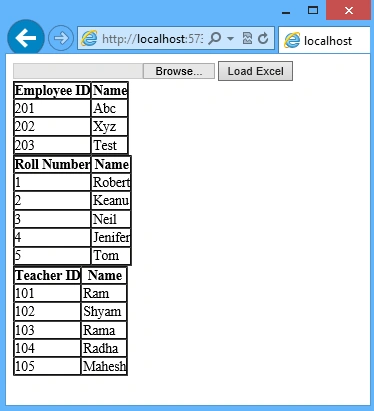
Data of Employees in Employee Sheet with Employee ID and Name Columns.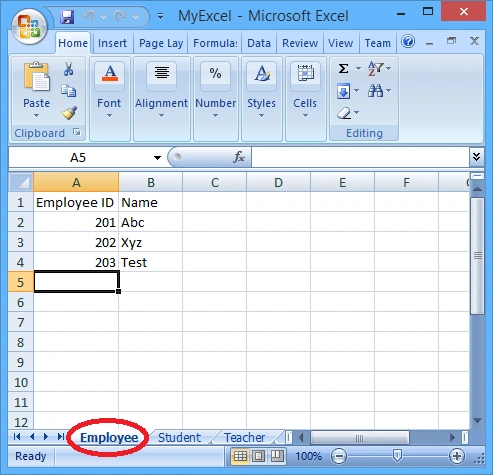
Data of Students in Student Sheet with Roll Number and Name Columns.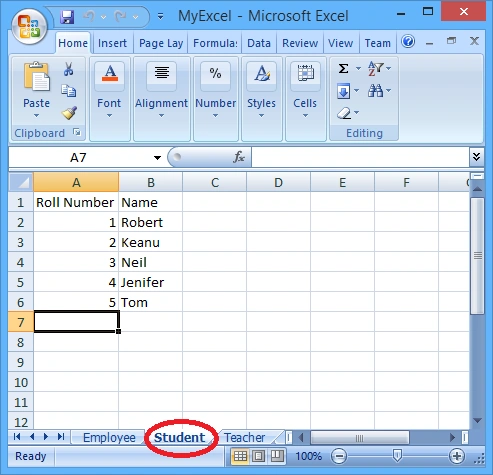
Data of Teachers in Teacher Sheet with Teacher ID and Name Columns.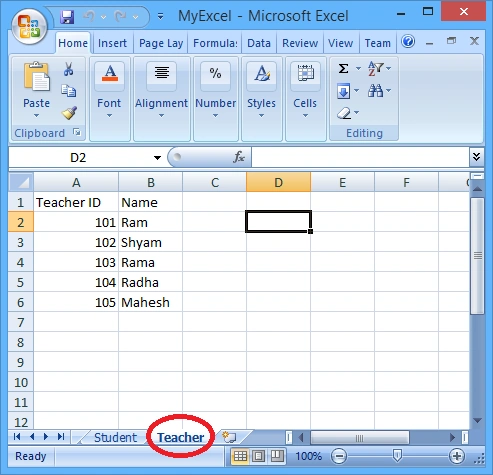
Now to get the data from the preceding Excel file, I need to work on a page as in the following:
- Add the "FileUpload" Control to upload the file
- Add 3 Gridviews to show the data of all 3 sheets
- Add a button with click event
- Write some code on button click event in the code file
Step 1
Add a new "Website" named "Website1".
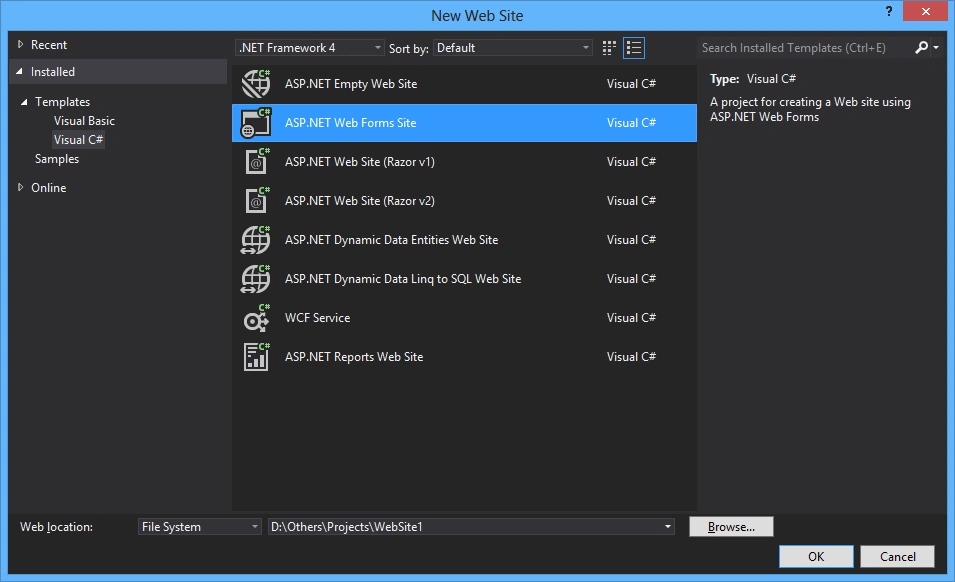
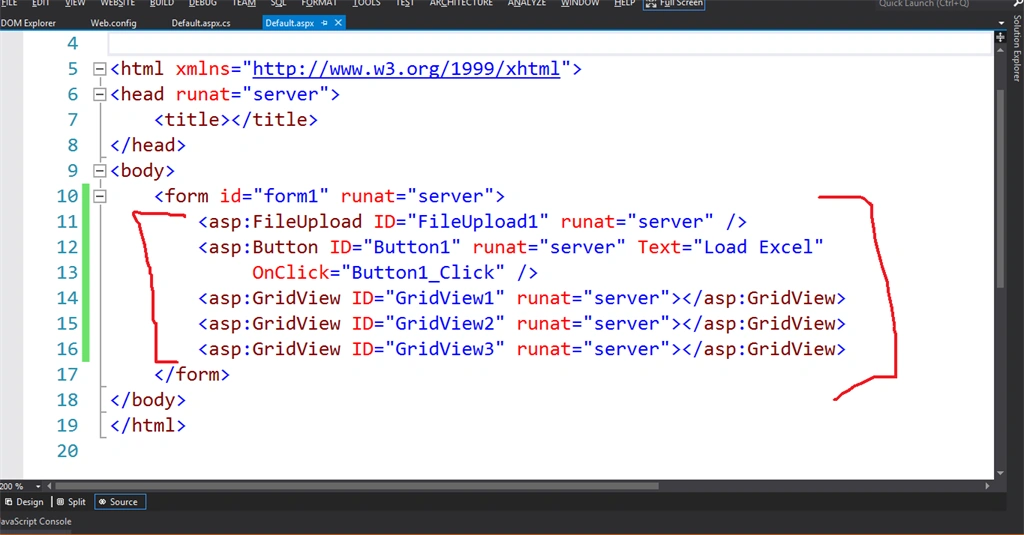
Add some controls to the default page named "Defaut.aspx".
- Add the "FileUpload" Control to upload the file
- Add 3 Gridviews to show the data of all 3 sheets
- Add a button with click event
- <asp: FileUpload ID = "FileUpload1"
- runat = "server" / > < asp: Button ID = "Button1"
- runat = "server"
- Text = "Load Excel"
- OnClick = "Button1_Click" / > < asp: GridView ID = "GridView1"
- runat = "server" > < /asp:GridView>
- <asp:GridView ID="GridView2" runat="server"></asp: GridView > < asp: GridView ID = "GridView3"
- runat = "server" > < /asp:GridView>
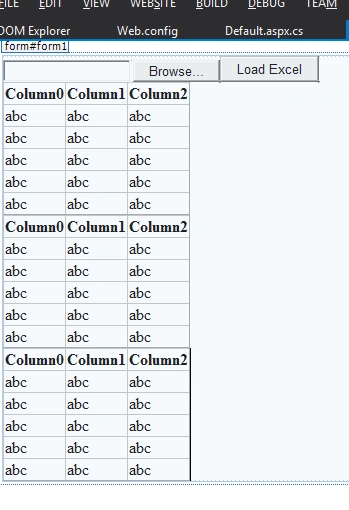
It will look as in the following page.
Step 2
Add 2 namespaces to the top of the code file.
Microsoft Excel is like a database and OleDb is used to connect with many kinds of databases.
Add the following code to the button Click event.
Here is the "BindData()" method that will get the sheets data and bind that to the grids.
Note
The row["TABLE_NAME"] column in the datatable stores the sheet's names sorted alphabetically.
Here is the "getSheetData ()" method that will get the sheet name and return the datatable.
Step 3
Run the page.
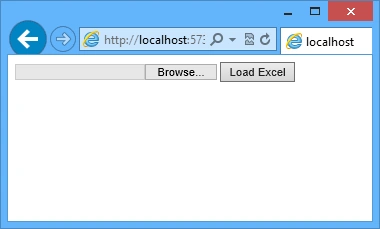
Select the Excel file that I have created first and click on the "Load Excel" Button. Here is the result.
- using System.IO;
- using System.Data.OleDb;
- using System.Data;
- "System.IO" is used for the "File" and "Path" classes to access the Excel file.
- "System.Data.OleDb" is used for the "OleDbConnection" and "OleDbConnection" classes to connect with an Excel file.
- "System.Data" is used for the "DataTable" class.
Microsoft Excel is like a database and OleDb is used to connect with many kinds of databases.
Add the following code to the button Click event.
- protected void Button1_Click(object sender, EventArgs e)
- {
- //if File is not selected then return
- if (Request.Files["FileUpload1"].ContentLength <= 0)
- {
- return;
- }
- //Get the file extension
- string fileExtension = Path.GetExtension(Request.Files["FileUpload1"].FileName);
- //If file is not in excel format then return
- if (fileExtension != ".xls" && fileExtension != ".xlsx")
- {
- return;
- }
- //Get the File name and create new path to save it on server
- string fileLocation = Server.MapPath("\\") + Request.Files["FileUpload1"].FileName;
- //if the File is exist on serevr then delete it
- if (File.Exists(fileLocation))
- {
- File.Delete(fileLocation);
- }
- //save the file lon the server before loading
- Request.Files["FileUpload1"].SaveAs(fileLocation);
- //Create the QueryString for differnt version of fexcel file
- string strConn = "";
- switch (fileExtension)
- {
- case ".xls":
- //Excel 1997-2003
- strConn = "Provider=Microsoft.Jet.OLEDB.4.0;Data Source=" + fileLocation + ";Extended Properties=\"Excel 8.0;HDR=Yes;IMEX=1\"";
- break;
- case ".xlsx":
- //Excel 2007-2010
- strConn = "Provider=Microsoft.ACE.OLEDB.12.0;Data Source=" + fileLocation + ";Extended Properties=\"Excel 12.0 xml;HDR=Yes;IMEX=1\"";
- break;
- }
- //Get the sheets data and bind that data to the grids
- BindData(strConn);
- //Delete the excel file from the server
- File.Delete(fileLocation);
- }
- private void BindData(string strConn)
{ - OleDbConnection objConn = new OleDbConnection(strConn);
- objConn.Open();
- // Get the data table containg the schema guid.
- DataTable dt = null;
- dt = objConn.GetOleDbSchemaTable(OleDbSchemaGuid.Tables, null);
- objConn.Close();
- if (dt.Rows.Count > 0)
{ - int i = 0;
- // Bind the sheets to the Grids
- foreach(DataRow row in dt.Rows)
{ - DataTable dt_sheet = null;
- dt_sheet = getSheetData(strConn, row["TABLE_NAME"].ToString());
- switch (i)
{ - case 0:
- GridView1.DataSource = dt_sheet;
- GridView1.DataBind();
- break;
- case 1:
- GridView2.DataSource = dt_sheet;
- GridView2.DataBind();
- break;
- case 2:
- GridView3.DataSource = dt_sheet;
- GridView3.DataBind();
- break;
- }
- i++;
- }
- }
- }
The row["TABLE_NAME"] column in the datatable stores the sheet's names sorted alphabetically.
Here is the "getSheetData ()" method that will get the sheet name and return the datatable.
- private DataTable getSheetData(string strConn, string sheet)
{ - string query = "select * from [" + sheet + "]";
- OleDbConnection objConn;
- OleDbDataAdapter oleDA;
- DataTable dt = new DataTable();
- objConn = new OleDbConnection(strConn);
- objConn.Open();
- oleDA = new OleDbDataAdapter(query, objConn);
- oleDA.Fill(dt);
- objConn.Close();
- oleDA.Dispose();
- objConn.Dispose();
- return dt;
- }
Run the page.
Select the Excel file that I have created first and click on the "Load Excel" Button. Here is the result.
nirmit shahPosted Dec 5, 2017, 10:05 AM
How to check each excel field record before insert to prevent wrong entry in database for example in database id=456 in excel 1456 so i want to check id before insert record in data base using sqlbulk copy excel import
Ahmet OnurPosted Nov 10, 2017, 5:20 AM
Thanks for sharing. Can we select just two columns from the sheet? For example i want to select third and fifth column like " select [third column],[fifth column] from table name". Is that possible?
Karthik ElumalaiPosted Jun 10, 2016, 2:37 AM
Nicely explained,thanks..:)
Sachindra SinghPosted Apr 6, 2016, 9:15 AM
how to save this data in Access Databse can u Explain with code?
Prashant SalviPosted Jul 20, 2015, 6:08 AM
can u give the code to store multiple sheets in database
Prashant SalviPosted Jul 20, 2015, 6:07 AM
nice code
Former memberPosted Mar 21, 2015, 9:10 AM
good one
RakeshPosted Mar 20, 2015, 5:28 PM
this article really helped me :)
Tom MohanPosted Mar 20, 2015, 9:27 AM
good one
Manish Kumar ChoudharyPosted Mar 20, 2015, 5:45 AM
Nice one.