Introduction
This is one of the social media implementation for a website. Here we are fetching latest video and images along with some other data from a particular Instagram Hash tag and show in our website using simple HTML and JQuery.
Description: We need to follow the following steps for implementing this application for our website.
Design HTML Page
- <head runat="server">
- <title>Get Instagram Data</title>
- <script src="//code.jquery.com/jquery-1.11.1.min.js"></script>
- <script src="Script/CustomScript.js"></script>
- </head>
- <body>
- <form id="form1" runat="server">
- <div class="instagram">
-
- </div>
- </form>
- </body>
Style.css
- body {
- background: #f4f4f4;
- : Arial,sans-serif;
- : 14px;
- color: #666;
- }
- #instagram {
- width: 800px;
- height: auto;
- overflow: auto;
- background: #fff;
- padding: 15px;
- }
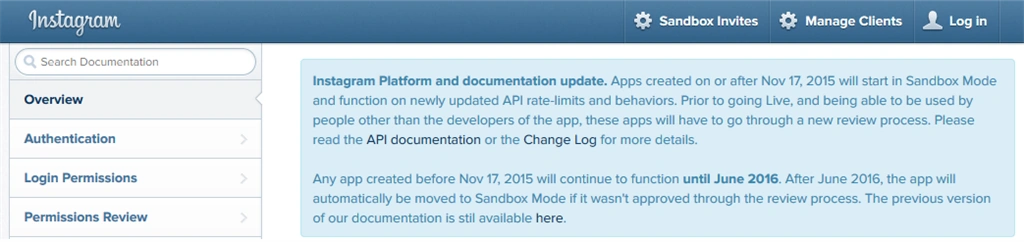
Now at this point the design has been completed. Now we have to integrate a Instagram Hashtag to this HTML and append inside <div</div> tag. Now before moving forward you should have an Instagram account to get access token. Visit to the following
link after login. And you can see a page like the following image,
Now click on Manage Clients and then Register a New Client and it will come up a page as per the following image,
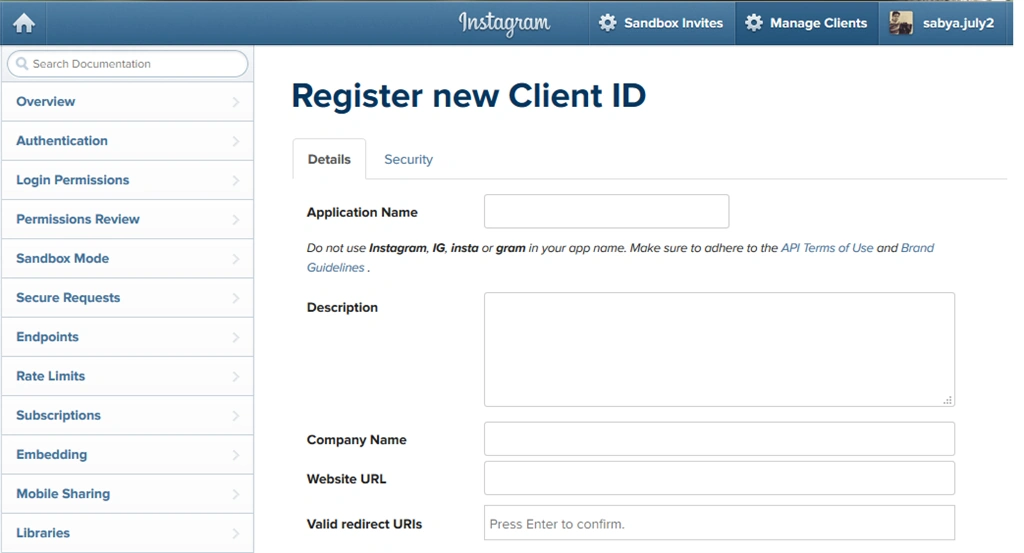
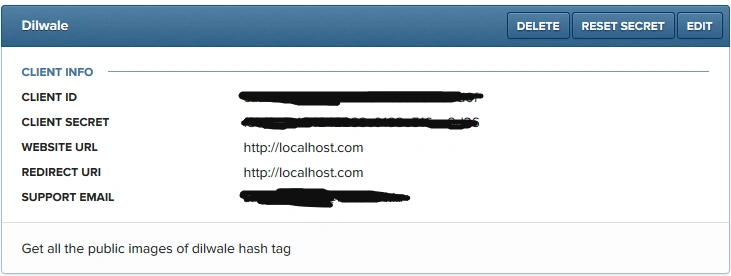
After proper submission you will be getting your
CLIENT ID and
CLIENT SECRET as per the following image,
Now to get
access token visit the
link and click
Get Token you will get your access Token by which we will get all the required data from a hash tag.
CustomScript.js
The following is the script I have written to get the data. And here I am fetching all the Videos and Images of dilwale hashtag. You can change it as per your requirement.
- $(document).ready(function () {
- var hashtag = 'dilwale'
- var accessToken = '16741082.1b07669.121a338d0cbe4ff6a5e04543158a4f82'
- $.ajax({
- url: 'https://api.instagram.com/v1/tags/' + hashtag + '/media/recent?count=33&access_token='+ accessToken +'',
- dataType: 'jsonp',
- type: 'GET',
- success: function (data) {
- console.log(data);
- for (x in data.data) {
- if (data.data[x].type == 'video') {
-
-
- $('.instagram').append('<div style="border:1px solid orange"><video controls><source src="' + data.data[x].videos.standard_resolution.url + '" type="video/mp4"></video><span style="border:1px solid orange; dislay:block">Test1</span></div>');
- } else if (data.data[x].type == 'image') {
- $('.instagram').append('<div style="border:1px solid orange"><img src="' + data.data[x].images.standard_resolution.url + '" ><span style="border:1px solid orange; display:block">"' + data.data[x].caption.text + '"</span><span style="border:1px solid orange; dislay:block">Test1</span></div>');
-
-
- }
- }
- },
- error: function (data) {
- console.log(data);
- }
- })
- });
Now if you run this you will see a list of top 33 videos and images along with text in your page. If you remove the count it will come up with a list of 20 data as default.
Note
- Don't share your access token with others.
- You can download the attached project and see the result.
Hope that helps you.


Nigel FernandesPosted Oct 18, 2016, 1:21 AM
Nice... Can you tell me how to fetch top 10 images of a specific user ?
SubashPosted Aug 1, 2016, 6:01 AM
Good
Santhakumar MunuswamyPosted Dec 18, 2015, 9:45 AM
Thanks for nice article. Your getting data through api?