Introduction:
In this
article you will see how to get the field name from a specified view in the
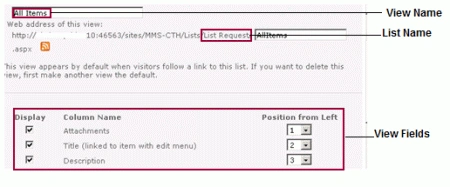
SharePoint 2010 list using ECMAScript. I have a list named "List Request" from
which I need to get the field name from a particular view (for example: "All
Items"). In this I will show you how to get the field name from "All Items"
view. My "All Items" view has the following view fields.
Step 1
Steps Involved
-
Navigate to
the SharePoint site ( I have a site page created in my site where I am going
to add the content editor web part).
-
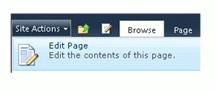
Go to
Site Actions, click on Edit Page.
Step 2
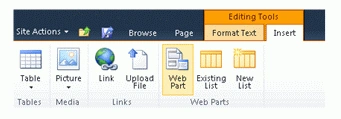
: Click on Insert tab in the ribbon interface and then
click on Web Part button.
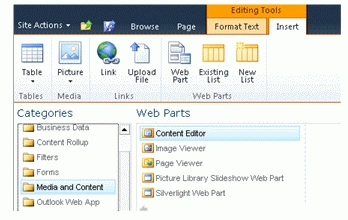
Step 3 : Select
Media and Content in the Categories section and then click
on Content Editor.
Step
4 : Click on Add.
Step
5 : Content editor
web part will be added to the site page.
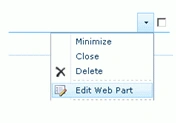
Step 6 :
Click on down
arrow and then click on Edit Web Part.
Step 7 :
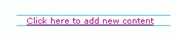
Click on "Click here to add new content".
Step
8 : Click on Format Text tab in the ribbon interface and then
click on HTML drop down.

Step 9 :
Click on Edit HTML source.
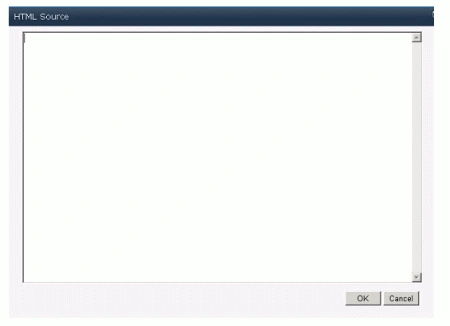
Step
10 : HTML source
window will pop up.
Step 11 :
Copy and paste the following script.
code :
<script
language="ecmascript"
type="text/ecmascript">
var web =
null;
var listCollection =
null;
var list = null;
var viewCollection =
null;
var view = null;
var value = null;
var viewFieldColl =
null;
function getFieldName() {
var clientContext =
new SP.ClientContext.get_current();
if (clientContext != undefined &&
clientContext != null) {
this.web = clientContext.get_web();
this.listCollection =
web.get_lists();
this.list =
listCollection.getByTitle("List Request");
this.viewCollection =
list.get_views();
this.view =
viewCollection.getByTitle("All Items");
this.viewFieldColl =
view.get_viewFields();
clientContext.load(this.viewFieldColl);
clientContext.executeQueryAsync(Function.createDelegate(this,
this.onQuerySucceeded), Function.createDelegate(this,
this.onQueryFailed));
}
}
function onQuerySucceeded() {
this.value =
viewFieldColl.get_item(0);
alert(value)
}
function onQueryFailed(sender, args) {
alert('Request failed. ' +
args.get_message() + '\n' +
args.get_stackTrace());
}</script>
<input
id="btnGetFieldName"
onclick="getFieldName()"
type="button"
value="Get Field Name"
/>
Step
12 : Click on Ok.
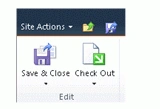
Step 13 :
In the ribbon interface click on Save & Close
button.
Step 14 :
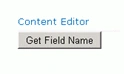
In the content editor web part you could find a button named ""Get
Field Name",
click on that button.
Step 15 :
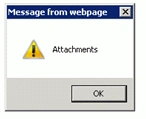
Alert will pop up displaying the field names as shown in the following.
Reference
SP.ViewFieldCollection.item Property
-
http://msdn.microsoft.com/en-us/library/ee548413.aspx
Summary
Thus
in this article you have seen how to get the field name from the specified view
in the SharePoint 2010 list.


Sonakshi SinghPosted Jan 19, 2012, 11:08 PM
I want to know more about ECMA script... Please keep posting articles about the subject
Monika AroraPosted Jan 19, 2012, 10:56 PM
Very nicely presented article.