

Create new Windows 10 project and choose the map control from toolbox list.
Geo Location API allows easy to access a device’s current location. Here we will see how to get the longitude and latitude co-ordinates of the device.
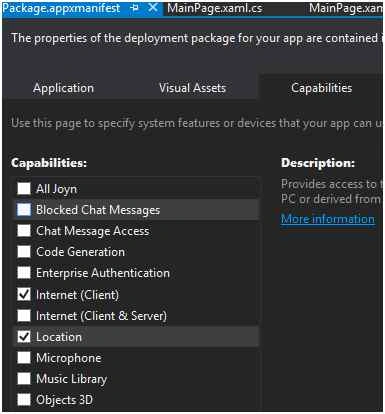
Firstly, enable the location capabilities to allow the device to access the location like the following screen,
Next add the namespace in you code page.
- using Windows.Devices.Geolocation;
- using Windows.Services.Maps;
Write the following code to set your position to the map control.
- var geolocator = new Geolocator();
- var position = await geolocator.GetGeopositionAsync();
- mymap.Center = position.Coordinate.Point;
- mymap.ZoomLevel = 15;
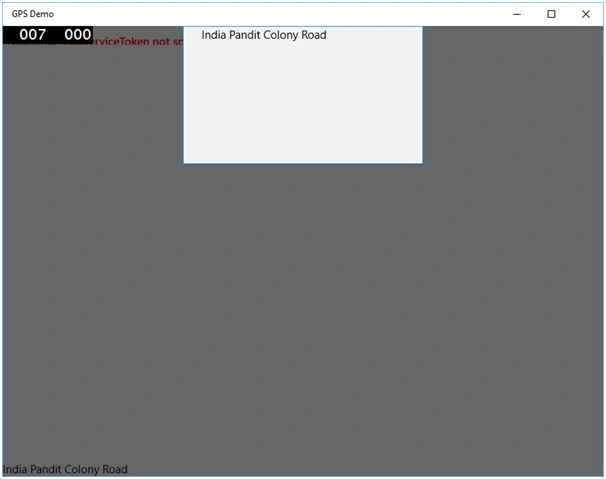
Next we are going to get the current street address of the position using the coordinates.
You will get the following details also:
- BuildingFloor
- BuildingName
- BuildingRoom
- BuildingWing
- Continent
- Country
- CountryCode
- District
- FormattedAddress
- Neighborhood
- PostCode
- Region
- RegionCode
- Street
- StreetNumber
- Town
Write the following code to get the address of the street.
- var mapLocation = await MapLocationFinder.FindLocationsAtAsync(position.Coordinate.Point);
- if (mapLocation.Status == MapLocationFinderStatus.Success)
- {
- string address = mapLocation.Locations[0].Address.StreetNumber + " " + mapLocation.Locations[0].Address.Street;
- }
- else
- {
- dialog.Content = "Not Found";
- }
Humayun Kabir MamunPosted Dec 1, 2015, 1:13 AM
Nice...
Ankur MistryPosted Dec 1, 2015, 12:24 AM
good
Banketeshvar NarayanPosted Nov 30, 2015, 1:49 PM
Nice Share
Mohammed IbrahimPosted Nov 30, 2015, 1:37 PM
nice
Raja TPosted Nov 30, 2015, 8:14 AM
Nice,Thanks for sharing