

Background
This article is the summation of my notes collected during my attempt to learn jQuery through various books and websites. As such this is still a work in progress and will be updated based on my understanding and study of this beautiful library and will add simple uses cases of jquery with asp.net/mvc.
Introduction
jQuery is a javascript library with rich API to manipulate DOM, event handling, animation and ajax interactions. The following are the essential features of jQuery that makes it so appealing for client side scripting.
-
jQuery is Cross-Browser
-
jQuery supports Ajax
-
Rich Selectors
-
DOM Manipulation
-
Animation
-
Rich UI
Please feel free to download Questpond's free 500 question and answer Videos or e-Book which covers .NET , ASP.NET , SQL Server , WCF , WPF , WWF, .Net Best Practises, Sharepoint Interview Questions, Linq, Silverlight, MVP, MVC, Design Pattern, UML, Function Points, Enterprise Application Blocks, Code Review Tools, Complete Dot Net Project With SDLC, 20 OOP'S Question and Answers, Azure, @ http://www.questpond.com/ .
Anatomy of jQuery
The jQuery architecture revolves around the following areas. 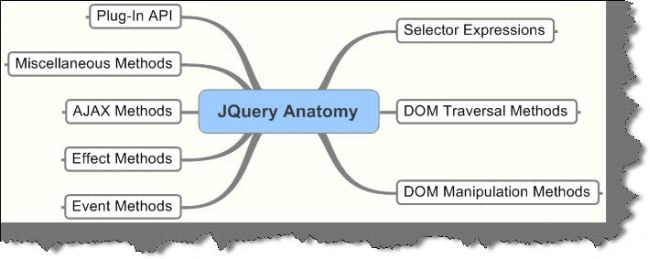
Setting up jQuery ready handler
jQuery lets you run your code when the page elements have been loaded. This is more efficient than the browser onload() functions, which is called only after all images have been loaded. To run the code when the page is ready you use the following syntax
$(document).ready(function() { .... }); There's a shorthand as well $(function() { .... }); A Quick Demo
Let's briefly have quick look at jQuery in action.
Selecting Page Elements by ID
The $('#id') is used to select elements by id. When you click on the button "Stripe" the stripe() JS method is triggered which toggles the class of the element whose id matches 'third'. On subsequent click the style will be reset. 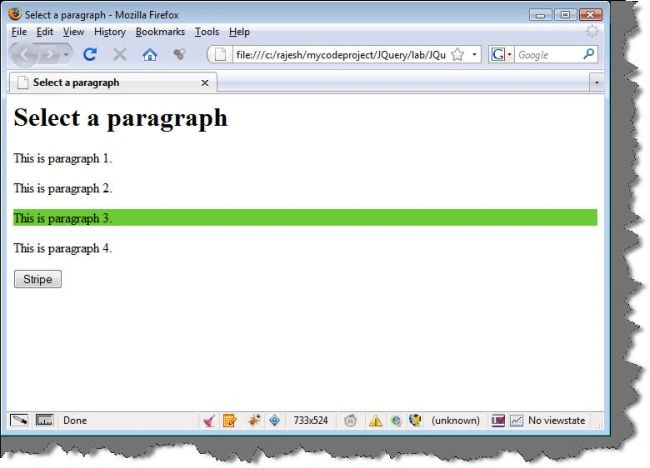
The code and the markup is displayed below.
<head>
<title>Select a paragraph</title>
<script type="text/javascript" src="jquery-1.3.2.min.js">
</script>
<script type="text/javascript"> function stripe( ) { $('#third').toggleClass('striped'); }
</script>
<style> p.striped { background-color: cyan; }
</style>
</head>
<body> <h1>Select a paragraph</h1>
<div> <p>This is paragraph 1.</p>
<p>This is paragraph 2.</p>
<p id="third">This is paragraph 3.</p>
<p>This is paragraph 4.</p>
</div>
<form> <input type = "button" value="Stripe" onclick="stripe()">
</input>
</form>
</body>
Selecting a Set of Elements
The $("div") selects all div elements. The fadeIn() effect is applied to each div matched.
The div is hidden initially. 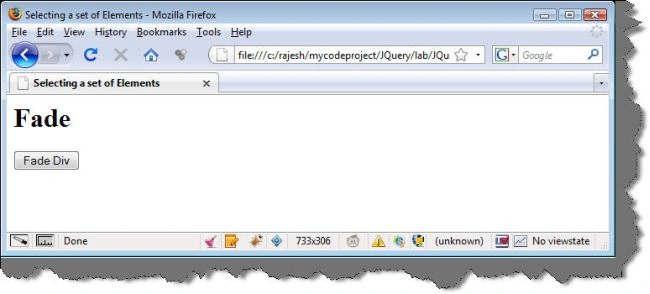
On clicking the button the all the div elements fades in slowly. 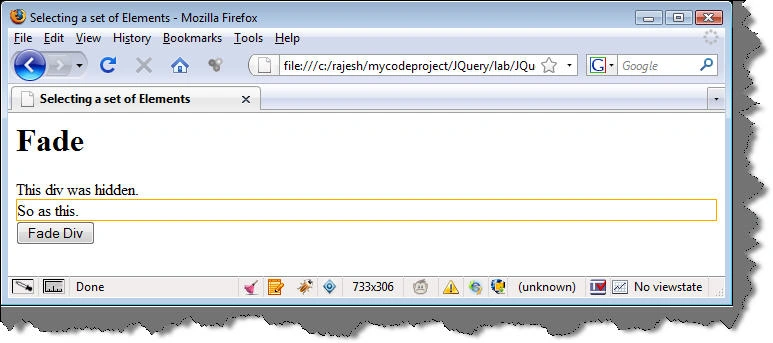
The code and the markup is displayed below.
<head>
<title>Selecting a set of Elements</title>
<script type="text/javascript" src="Scripts/jquery-1.3.2.min.js">
</script>
<script type="text/javascript"> function fade() { $("div").fadeIn('slow'); }
</script>
</head>
<body>
<h1>Fade</h1>
<div style ="display:none"> This div was hidden. </div>
<div style ="display:none;border:solid 1px orange"> So as this. </div>
<form> <input type = "button" value="Fade Div" onclick="fade()" />
</form>
</body>
Selecting Elements by Style
The $(p.mark) selects all paragraph elements with the class "mark".
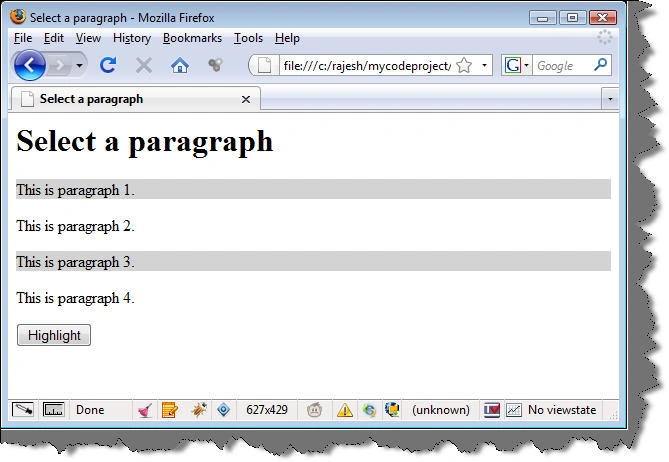
The code and the markup is displayed below.
<head>
<title>Select a paragraph</title>
<script type="text/javascript" src="Scripts/jquery-1.3.2.min.js">
</script>
<script type="text/javascript"> function highlight() { $('p.mark').toggleClass("highlight"); }
</script>
<style type="text/css"> p.mark { font-weight: normal; } p.highlight { background-color: lightgray; }
</style>
</head>
<body>
<h1>Select a paragraph</h1>
<div>
<p class = "mark">This is paragraph 1.</p>
<p>This is paragraph 2.</p>
<p class = "mark">This is paragraph 3.</p>
<p>This is paragraph 4.</p>
</div>
<input type = "button" value="Highlight" onclick="highlight()"/>
</body>
Digging deeper into jquery
The above discussion summed up the very basics of jQuery. The next sections dig deeper into jQuery based on the antomical structure outlined.
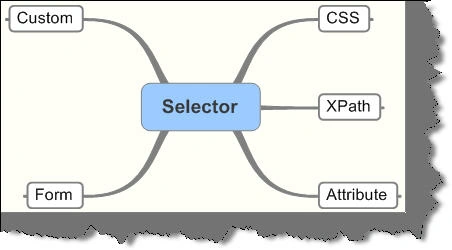
CSS Selectors
The CSS selectors are baed on the CSS 1-3 as outlined by the w3C. For additional information please visit w3.org
Selecting by Element
All elements selection takes the form of $('T') where 'T' stands for the element tag name.For e.g.
-
$('div') selects all elements with a tag name of div in the document
-
$('input') selects all elements with a tag name of input in the document.
jQuery uses the JavaScript's getElementsByTagName() function for tag-name selectors.
Selecting by ID
This takes the form $('#id') where ID equal to id.For e.g.
-
$('#firstName') selects the unique element with id = 'firstName'.
-
$('div#main') selects a single div with an id of 'main'.
If there are more than one element with the same id then jQuery selects the first matched element in the DOM.
Selecting by Class
This takes the form $('.myclass') where class equal to myclass.For e.g.
-
$('.blink') selects all elements with class = 'blink'.
-
$('p.blink') selects all paragraphs that have a class of blink.
-
$('.mybold.myblink') selects all elements that have a class of 'mybold' and 'myblink'.
Performance wise the example 2 is preferable as it limits the query to a given tag name.
Selecting by Descendant (E1 E2)
Matches all elements matched by E2 that are descendants of an element matched by E1.For e.g.
-
$('#menu li') selects all elements matched by <li> that are descendants of an element that has an id of menu.
-
$('a img') selects all elements matched by <img> that are descendants of an element matched by <a>
A descendant of an element is any element that is a child, grandchild and so on of that element.
<div id = "menu">
<div id = "item1">
<div id = "item-1.1">
<div id = "item-1.2">
<div id = "item-1.2.1"/>
</div>
</div>
</div>
In the above example "item-1.2.1" is a descendant of "item-1.2", "item-1.1", "item1" and 'menu".
Selecting Child elements (E1 > E2)
Matches all elements matched by E2 that are children of an element matched by E1.For e.g.
-
$('li > ul') selects all elements matched by <ul> that are children of an element matched by <li>.
-
$('p > pre') matches all elements matched by pre that are children of an element matched by<p>.
The child selector works in all modern browser except IE 6 and below. The child combinator is a more specific form of descendant
combinator as it selects only first-level descendants.
Adjacent Sibling (E1 + E2)
Matches all elements by E2 that immediately follow and have the same parent as an element matched by E1.For e.g.
-
$('p + img') selects all elements matched by <img> that immediately follow a sibling element matched by <p>.
The + combinator selects only siblings i.e. elements at the same level as the matched element.
General Sibling (E1 ~ E2)
Matches all elements by E2 that follow and have the same parent as an element matched by E1.For e.g.
-
$('p ~ img') selects all elements matched by <img> that follow a sibling element matched by <p>.
The difference between + and ~ is + combinator reaches only to the immediately following sibling element whereas the ~ combinator extends that reach to all following sibling elements as well.
Consider the following HTML.
<ul>
<li class = "1st"></li>
<li class = "2nd"></li>
<li class = "3rd"></li>
</ul>
<ul>
<li class = "4th"></li>
<li class = "5th"></li>
<li class = "6th"></li>
</ul>
$('li.1st ~ li) selects <li class = "2nd"> and <li class = "3rd">.
$(li.1st + li) selects <li class = "2nd">
Multiple Elements (E1, E2, E3)
Selects all elements matched by selector E1, E2 or E3.For e.g.
-
$('div, p, pre') selects all elements matched by <div> or <p> or <pre>.
-
$('p bold, .class-name) sleects all elements matched by <bold> that are descendants of <p> as well as all elements that have a class of '.class-name'.
The comma (,) combinator is an efficient way to select disparate elements.
Nth Child (:nth-child(n))
All elements that are the nth child of their parent.For e.g.
-
$('li:nth-child(3)') selects all elements matched by <li> that are the 3rd child of their parent.
The 'n' is 1 based as this is strictly derived from the CSS specification. For all other selectors jQuery follows 0-based counting.
First Child (:first-child)
All elements that are the first child of their parent.For e.g.
-
$(li:first-child') selects all elements matched by <li> that are the first child of their parent.
The :first-child pseudo-class is shorthand notation for :nth-child(1).
Last Child (:last-child)
All elements that are the last child of their parent.For e.g.
-
$(li:last-child') selects all elements matched by <li> that are the last child of their parent.
Only Child (:only-child)
All elements that are the only child of their parent.For e.g.
-
$(':only-child') selects all elements that are the only child of their parent.
-
$('p:only-child') sleects all elements matched by <p> that are the only child of their parent.
Not (:not(s))
All elements that do not match selector 's'.For e.g.
-
$('li:not (.myclass)') selects all elements matched by <li> that do not have class="myclass".
-
$('li:not(:last-child)') selects all elements matched by <li> that are not the last child of their parent element.
Empty (:empty)
All elements that have no children (including text nodes).For e.g.
-
$('p:empty') selects all elements matched by <p> that have no children.
-
$('empty') selects all elements that have no children.
All Elements (*)
All elementsFor e.g.
-
$('*') selects all elements in the document.
-
$(p > '*') selects all elements that are children of a paragraph element.
XPath Selectors
XPath selectors are modelled after the file system's directory-tree navigation.
Descendant (E1//E2)
All elements matched by E1 that are descendants of an element matched by E1.For e.g.
-
$('div//e') selects all elements matched by <code> that are descendants of an element matched by <div>
-
$('//p//a') selects all elements matched by <a> that are descendants of an element matched by <p>
The XPath descendant works the same as teh corresponding CSS descendant selector $('E1 E2) except that the XPath version can specify that it is to start at the document root, which could be useful when working with XML document.
Child (E1/E2)
All elements matched by E2 that are children of an element matched by E1.For e.g.
-
$('div/p') selects all elements matched by <p> that are children of an element matched by <div>.
-
$('/root/e') sleects all elements matched by <e> that are children of an element matched by <root>, as long as <root> is actually at the document root.
The XPath child seletor $('E1/E2') is an alternative to the CSS child selector $('E1 > E2'). If the selector expression begins with a single slash (/), as in example 2, the selector immediately following the slash must be at the document root.
Parent (E/..)
All elements that are parents of an element matched by E.For e.g.
-
$('.menuitem/..') selects the parent element of all elements that have a class of menuitem.
-
$('.menuitem/../p') selects all elements matched by <p> that are children of the element that has a class of menuitem.
Contains ([E])
All elements that contain an element matched by E.For e.g.
-
$('div[p]') selects all elements matched by <div> that contain an element matched by <p>.
This selector is like the reverse of the descendant selector (either E1 // E2 or E1 E2), in that it selects all elements that have a descendant element matched by E1 instead of all elements matched by E2 that are descendants of some other element.
Attribute Selectors
Attribute selectors begin with @ symbol.
Has Attribute ([@foo])
All elements that have foo attribute.For e.g.
-
$('a[@rel]') selects all elements matched by <a> that have a rel attribute.
-
$('div[@class]') selects all elements matched by <div> that have a class attribute.
ankit kumarPosted Apr 14, 2012, 5:18 AM
ddd