

Introduction

- Gradle-based build support.
- Android-specific refactoring and quick fixes.
- Lint tools to catch performance, usability, version compatibility and other problems.
- ProGuard and app-signing capabilities.
- You can create common Android designs and components using Template-based wizards.
- A rich layout editor that allows you to drag-and-drop UI components.
- Preview layouts on multiple screen configurations.
Many other things are in Android Studio that is handy when we actually work on the Studio.
First, let's install the Android Studio
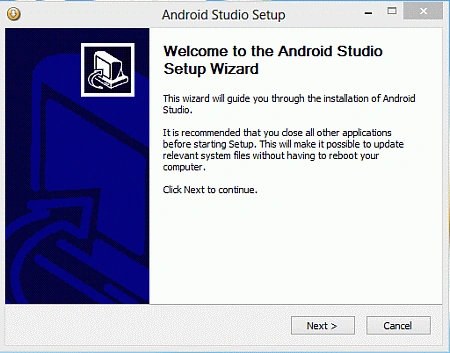
Step 1: Start the Android Studio setup file.
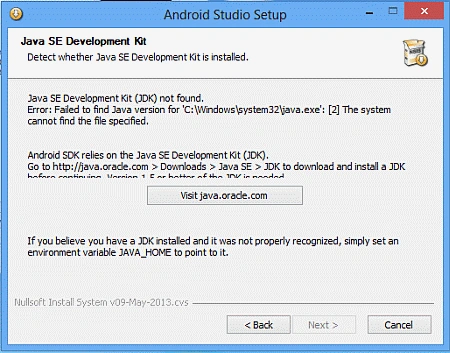 Oops, what's that, don't worry just a platform requirement you need to install the Java JDK first to install Android Studio and if you think that you have already installed the JDK then you need to set the environment variable for Java. Use the following procedure to do that.
Set the Environment Variable
Oops, what's that, don't worry just a platform requirement you need to install the Java JDK first to install Android Studio and if you think that you have already installed the JDK then you need to set the environment variable for Java. Use the following procedure to do that.
Set the Environment Variable
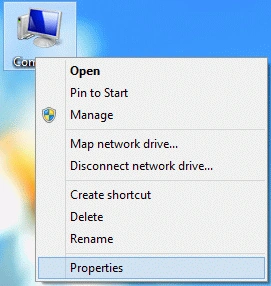
Step 1: Go to My Computer then right-click on it and choose "Properties".
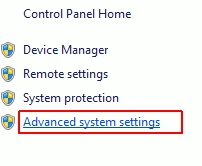
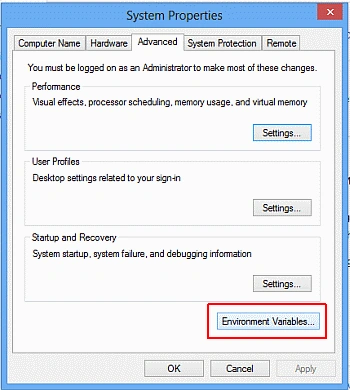
 Step 2: Go to the Advanced system settings, a System Properties windows will open then click on the "Environment Variables" button.
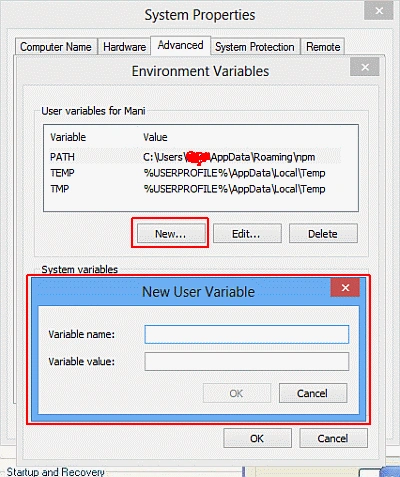
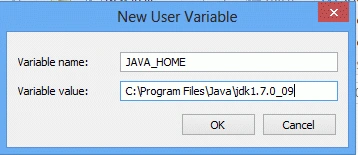
 Step 3: Click on the New button and enter the path for Java home in the pop-up window as below:
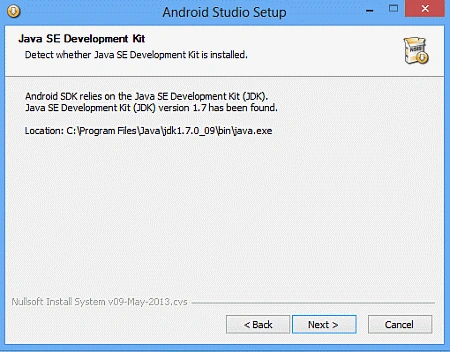
 Step 4: Now again run the Android Studio setup file. If you have already set your Java home path then the Java JDK requirement message will not be shown as I described above, the step will continue normally as in the following.
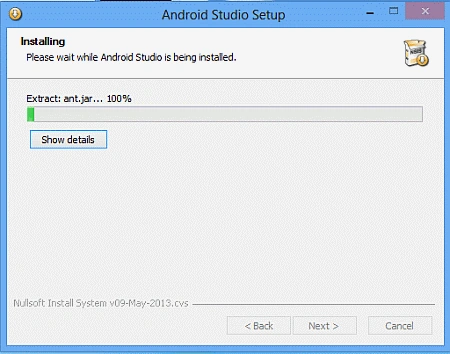
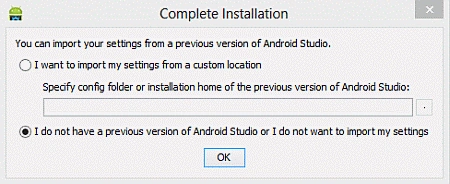
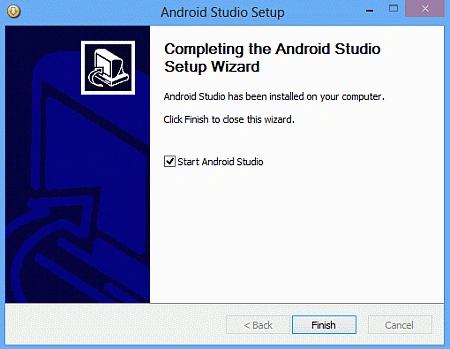 Step 6: Then the setup will ask you to import previous settings if you have some then import then, otherwise go with a new installation.
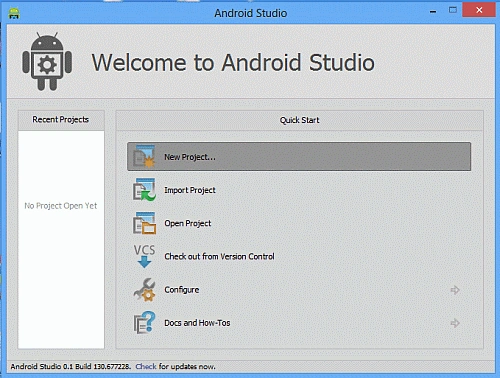 That's it; cheers guys, you are done now and you can start development on Android Studio.
Thanks
That's it; cheers guys, you are done now and you can start development on Android Studio.
Thanks
Step 5: Follow the instructions and continue with the setup; the completion wizard will finally be shown, then click on "Finish".
Manish TewatiaPosted May 22, 2013, 12:16 PM
Good one surjeet
Deepak GoyaleditedPosted May 22, 2013, 2:12 AMEdited May 22, 2013, 2:12 AM
Installed and tried with a small app. Nice to have it....
Chintan RathodPosted May 19, 2013, 12:44 PM
hope bugs will be less.. will try after some time due to real time development and alpha release may cause some issue in future.
Surjeet YadavPosted May 19, 2013, 11:26 AM
Thank you sir, its my pleasure to get your comment on my article... Start working on it but facing some issues trying to resolve those and will be share, here with our community... Thanks again
Mahesh ChandPosted May 19, 2013, 10:40 AM
Already started work on it. Very nice.