

Introduction
Electron is a free and open-source framework that is developed and maintained by GitHub. You can utilize this framework to design desktop applications using the web technologies such as HTML, JavaScript, CSS as well as other frontend frameworks and Web Assembly. Electron is used to design the desktop-based application which can be used for Linux, Windows, and macOS. Using the electron packager tool, we can create a desktop executable file of the application having the combination of Electron and Angular. In this article, we will design a desktop application using Angular and Electron which can be utilized for the Cross Platform.
In this article, we will learn to create the first angular electron application.
Prerequisites
- Knowledge of Angular and TypeScript
- Node.js and npm should be installed
- IDE for Angular (Visual Studio or Visual Studio Code)
As Node.js and npm are prerequisites and I have already those in my machine so let’s kick up from the angular app creation.
Create Angular App
Run the following command to install the latest version of Angular CLI.
npm install -g @angular/cli
Create an angular project using the below command
ng new myRijSatApp
Go to the app directory.
cd myRijSatApp
You can run ng serve command to open the Angular application in the browser.
You can run and see the application in your browser at http://localhost:4200/
Installing Electron
First, we have to install electron. Below cmd installs Electron as a development dependency in the project. Run the command to install it.
npm install –save-dev electron@latest
Next, open your project in any of your familiar angular IDE and add an app.js file inside the root folder of your project and write the following code inside it.
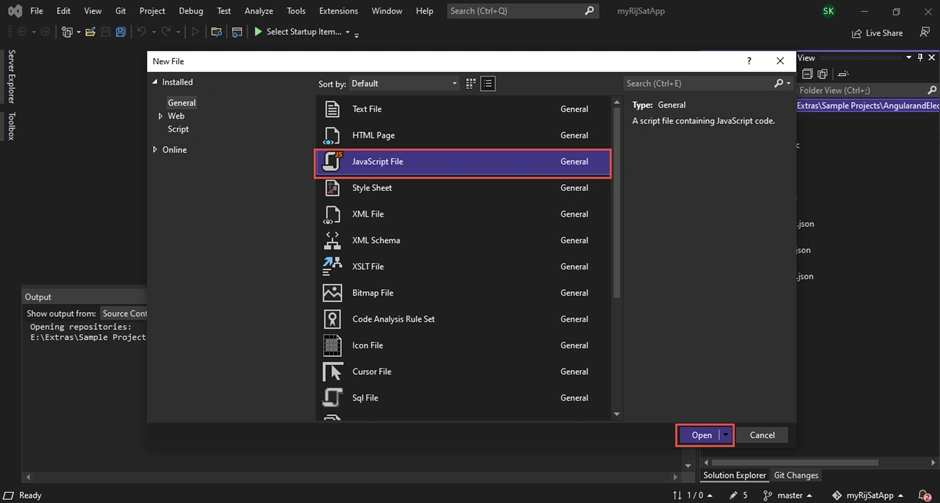
Rename the newly added JS file to app.js and write the following code inside it.
The Code of app.js is given below.
const {app, BrowserWindow} = require('electron')
    const url = require("url");
    const path = require("path");

    let mainWindow

    function createWindow () {
      mainWindow = new BrowserWindow({
        width: 900,
        height: 700,
        webPreferences: {
          nodeIntegration: true
        }
      })

      mainWindow.loadURL(
        url.format({
          pathname: path.join(__dirname, `/dist/myRijSatApp/index.html`),
          protocol: "file:",
          slashes: true
        })
      );
      // Open the DevTools. If you don't want you delete this
      mainWindow.webContents.openDevTools()

      mainWindow.on('closed', function () {
        mainWindow = null
      })
    }

    app.on('ready', createWindow)

    app.on('window-all-closed', function () {
      if (process.platform !== 'darwin') app.quit()
    })

    app.on('activate', function () {
      if (mainWindow === null) createWindow()
    })
In the above code, CreateWindow method creates the Window of your application where you can define the size of your application(height, width), and path. It loads the index page of your application in the window.
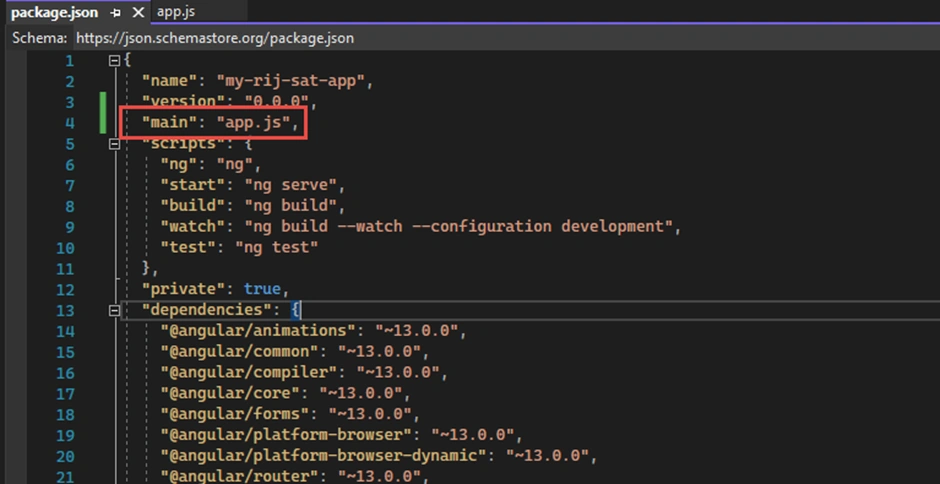
The next step is, we need to open the package.json file and add the app.js as the main as illustrated below.
"main": "app.js",
The next step is to modify the Start script as shown below.
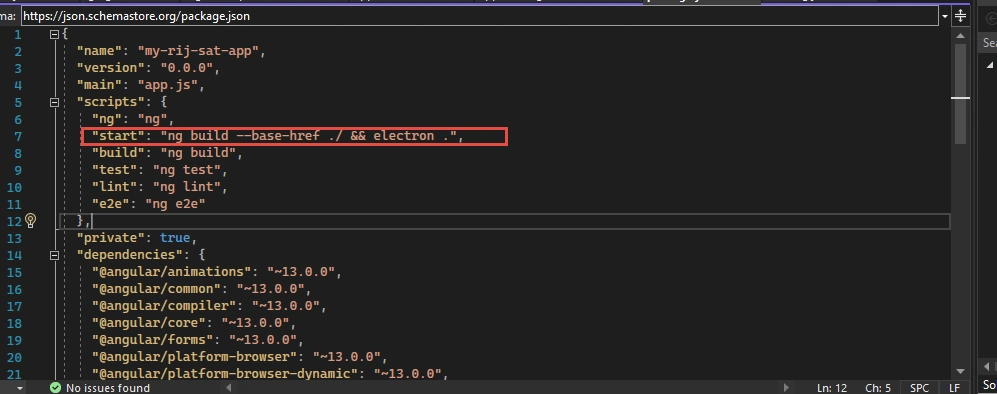
Now, we can run and see the application.
npm start
After running the app, if you get a blank screen with the below error.
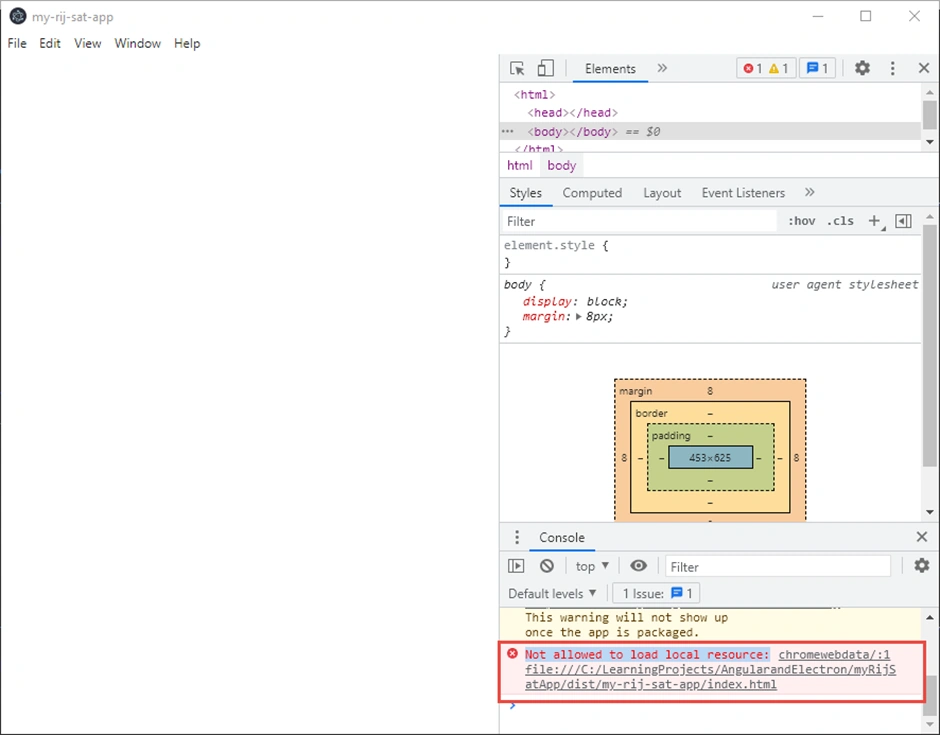
Then check your directory path and provide the correct directory path for index.html page in your app.js file.
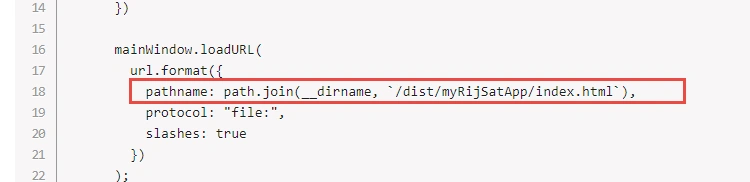
Try again running the below command to launch your first Angular electron application.
npm start
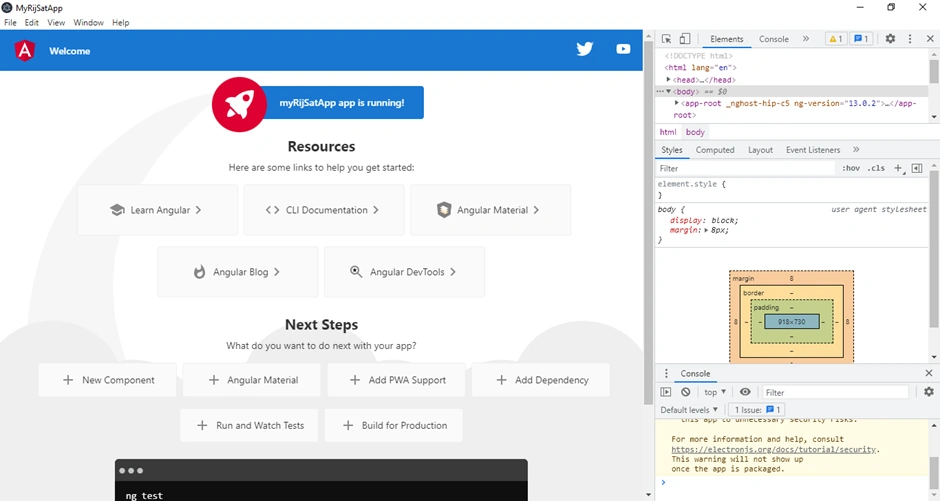
Once you run, the output of your first electron app will be like the image illustrated below.
Add a new Component
Adding new components is almost similar to Angular web application development which I will demonstrate shortly below.
You can run the below command to add a new login component.
ng g c login
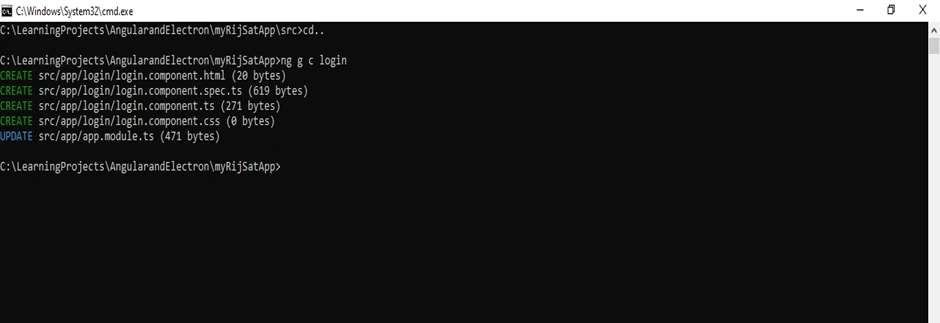
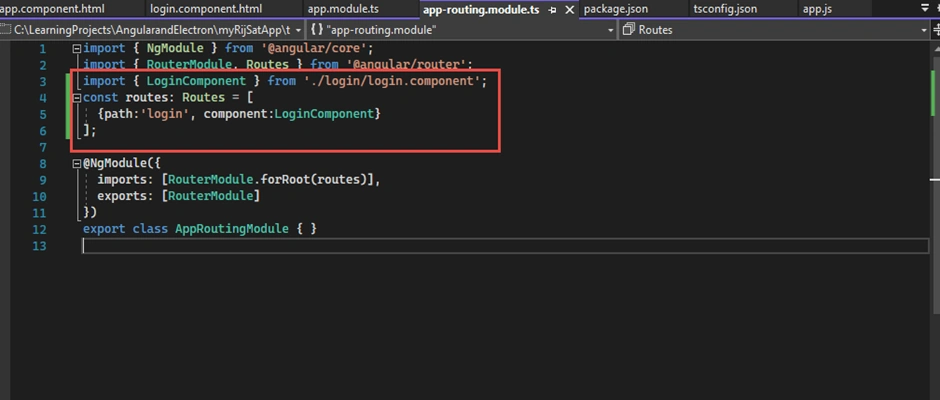
Add login component in the app-routing.module.ts as shown.
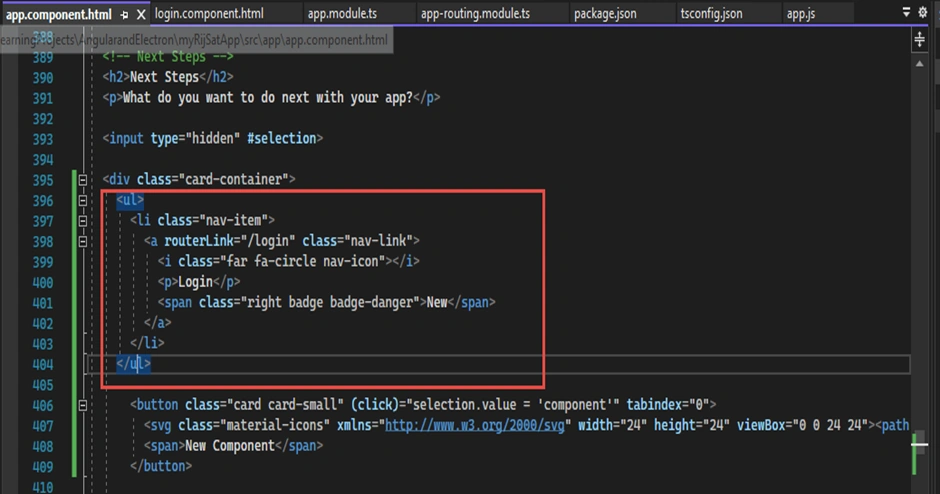
Also, add it in the app-component.html.
Now you can design your login page and run the app and check it. You can clean up the default design and add other components accordingly. Hence, you can change the design and customize the application as per your need.
Conclusion
In a nutshell, we created angular and electron application as well as got familiar with desktop application development for cross-platform. Moreover, the article has described what is an electron and how to create the first cross-platform desktop application that can be utilized for Linux, Windows, and macOS using a combination of angular and electron.
In the next part of the article, we will learn about packaging or releasing the angular and electron desktop applications for the major operating systems such as Windows, Linux, and macOS.
Reference
1. Rijsat.com
Join the conversation! Your thoughts help the community grow.