

Prerequisites
- Azure account.
Now, let's start with the following steps:
Create Apache Storm Cluster
Step 1
Sign in to the online Microsoft Azure Portal.
Step 2
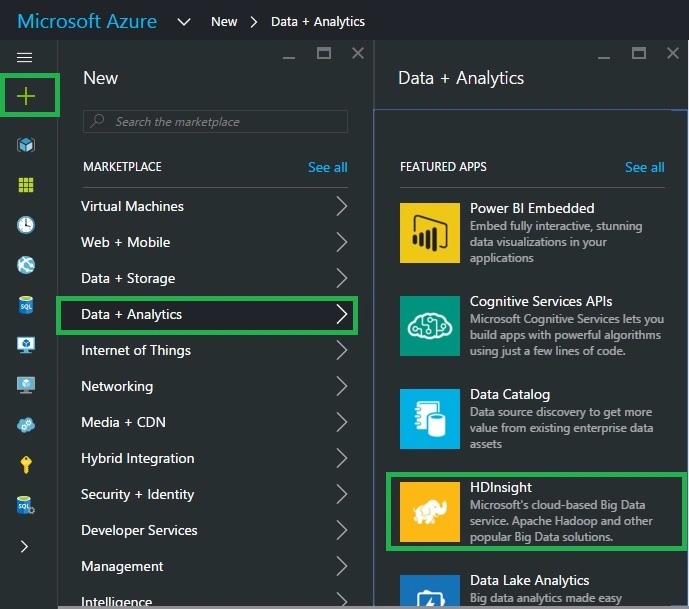
In the Jump bar, click New, then click Data + Analytics and select HDInsight.
Step 3
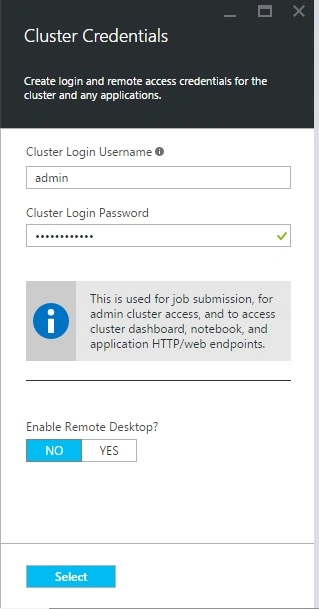
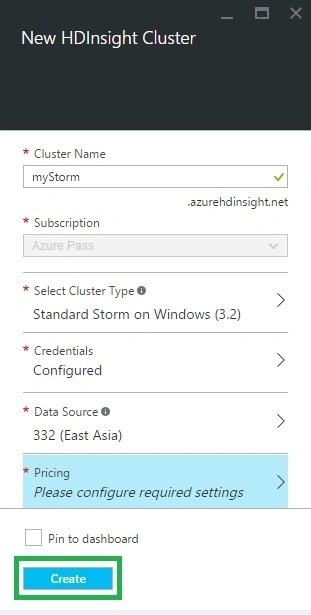
In the new HDInsight Cluster account blade, specify the desired configuration for the HDInsight Cluster account (Cluster Name, Cluster Type, Cluster Operating System, HDInsight Version, Resource Group, Credentials, Data Source, Node Pricing Tiers & Optional Configuration).
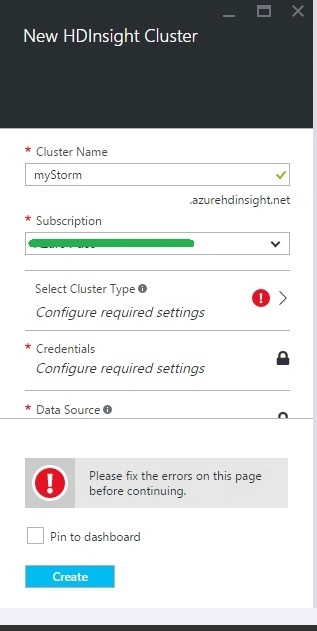
Cluster Name
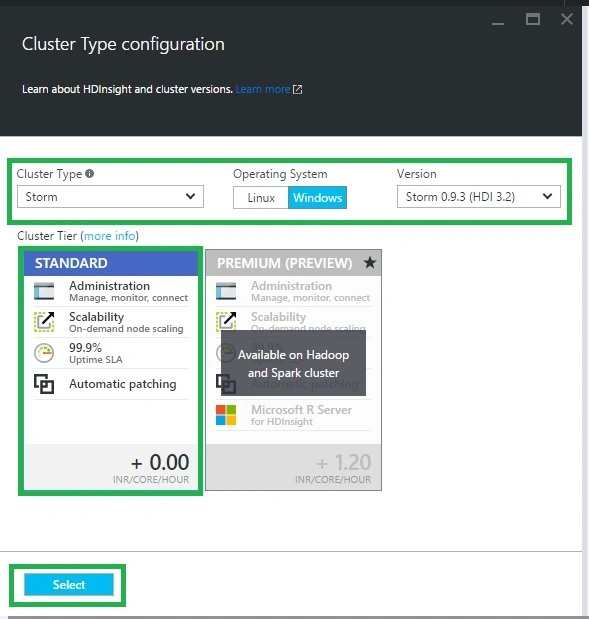
Cluster Type Configuration Details
Credentials Details
Data Source Details
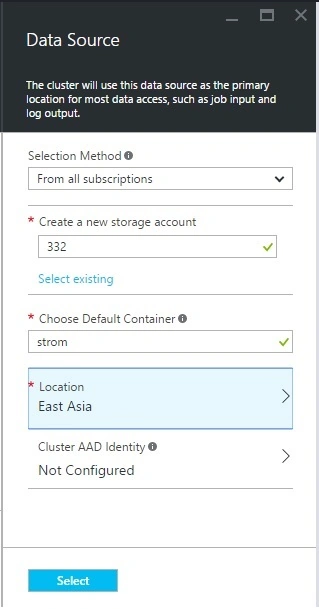
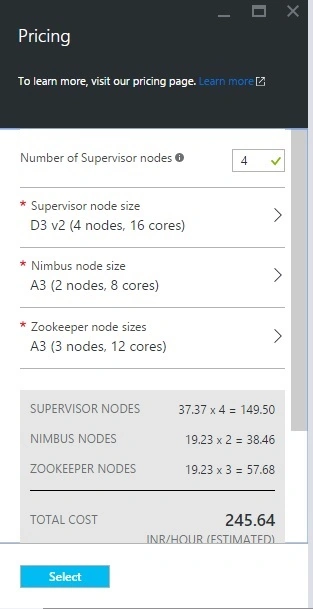
Node Pricing Tier Details
Click Create button at the bottom of the screen to create the HDInsight Cluster.
Once the creation completes (normally, it takes 10 to 15 minutes), we are ready with the New Cluster.
Vignesh ManiPosted Jun 9, 2016, 4:53 AM
Nice
RajaPosted Jun 9, 2016, 4:28 AM
Nice Share...
Santhakumar MunuswamyPosted Jun 8, 2016, 11:33 PM
Thanks for sharing
Sonu ChaudharyPosted Jun 8, 2016, 2:47 PM
good one ..