

Background
Before we begin and dive into technical terms, let’s get to know some of the background behind the need of background processing in the computing world.
Years ago, we developers used to write our code to achieve some specific goal with using various technologies and applications such as console applications, windows forms, and web applications hosted on IIS etc. and everyone was happy, including end users. Then times changed and with the evolution of SAS and web services model offerings, developers got engaged in designing and consuming various services written by some other developers which might need lots of CPU power or large memory on host machines making single threaded applications perform poorly. This yielded a frustrating user experience with long wait times. It was the same time when concepts like multi-threading, asynchronous programming and background processes were emerging.
Background process is a process which runs asynchronously (maybe on some other thread) without worrying much about your main application thread. If this sounds confusing, let’s take an example of a restaurant. Whenever you go to any restaurant, a beautiful smiling waitress welcomes you and asks for your order. On the other side, you (who are already flattened by her smile) checks out the menu card and places your order, she takes a note of your ordered items and goes away. She then hands over the same note to the kitchen staff and chefs (lots of busy and noisy place where you don’t want to be in) and moves to serve another customer like you. Once your order is prepared, some random staff might come and deliver it to you on your table.
In the example above – welcoming waitress can be considered asthe main application thread or UI thread with which end users interacts and kitchen staff in a noisy place can be considered as background threads or workers who actually do the work for you.
One of the popular solutions of background processes can be windows services.
And now since we have already entered into the cloud computing era, what happens to these background processes? How are these managed and deployed in Azure? Well, let’s see
The Azure side
Having worked with Azure cloud services for several years, where you can leverage worker roles as a solution for executing your long running and CPU consuming background threads, though it is highly suitable for heavy duty background processing using full power of underlying virtual machine and CPU but it is still a huge investment (in terms of infrastructure) if my background tasks are lightweight (e.g. sending daily status mails) and runs only once or twice in a day.
I still remember the SharePoint development days where we had the option of SharePoint timer jobs which used to get deployed as a farm solution and those used to execute periodically to achieve the result -- do I have something similar in Azure? Oh Yes, I do. And it is called Azure Web Jobs.
Well, these are not really exactly identical to SharePoint timer jobs but theoretically can be described as a sibling of it. Azure web job comes as App services feature and are widely used with Azure web sites.
Pre-requisite of apps to be deployed as Azure web jobs
You can deploy your existing background processes or scripts as web jobs in azure if those are of the following types (below are supported types as of writing this article)
.cmd, .bat, .exe, .ps1, .sh, .php, .py, .js, .jar
Let’s see how it can be visualized,
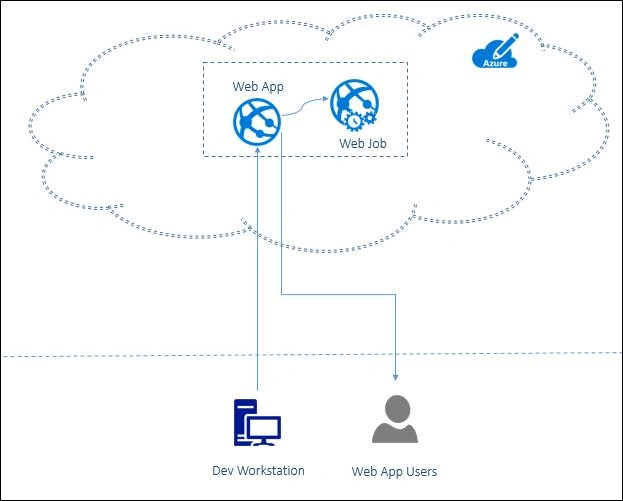
Let’s see it in action
All right, enough of theory and let’s dive into some real action.
Just for the sake ofa demo, I am going to create a very simple console application which uses entity framework to talk to database and adds timestamp of its execution in the database periodically.
First thing first, I will need below artifacts to complete this demo,
- Database – SQL Azure with a Table
- Azure Web App
- Console Application (which will be exe and will be deployed as web job)
Let’s create the SQL Azure database, a table and Web App:
(Note that this article focuses on azure web job so creation of SQL Azure database and web app is kept fairly short descriptive assuming that you know basics of it. If you are new to Azure, it is highly recommended that you should learn Azure basics first and MSDN can be a great source of information for you).
Let’s create SQL Azure database first, will name it as TestDb and also create a table in it named WebJobResultsStore which has only two columns i.e. ResultId and ResultData.
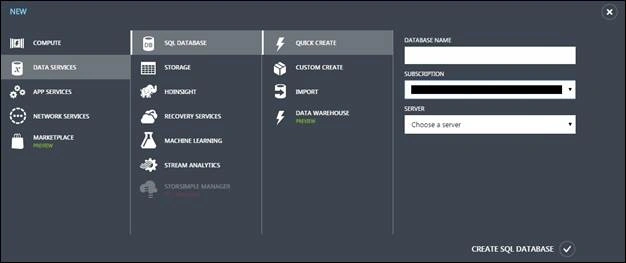
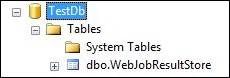
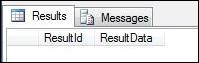
Let’s go ahead and create an Azure web app under which we will be deploying our web job, we will name it as azurewebjobdemo,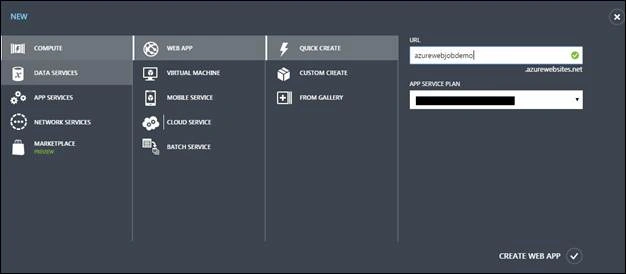
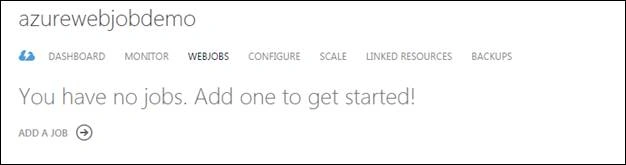
Once it is created, navigate to the web app dashboard and click on web jobs tab. Note that there are currently no web jobs deployed.
Let’s create a console application adding entry in SQL Azure database with entity framework.
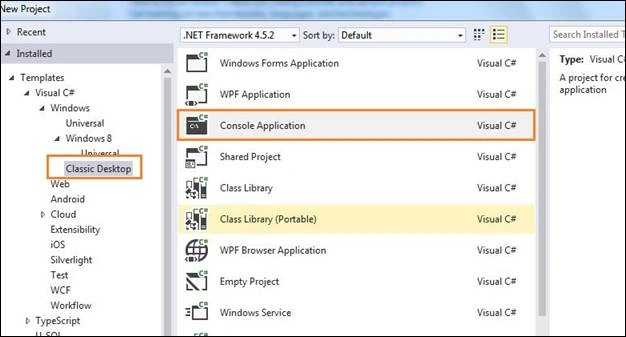
Let’s add the database context using entity framework and let’s add few lines to write entry in azure database,
- class Program
- {
- static void Main(string[] args)
- {
- try
- {
- string resultString = "Entry written at {0}";
- resultString = string.Format(resultString, DateTime.Now.ToLongTimeString());
- TestDbEntities dbContext = new TestDbEntities();
- dbContext.WebJobResultStore.Add(new WebJobResultStore
- {
- ResultData = resultString
- });
- dbContext.SaveChanges();
- }
- catch
- {
- // Application insights code might go here
- }
- finally
- {
- }
- }
- }
Visual Studio Deployment way
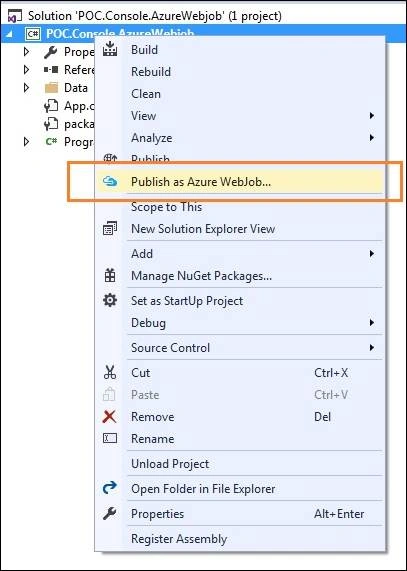
It opens up a publishing wizard and asks to set up certain parameters related to web job like run schedule and frequency etc.
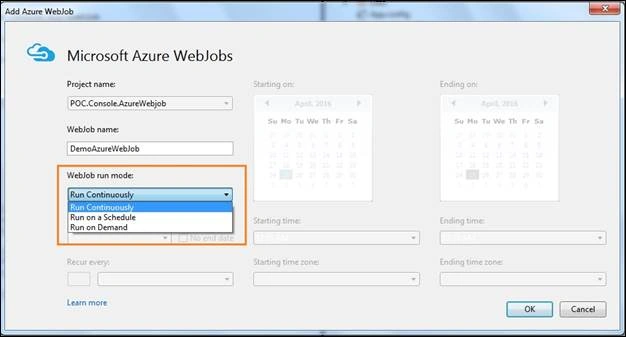
There are three run modes available for any web job to run,
- Continuous
- Scheduled
- On Demand
As all of these are quite self-explanatory, we will be configuring web job to run on a particular schedule, something like this,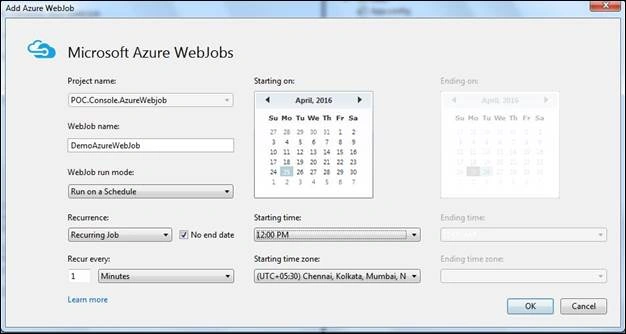
We have configured our console app / web job to run periodically i.e. recurring every minute starting at particular time with no end duration.
Click Ok and you will be redirected to publishing screen,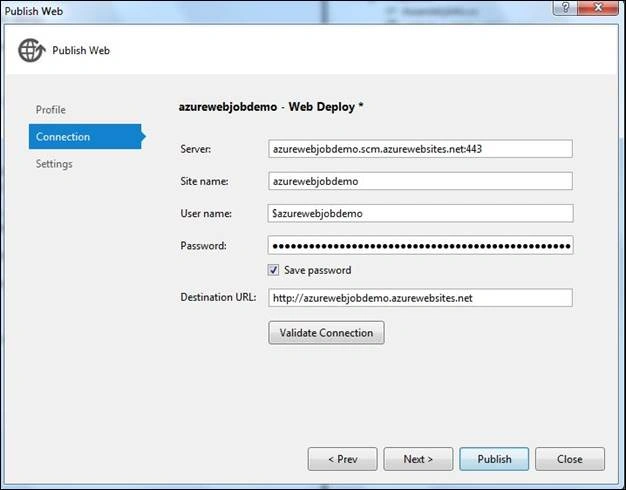
Make sure that you are targeting your deployment to correct web app and hit publish.
It starts the deployment and once it finishes, you will be able to see the web job added in your azure web app.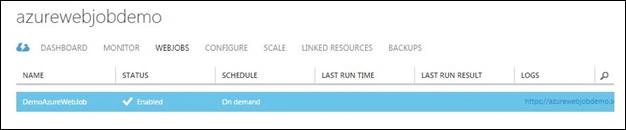
You can test this web job immediately instead of waiting for start time you mentioned in the previous settings. All you have to do is click on the Run button from the azure portal by selecting your web job.
Once it runs successfully, the web job last run status changes and it looks something like this,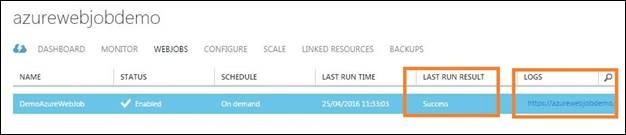
It also gives the link to browse the logs of web job and it’s run history, if you click on the logs URL, you will be redirected to another page where you can browse through run history of your web job,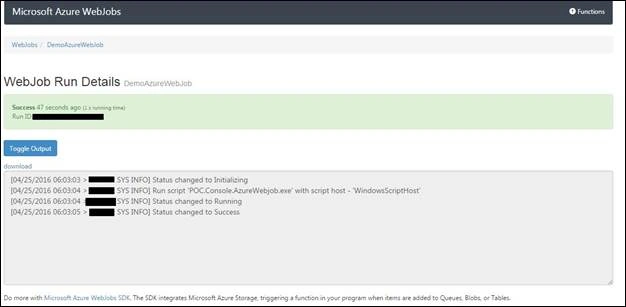
Let’s try to check out the results in the database,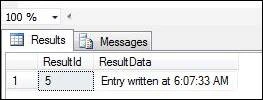
It has successfully added the entry in the database.
Manual Deployment Way
Now that we have seen how we can deploy the web job using visual studio, let’s see how we can do the same using azure portal i.e. manual way.
Browse to the azure portal and open up created web app, browse to the web jobs tab and click on add a job.
If opens up a browser based wizard where in you will have to mention few parameters to add new entry of web job.
Name – The web job name
Content – all your executables and dependent required assemblies’ needs to be packaged in a zip and that path of the zip needs to be mentioned here. I have zipped the release folder of the console application and provided path of same.
Run type – it is same as specifying run mode of your web job. Let’s select on schedule.
Scheduler region – select a region for scheduler.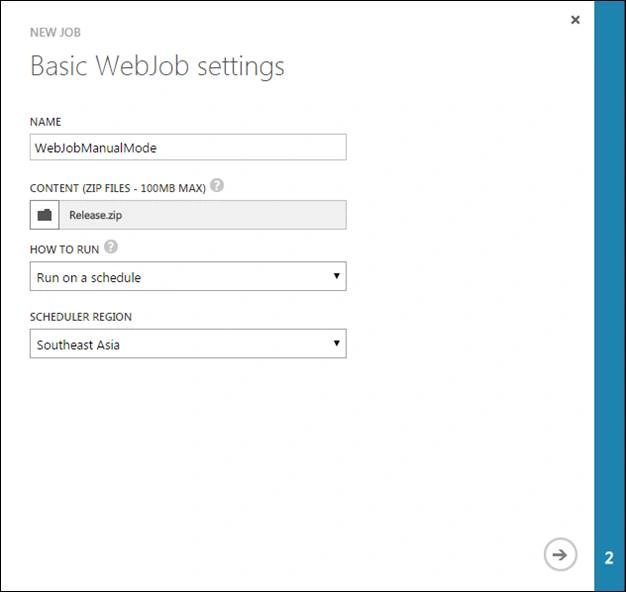
Click next,
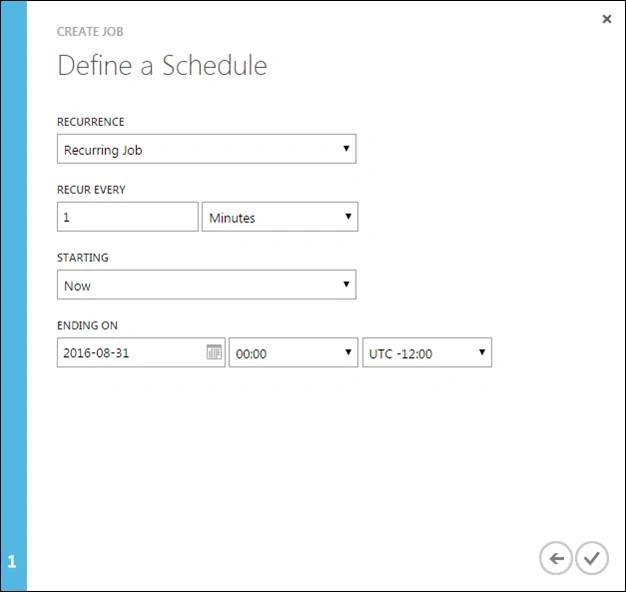
Next screen talks about the schedule, let’s keep settings same as what we did while deploying with visual studio.
Click next and it starts to upload and create web job. Once it is done, click on run once button in azure portal to test the uploaded web job.

Open SQL management studio and note that it has successfully created new entry in the table.

Thanks for reading this article, feel free to suggest or comment with your views.
kalu singh raoPosted Jul 2, 2016, 3:20 PM
Nice...
Bhushan GawalePosted May 3, 2016, 2:31 AM
Thanks!
Vivek KumarPosted Apr 28, 2016, 4:38 AM
Good one
Sonu ChaudharyPosted Apr 27, 2016, 4:12 PM
Good one ..
Bhushan GawalePosted Apr 27, 2016, 1:50 PM
Thanks again everyone, glad you liked the article!
Rahul Kumar SaxenaPosted Apr 27, 2016, 1:24 PM
Good One
Sonu ChaudharyPosted Apr 27, 2016, 8:03 AM
good one
Gowtham RajamanickamPosted Apr 27, 2016, 4:46 AM
good article..
Bhushan GawalePosted Apr 27, 2016, 4:11 AM
Thanks everyone!
Prasham SabadraPosted Apr 27, 2016, 3:35 AM
Thanks Bhushan for Sharing!!!
Bhuvanesh MohankumarPosted Apr 27, 2016, 3:00 AM
Good one
Kumaresh RajalingamPosted Apr 26, 2016, 9:55 PM
Nice one sir
Pankaj Kumar ChoudharyPosted Apr 26, 2016, 7:42 PM
Great Work Sir!...........
Vignesh ManiPosted Apr 26, 2016, 4:47 PM
Nice