

Introduction
ElectronJS is an open-source framework, which was developed by GitHub and it is written in c++ and JavaScript. The basic use of this jQuery Framework is to allow the development of desktop GUI. ElectronJS uses the Node.js runtime and Chromium Web Browser to make Application GUI. Chromium is an open-source Web Browser, which was developed by Google. It is originally used for the development of backend Web Applications.
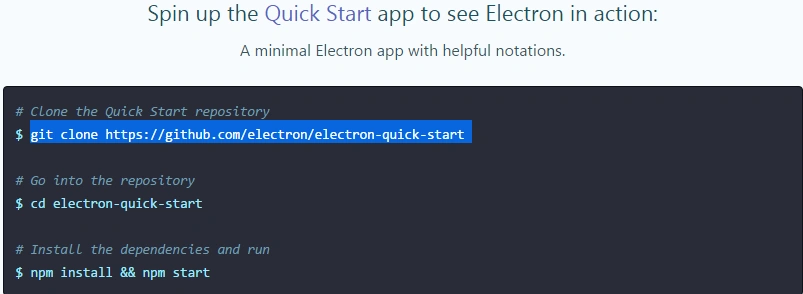
Electron is the main framework behind two notable open-source source code editors: GitHub's Atom and Microsoft's Visual Studio Code. You may go to his official Web site to download his current framework either by the github clone link or go to GitHub and download it as the repository, mentioned in the Web site link.
Visual Studio Code has great support for other languages apart from C#, F# etc. Here, we can debug our JavaScript code as well as the full control on insentience.
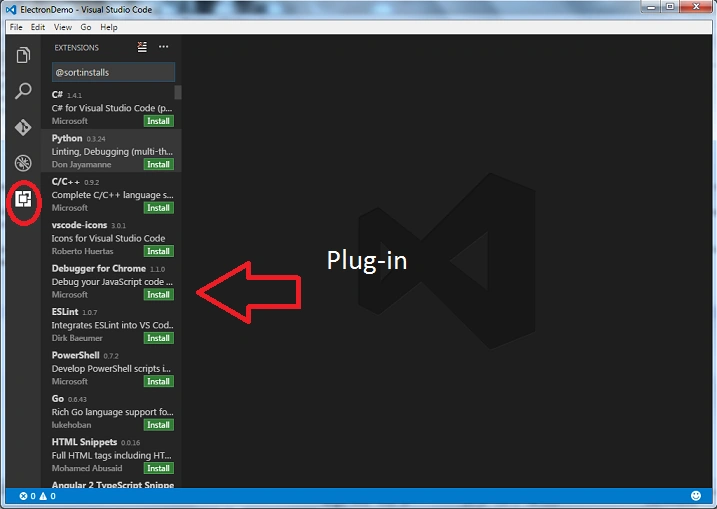
The image, shown above depicts the full list of plug-in which, Visual Studio Code supports.
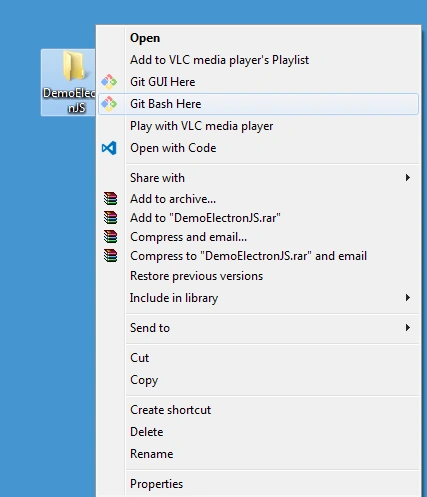
Step 2
Rename the "electron-quick-start" to a meaningful name. As of now, in this article, it was changed to "app" and change the directory to app. It is not compulsory. We will install the electron packages in our project, using the npm install command.

Step 3
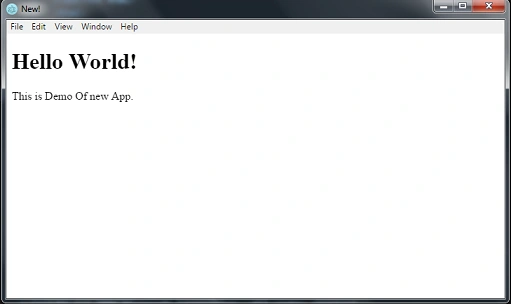
Start npm. Using "npm start" command, after hitting command, you will able to see a new Window; either we will use the git command prompt or use the integrated terminal from Visual Studio Code. It will be available in View->Integrated Terminal. Here, we will handle all the commands.
After hitting npm start, we will be able to see a new Window, as shown in the image, given below.
Summary
This is an article, which describes the new JavaScript framework known as Electron. This framework is used to create a native Application, using CSS, HTML and JavaScript. It will be simple, if you are able create a Website. This framework will take care of all the hard parts.
Join the conversation! Your thoughts help the community grow.