

Introduction
Mobile engagement is a SaaS category, which provides the user engagement platform that provides the data-driven insights into an app's usage data, user segmentation, enables push notifications, and supports messaging.
The following are some of the benefits of using mobile engagements.
- Collect real-time analytics, which highlights the user behavior.
- Measure and act on analytics, using single dashboard.
- Create dynamic segments, which are based on the collected data.
- Create marketing campaigns/push notifications targeting specific segments.
- Send personalized out-of-app notifications, polls and in-app notifications with rich HTML.
- Integrate and automate with CRM/CMS/IT systems, using open-platform API's.
- Find SDKs for all major platforms—iOS, Android, Windows, Windows phone.
- Windows Azure Account
To create a Mobile Engagement account in Windows Azure, click New followed by Web+Mobile and then Mobile Engagement.
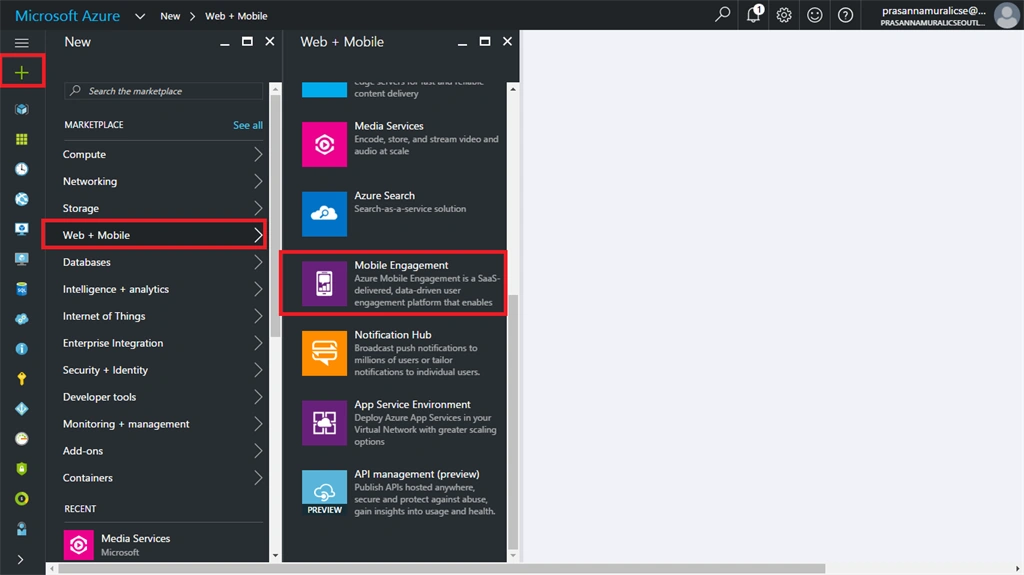
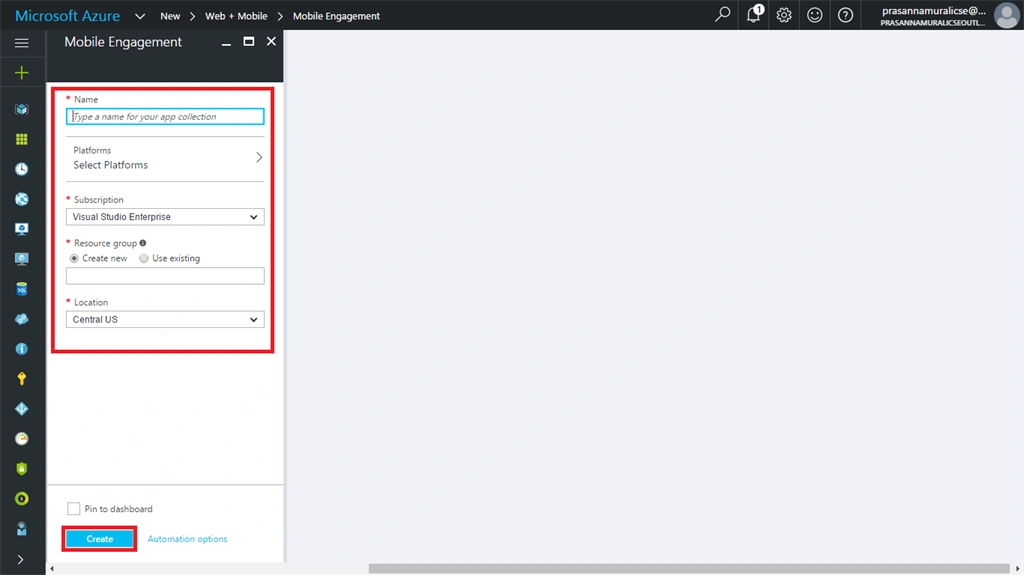
In the New Mobile Engagement creation wizard, please enter the credentials, mentioned below to create a mobile engagement account.
- Name- Name of the mobile engagement account, which you are creating.
- Platform- Select the target platform in which you are going to create an Application, which is going to connect a mobile engagement account. A platform such as Universal Windows app, iOS, Android and finally the Web.
- Subscription- Select the level of your subscription.
- Resource group- Select the resource group in which you want to deploy an account.
- Location- Select the region in which data is going to be stored.
Tick Pin dashboard and click create an account.
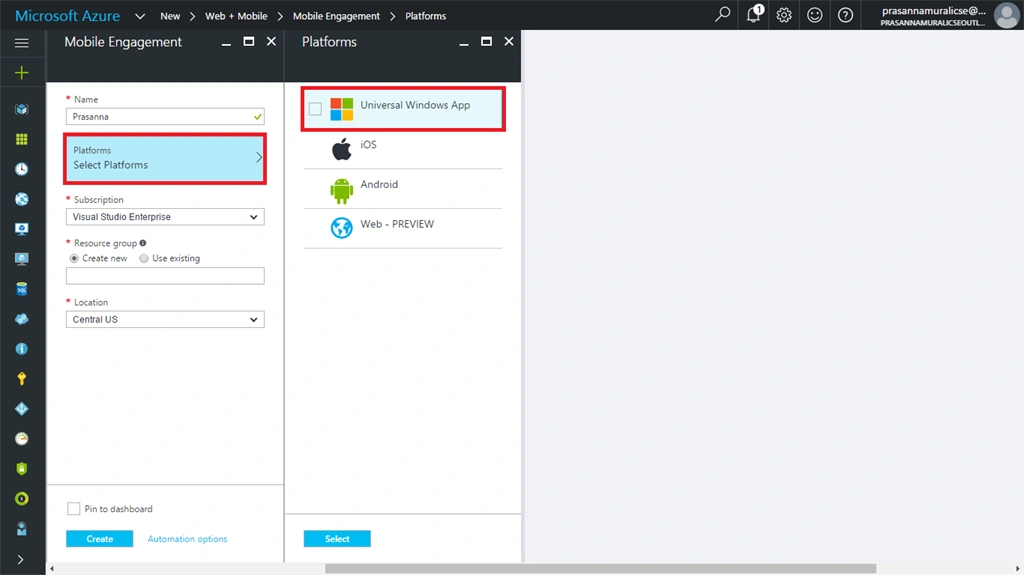
Finally, our Application is started to be deployed in the specified location. It takes some time and finally we receive the toast as your account is created successfully.
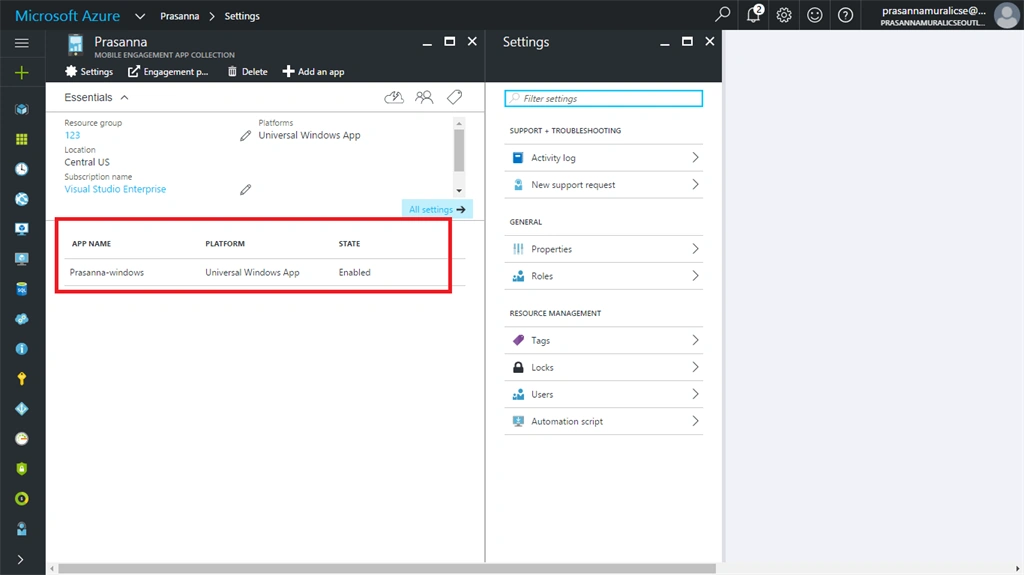
Congrats. Finally, we have successfully created a mobile engagement account.
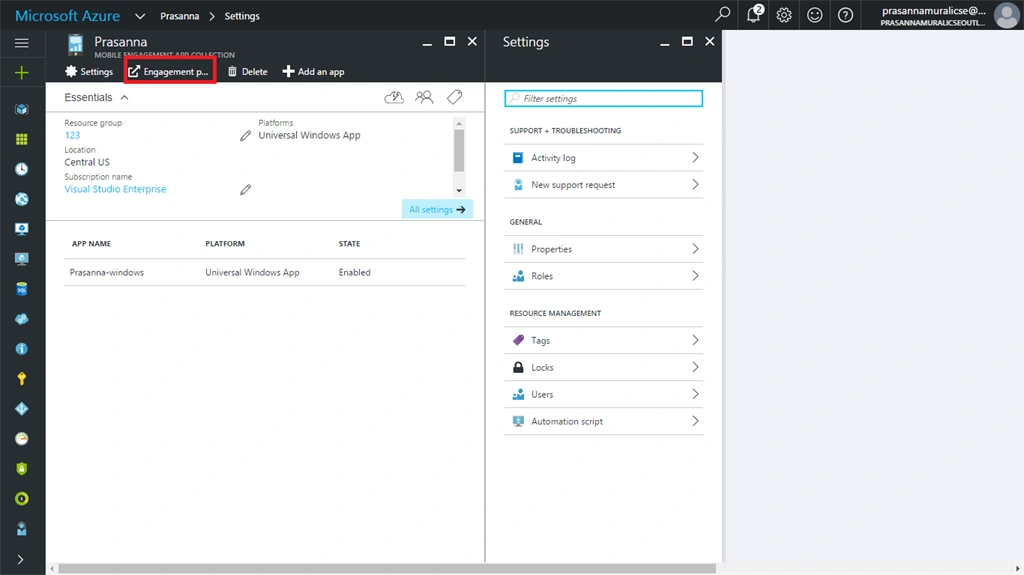
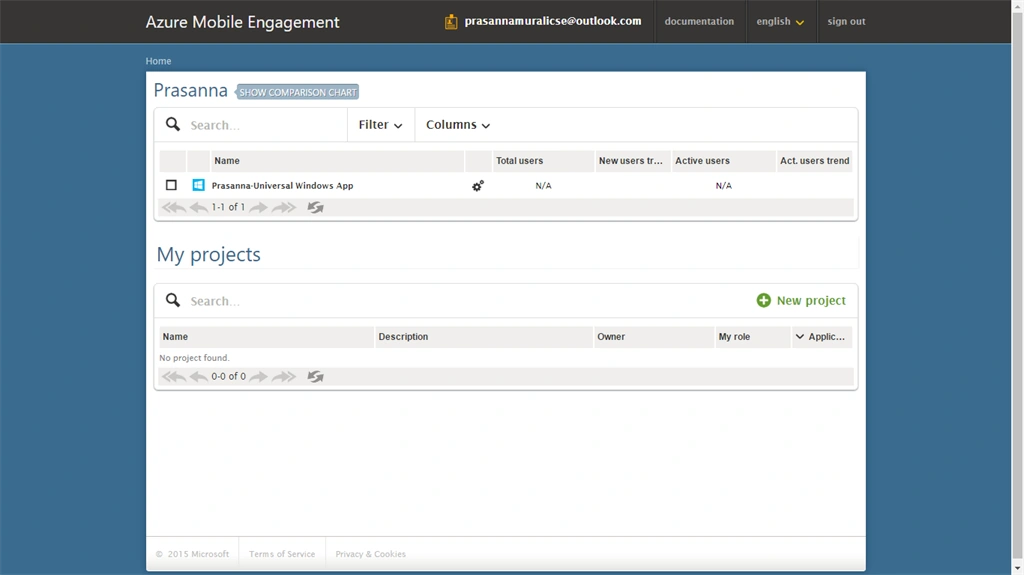
Also, we are able to manage Mobile data in a mobile engagement portal also. To open mobile engagement portal, click Mobile Engagement in menu blade.
Summary
In this article, we have created a mobile engagement account in Windows Azure. I hope, you enjoyed reading this article. Thanks for reading.
Happy coding.
Join the conversation! Your thoughts help the community grow.