

SharePoint 2016 provides a site template called the Record Center just like its predecessors to manage records. It serves as a central repositotry where an organization can store and manage its confidential documents. Record Center is more like a predefined site template which provides a variety of record management functions like auditing, versioning, eDiscovery, routing of records, metadata management etc.
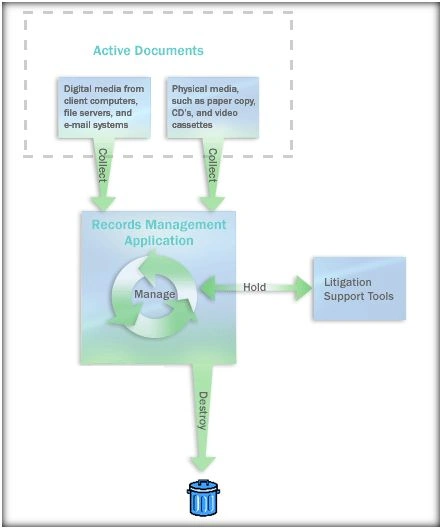
Figure: Record Center Overview
Major features of Record Center
- Record Routing: Based on the record type the uploaded record can be routed to the specified location using Content Organizer. Content Organizer is enabled as a site feature which helps in automatically routing the incoming records to their destination.
- Auditing: It is a useful feature in record center. The changes to the records and who is viewing what can be summed up using the record centre.
- Secure Vault: Records added to the record centre can be protected from tampering by versioning the changes and auditing them. In addition to that, separate metadata other than the records metadata can be stored against the record for record management purpose which can be updated without updating the underlying record.
- Hold: Record centre helps the organization to add the documents that are related to an ongoing legal proceeding on a Hold . By doing this, these documents will be protected from deletion even if an expiration policy has been set on the document. Once the legal formalities are completed the hold can be removed and expiration policy can be enacted upon it.
- Expiration: This is part of Information Mangement Policy which Is available in the normal document libraries. When a document is uploaded to the record centre its life cycle starts . We can define an expiration for the record which will decide what will happen to the record after a specified period of time. It can either be deleted or a disposition approval workflow can be started upon it.
How can we create a Record Center
We can create the record center from the central administration by selecting the Record Center Site template while creating the site collection.
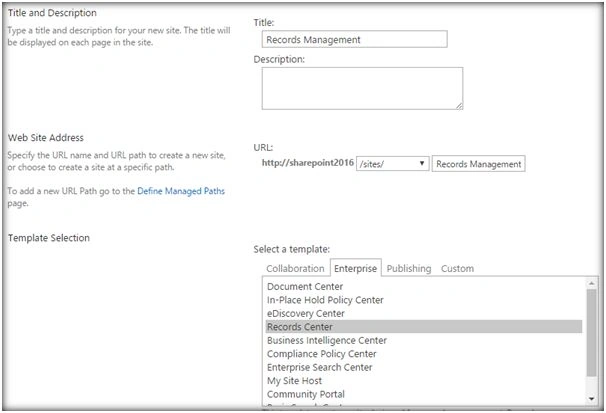
Once the template is selected specify the site collection administrator and click on Create .
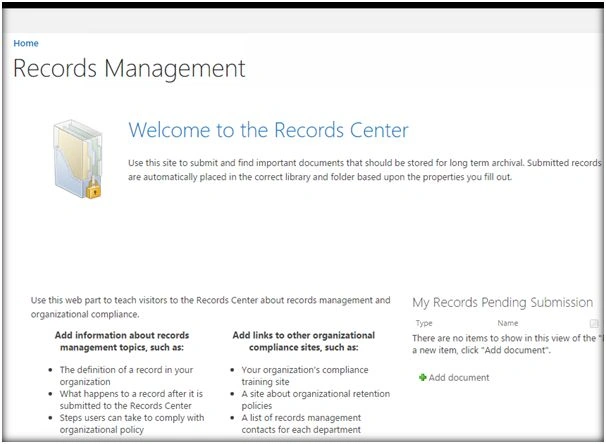
This will create the Record Center Site as shown above.
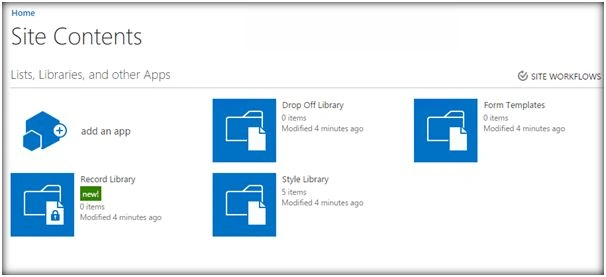
It will also give us two additional document libraries: Drop Off Library and Record Library
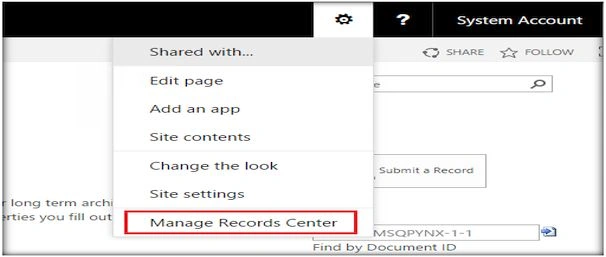
Click on Manage Records Center and it will navigate to the management section.
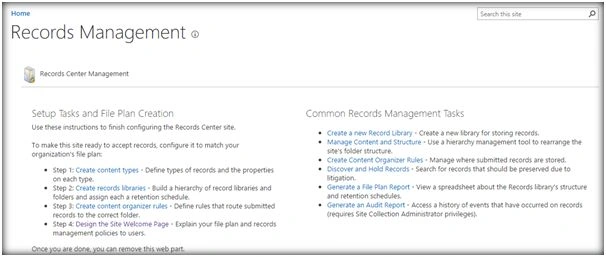
From here we can configure the Record Center by creating content types, creating record libraries and defining routing rules using content organizer.
In the upcoming article we will discuss how to implement record expiration, routing and other management tasks.
Humayun Kabir MamunPosted May 22, 2016, 7:41 AM
Nice...
Neeraj KumarPosted May 17, 2016, 2:55 PM
Nice
Kuppurasu NagarajPosted May 17, 2016, 10:54 AM
Nice sharing..
Debasis SahaPosted May 17, 2016, 9:48 AM
Nice one..
Bhuvanesh MohankumarPosted May 17, 2016, 5:43 AM
Good one