
Introduction
Microsoft SQL Server 2012 Express is a powerful and reliable free data management system that delivers a rich and reliable data store for lightweight Web Sites and desktop applications.
Download SQL Server Here!
Procedure to Install
1. Run the file "SQLManagementStudio_x64_ENU".
2. Select the "New SQL Server stand-alone installation or add features to an existing installation" option.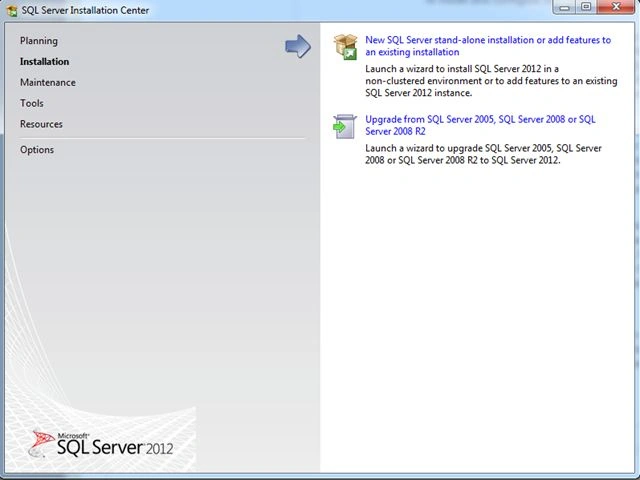
3. Then let the setup check for product updates.
4. Then wait for the tasks operation to be completed.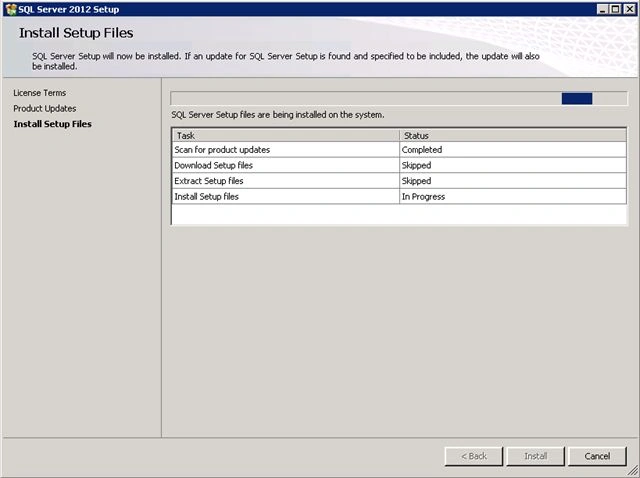
5. Then accept the license terms to continue and click Next.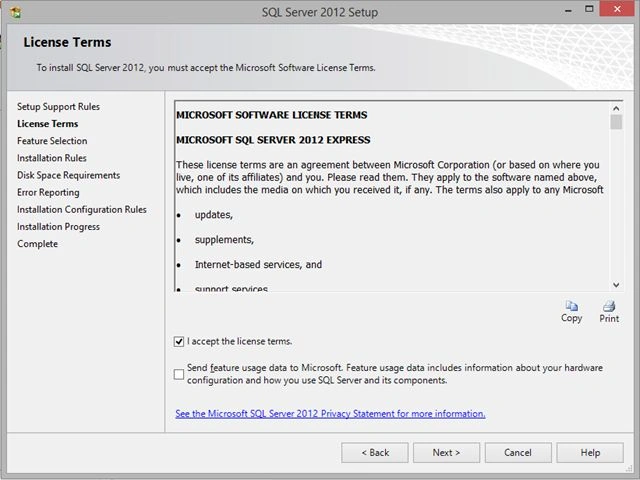
6. Then in the next window select all the check boxes and click Next.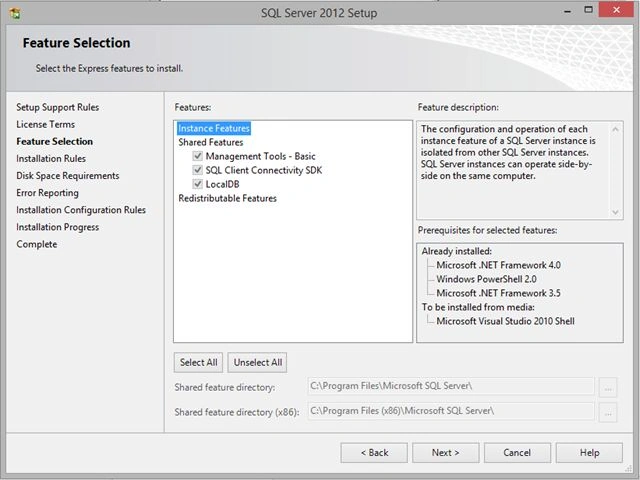
7. Then the setup will install some important files and then you are done!
Problem (Rarely occurs)
During the installation if the setup asks you for the Server Name, Instance Name and Password and Databases Name then its fine but if the setup doesn't ask for it, then you should do the procedure to create your instances for the local db and set up your Server Name.
8. Open a Command Prompt and enter this command.
SqlLocalDb create "MyInstance" -s
Then the following is the expected result:
LocalDB instance "MyInstance" created with version 11.0.
LocalDB instance "MyInstance" started.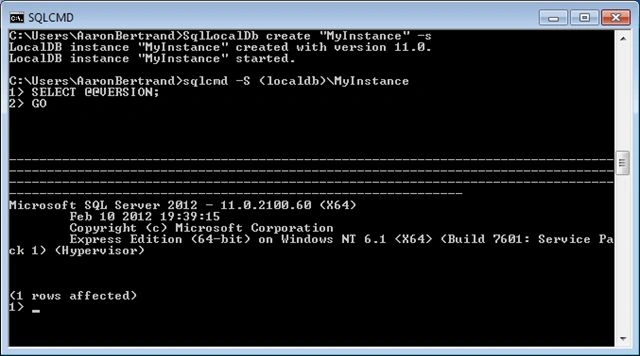
9. Now Open SQL Server Management Studio.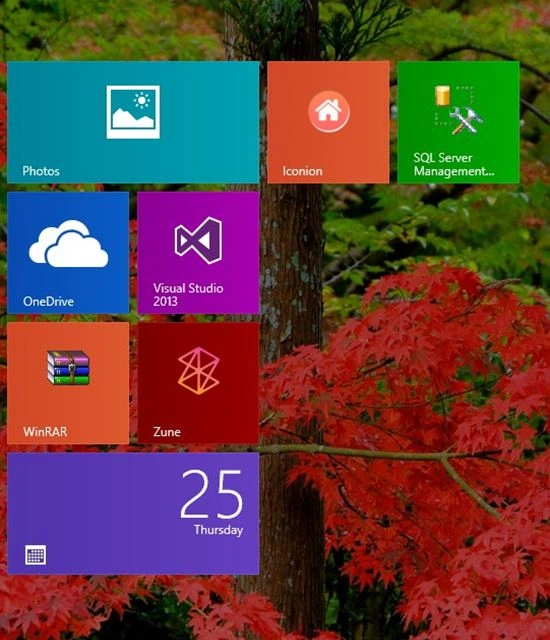
10. Then enter this name into the Server Name text box. "(localdb)\MyInstance-s"and select Windows Authentication and click Connect. 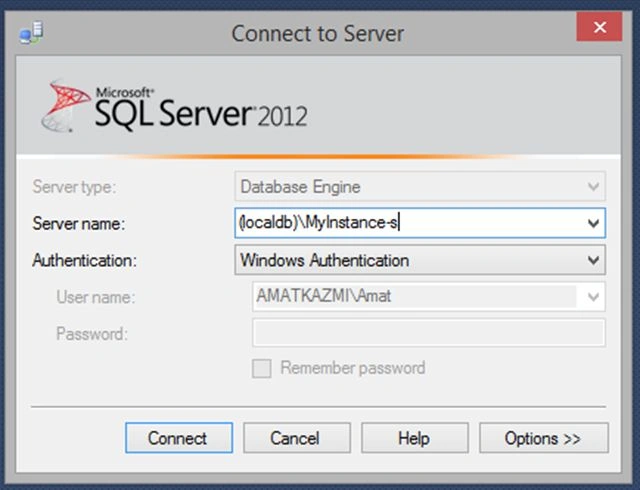
Now you are connected to SQL Server and can create new databases.
Happy Coding :).
Personal Blog: Amat Ul Jameel Kazmi's Blog.

Getting Started With SQL Server 2012 Management Studio
Join the conversation! Your thoughts help the community grow.
Sign in to leave a comment
It is the same account you read, post and publish with — and you will come straight back to this page.
Amat Ul Jameel KazmiPosted Jan 30, 2015, 2:39 AM
Thank You :)
Vithal WadjePosted Jan 29, 2015, 1:34 PM
nice start keep it up
pertti jarvaPosted Jan 28, 2015, 1:52 PM
Quite strange that your user name in the screen shot is AaronBertrand...