

introduction
Microsoft has released Visual Studio 2013 Preview. There are many new features introduced with this release of Visual Studio. One of them is MVC 5, it is the latest version of MVC. I would like to tell you something about the MVC. MVC is an architectural pattern that separates an application into three major parts called the Model, the View and the Controller. MVC is a recognized way to develop applications.
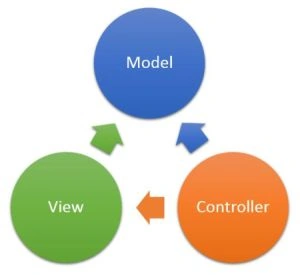
Now, I am describing ASP.NET MVC 5 in this article. As you know MVC 5 is the latest update with the popular Visual Studio with which you can build dynamic, data-driven websites. It adds cool features such as single page applications, mobile optimization and adaptive rendering.
There are some important characteristics in MVC 5 as given below:
- One ASP.NET
- ASP.NET Identity
- Bootstrap
- Authentication Filters
- Filter Overrides
One ASP.NET
As you know, there are many project templates available to develop web applications. One of them is the MVC project template. It coordinates flawlessly with the new One ASP.NET experience. Using the One ASP.NET project creation wizard you can personalize your MVC application and you can configure your authentication also. The MVC applications are now standard Web Applications and it does not use their own project GUID (Globally Unique Identifier). It helps you to mix and match various technologies of your preferred app. Any developer would love ASP.NET now because One ASP.NET makes the things very easier and useful in ASP.NET.
ASP.NET Identity
There is a new characteristic used for building ASP.NET Web applications called ASP.NET Identity. Now, when you'll create an application using a MVC project template, you can use an ASP.NET Identity for authentication and identity management. It helps you to integrate the individual profile data of the user with the application data. You can also store the data into the SQL Server database or another persistence store.
There are the following two main features that we can use in it:
- Claims-based authentication
ASP.NET Identity supports claim-based authentication in which the identity of any user is defined as a set of claims from a trusted issuer. The user needs to be authenticated with their login credentials and they may login with their social identity providers, such as Facebook, Google, Twitter or they can login with an organizational account like Windows Azure Active Directory.
- OAuth 2.0
If you want to authorize requests from client applications to your Web API, now it can be done by OAuth 2.0 bearer tokens. The client authorizations is also done by organizational authorization servers like Windows Azure Active Directory or by custom authorization.
- Use of WAAD and WSAD
You can now create your ASP.NET project with the advantages of Windows Azure Active Directory (WAAD) and Windows Server Active Directory (WSAD) for authentication.
Bootstrap
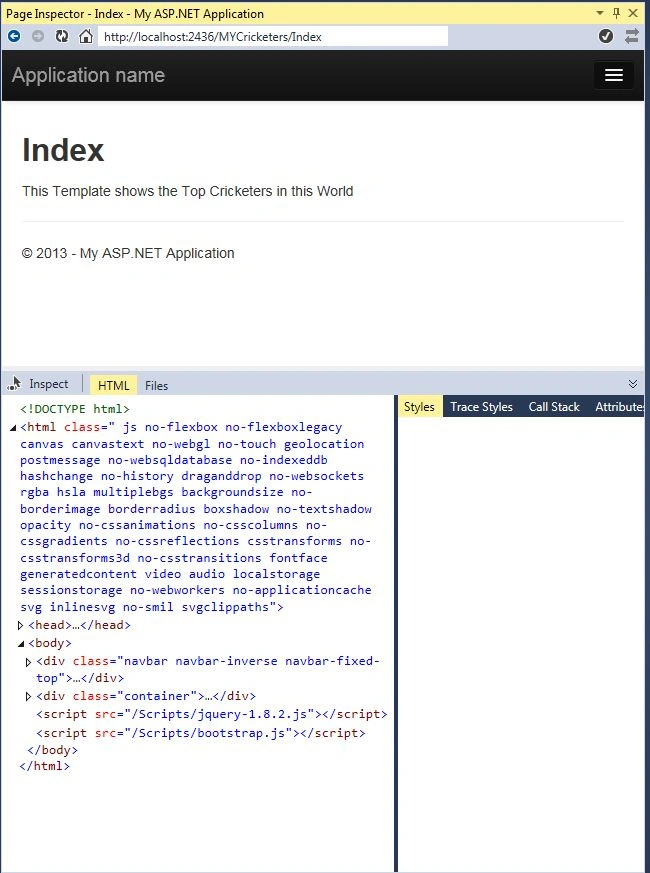
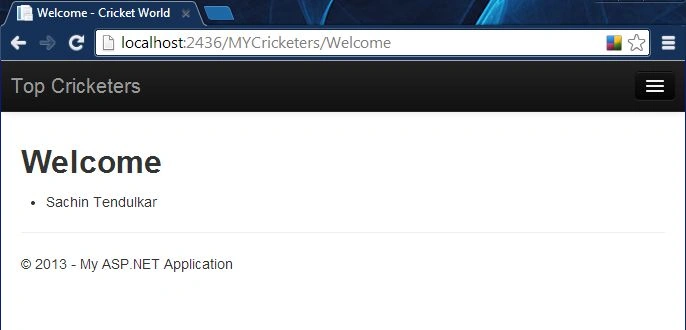
As you know, there are many themes and CSS templates used in web applications to look and feel better for the user. Microsoft now uses the Bootstrap technology to provide a polished, spontaneous and powerful mobile-first front end framework for faster and easier web development. This Bootstrap technology is used in MVC project templates. Now the home page of your MVC project looks as in the picture shown below:
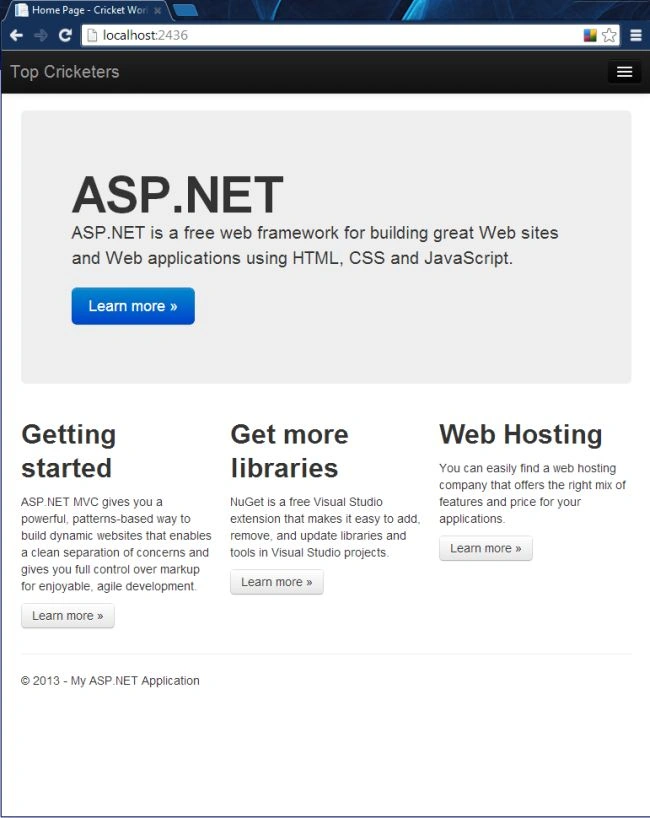
Authentication Filters
As the name Authentication Filters indicates, it is a kind of filter in ASP.NET MVC that runs prior to authorization filters in the ASP.NET MVC pipeline and it also allows you to determine authentication logic per-action, per-controller or globally for all controllers. It can also add authentication challenges in response to unauthorized requests.
Filter Overrides
Override filters determine a set of filter types that should not be run for a given scope. With this you can allow configuration of filters that apply globally but then exclude certain global filters from applying to specific actions or controllers.
Example of Web Application with MVC Project Template
I am creating an app to add a view in my MVC Project.
Step 1: Open Visual Studio 2013 Preview.
Step 2: "File" -> "New" -> "Project..."
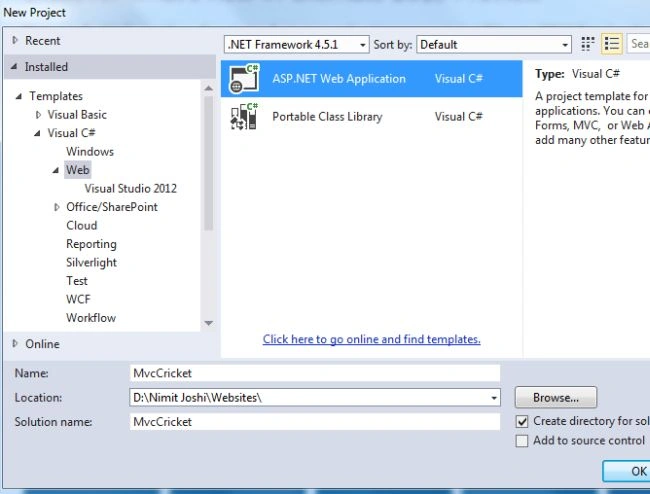
Step 3: Select MVC Project Template and click "Create Project".
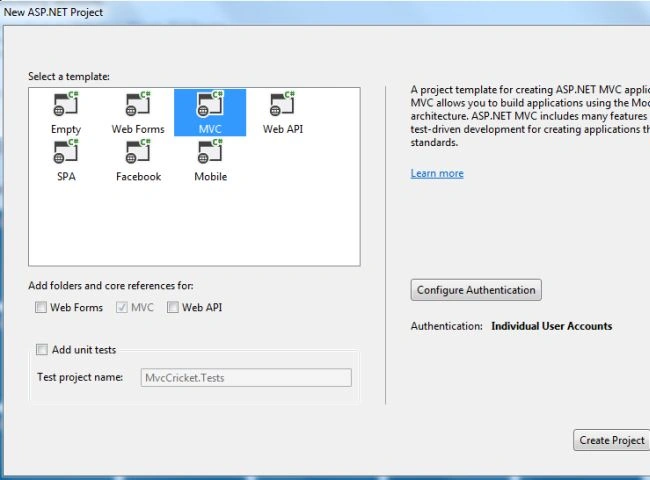
Note: Ensure you have a Controller class to generate a responsive view. You must have the same name as the Controller class and view. If you don't have the controller class then make a controller class and provide the same name as the view name.
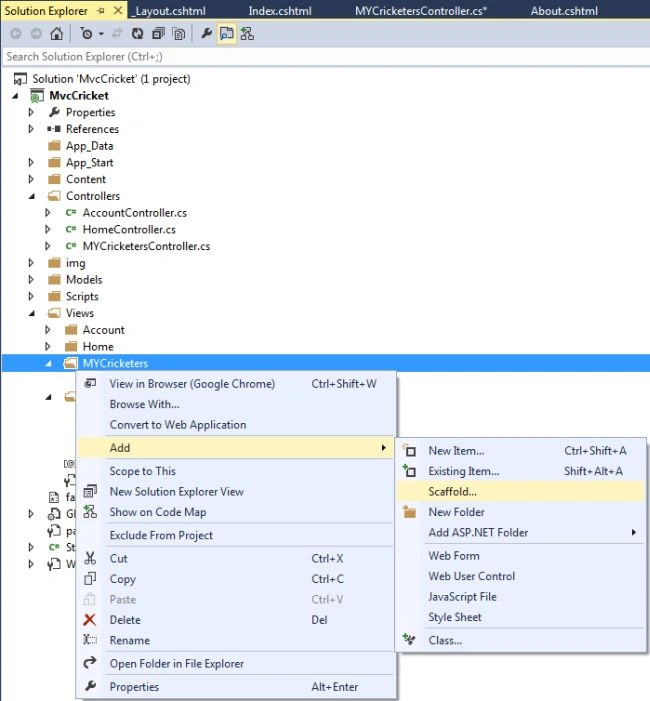
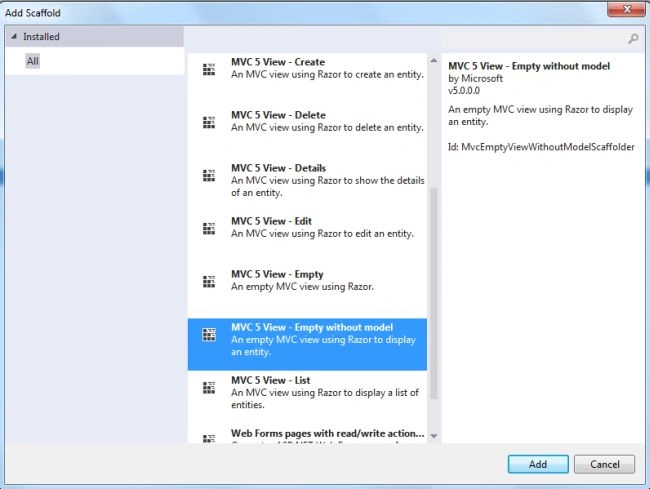
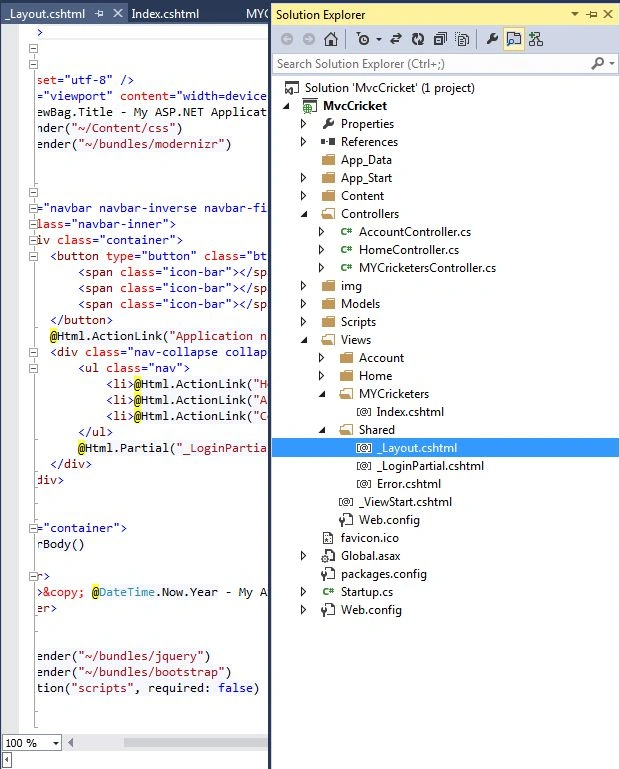
Step 4: In Solution Explorer, go to the view and create a new folder.





Manav PandyaPosted Dec 7, 2016, 5:21 AM
Because i want programs of your book which you have taught there , Thanks sir
Manav PandyaPosted Dec 7, 2016, 5:20 AM
Can you tell me your GitHub name please Nimit Joshi
Manav PandyaPosted Dec 7, 2016, 5:20 AM
Nicely explained article sir Nimit Joshi ji
SubashPosted Aug 10, 2016, 3:58 AM
Nice
Lalit RaghavPosted Jul 21, 2015, 6:56 AM
Nice book and article .i am studding your book
Girish TripathiPosted Oct 12, 2013, 4:42 AM
Nice Article Nimit...
Ravi KumarPosted Aug 13, 2013, 1:54 AM
Gud information
Sharad GuptaPosted Aug 12, 2013, 7:57 AM
its really good nimit.....thnks
Arvind PradhanPosted Aug 12, 2013, 5:53 AM
good information given nimit