

Introduction
In our current situation of a pandemic era, people have resorted to online content and there is a surge in content being created every day. The most prevalent is video content which is reforming learning at a rapid pace. Many companies are starting to build learning apps that consume video content, and we need robust control to render in a cross-platform way.
With Xamarin forms 5, we have a Xamarin community Toolkit that has some of the best cross-platform controls like Tabview, Shadows, Grid, MVVMHelpers, etc. Them Media element is powerful control to consume Audio/Video from online or offline sources in a most efficient way. In this article, we will see how to consume an online video using the Media element.
Prerequisites
- Visual studio 2019
- Xamarin forms 5 and above
- Android or iOS emulator/device
Step 1
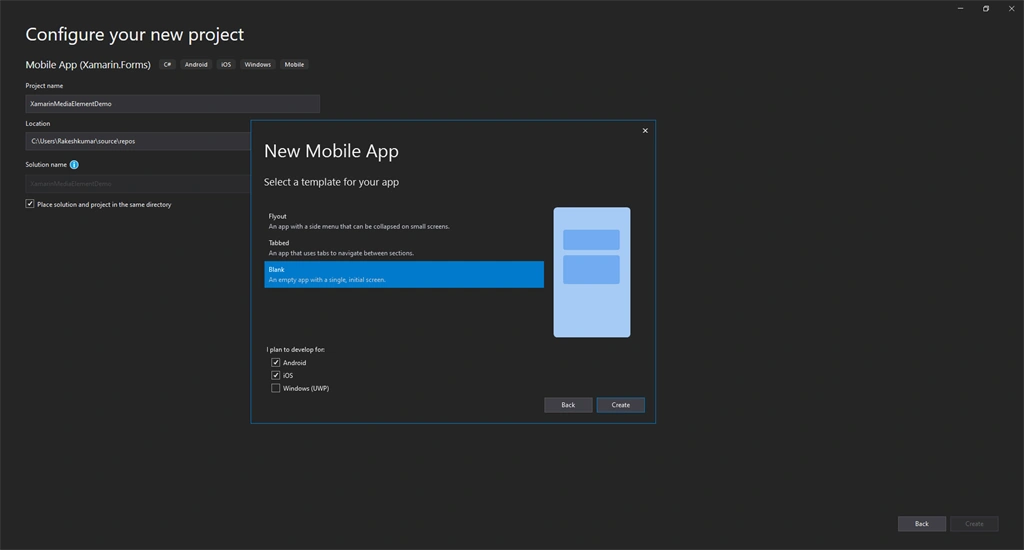
Create Xamarin forms solution in visual studio by selecting an empty application template as shown below,
Step 2
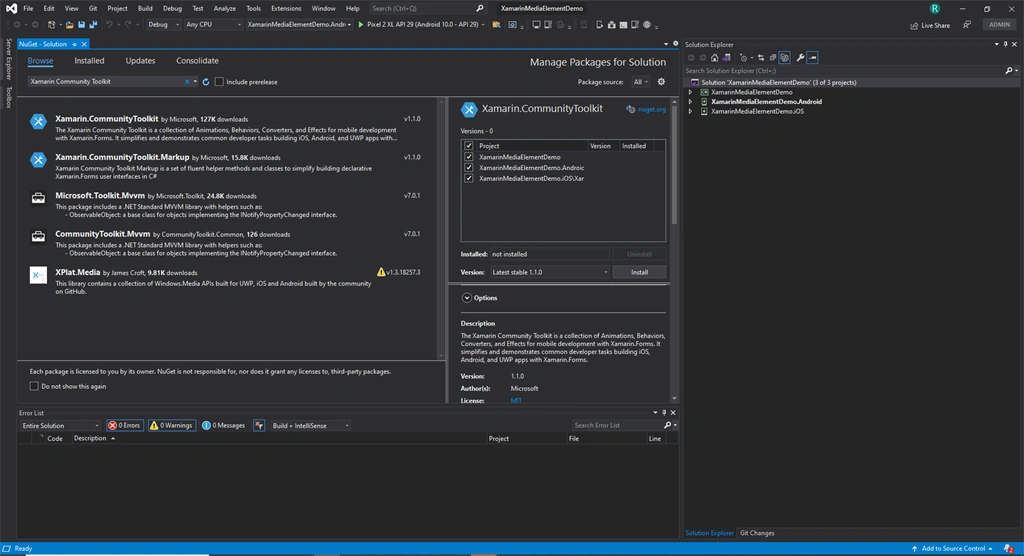
Right-click on the solution file and click on Manage dependencies and install the Xamarin community toolkit.
Step 3
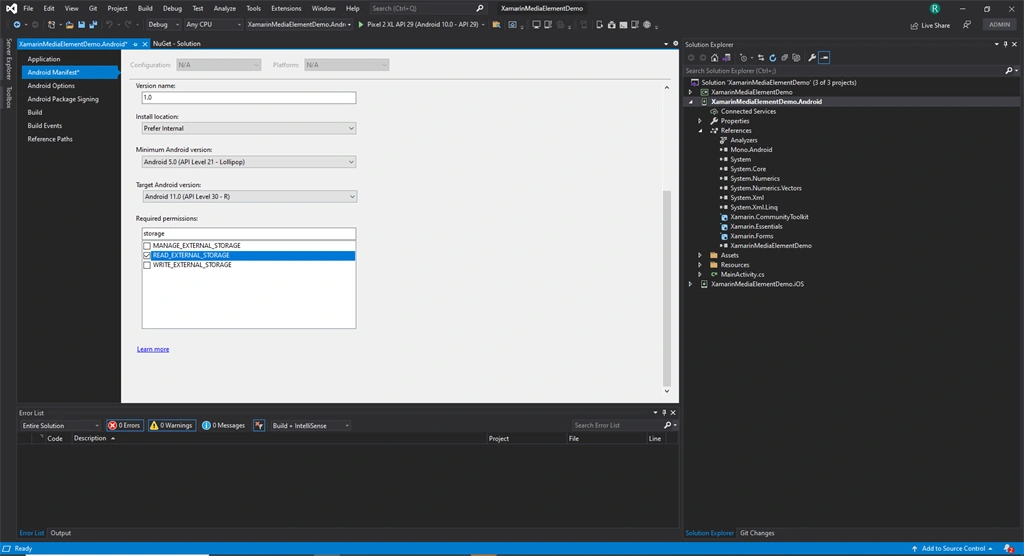
Go to Android manifest and enable the internet and storage access permissions as shown below
Step 4
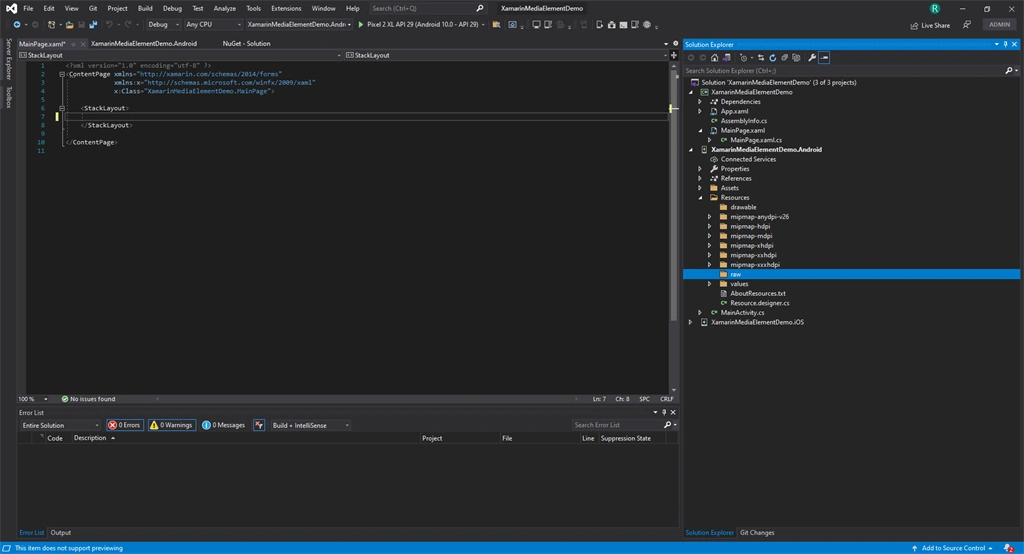
Now under the resource folder create a subfolder named raw and add the local media file in it and set its build action as an Android resource.
Step 5
In the shared project, open MainPage.Xaml and add Xamarin community namespace.
- xmlns:xct="http://xamarin.com/schemas/2020/toolkit"
Step 6
Delete the contents of the Stack layout and add the below code to create a Media element and set its height and width. We will also create two buttons for demonstrating online and offline video playback.
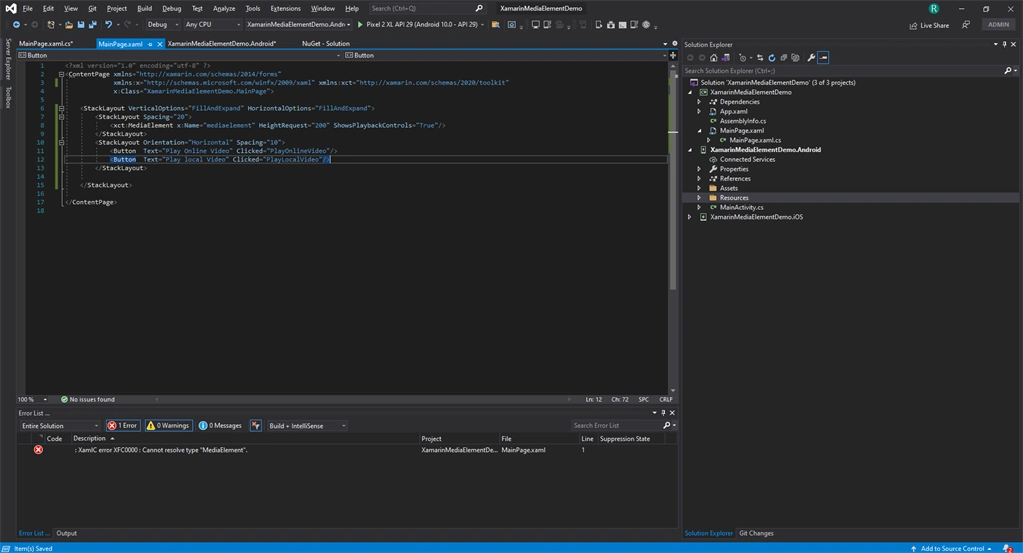
- <StackLayout VerticalOptions="FillAndExpand" HorizontalOptions="FillAndExpand">
- <ActivityIndicator x:Name="busyindicator" />
- <StackLayout Spacing="20">
- <xct:MediaElement x:Name="mediaelement" HeightRequest="200" ShowsPlaybackControls="True"/>
- </StackLayout>
- <StackLayout Orientation="Horizontal" Spacing="10">
- <Button Text="Play Online Video" Clicked="PlayOnlineVideo"/>
- <Button Text="Play local Video" Clicked="PlayLocalVideo"/>
- </StackLayout>
- </StackLayout>
Join the conversation! Your thoughts help the community grow.