Introduction
This article gives a good idea about to get SharePoint version history of list items using power automate,
Points to remember
Don't forget to enable Versioning in the SharePoint list(list or library settings).
Step 1
Go to https://flow.microsoft.com/
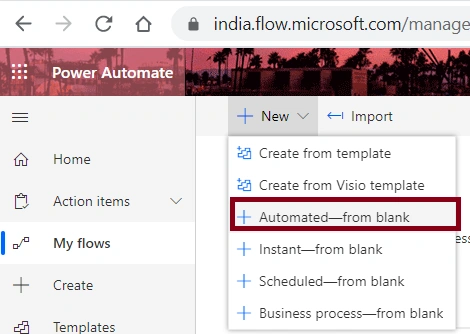
Click on Automated--from blank.
Step 2
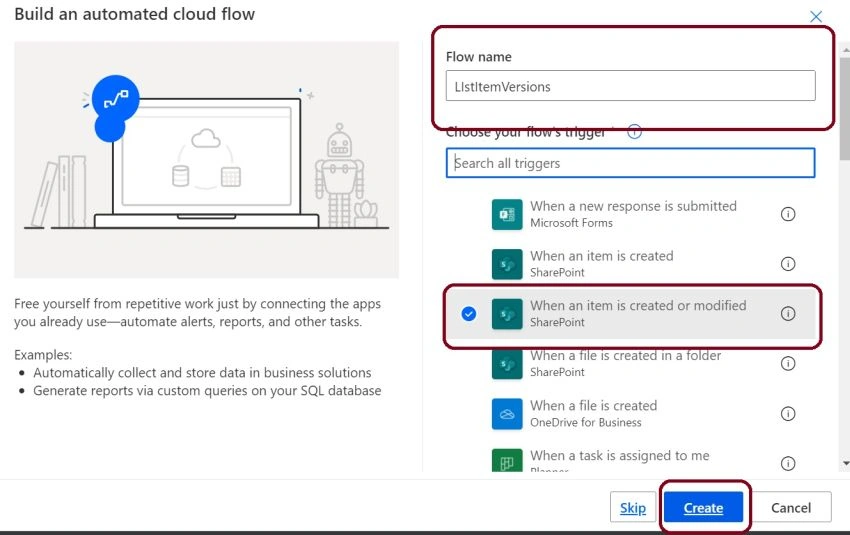
Step 3
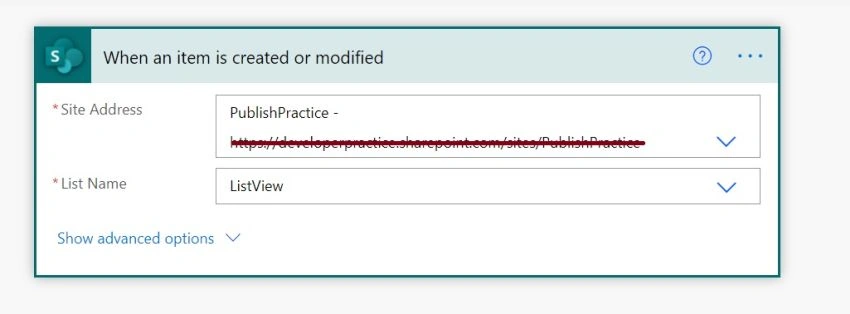
Configure,
- Site Address
- List Name
Step 4
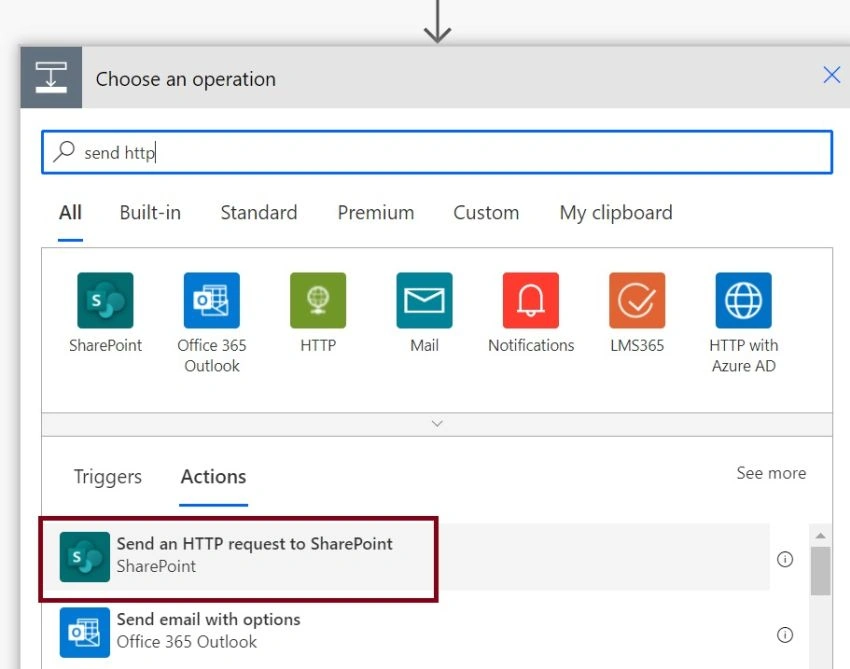
Click on next, find and select the “Send an Http request to Sharepoint” action.
Step 5
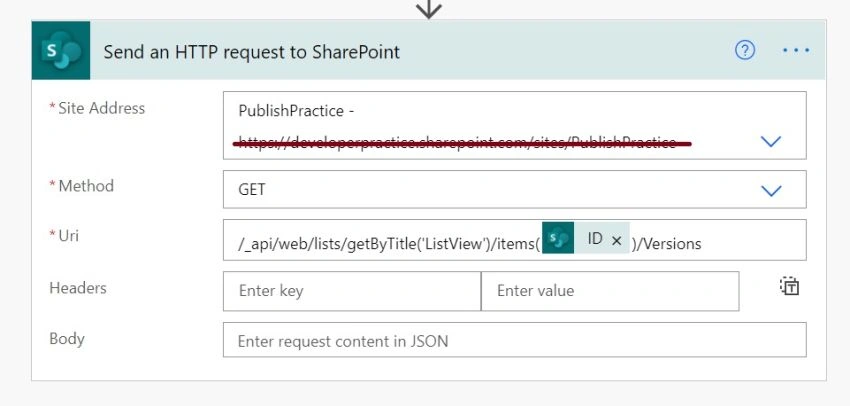
Expand "Send an Http request to Sharepoint" connector box and provide,
- Site Address
- Method as "Get"
- in Uri coulmn fill as /_api/web/lists/getByTitle('ListView')/items(@{triggerOutputs()?['body/ID']})/Versions
Step 6
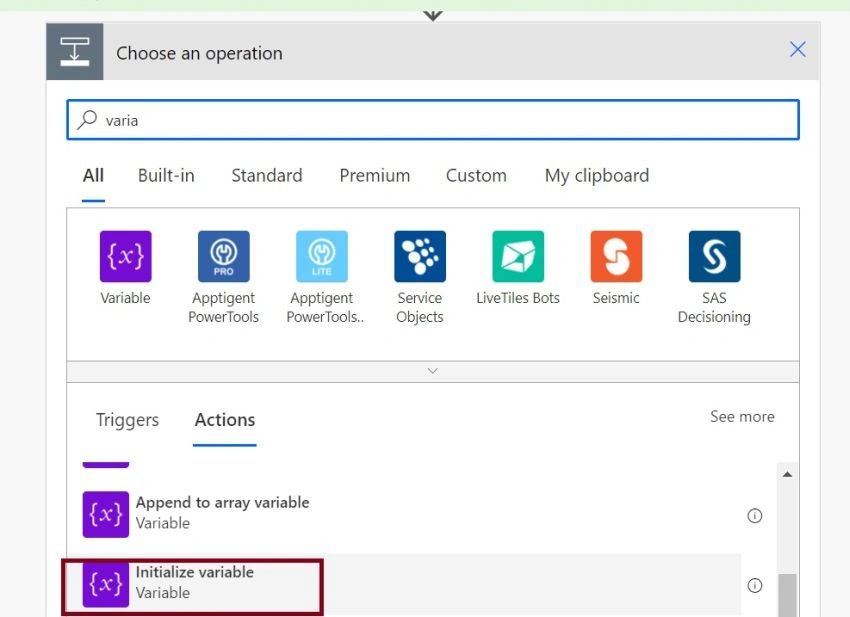
Click on next, find and select the “Initialize variables” action.
Step 7
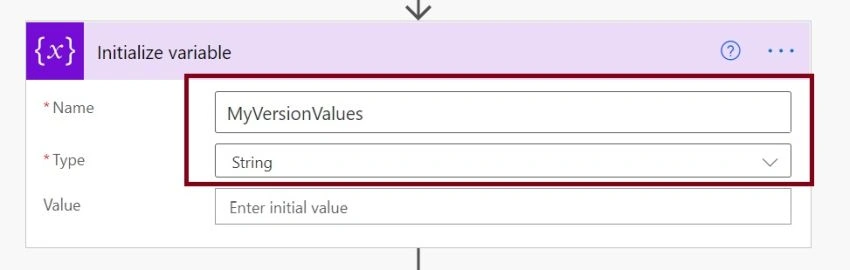
Expand the Initialize variable box and assign the variable as follows,
Step 8
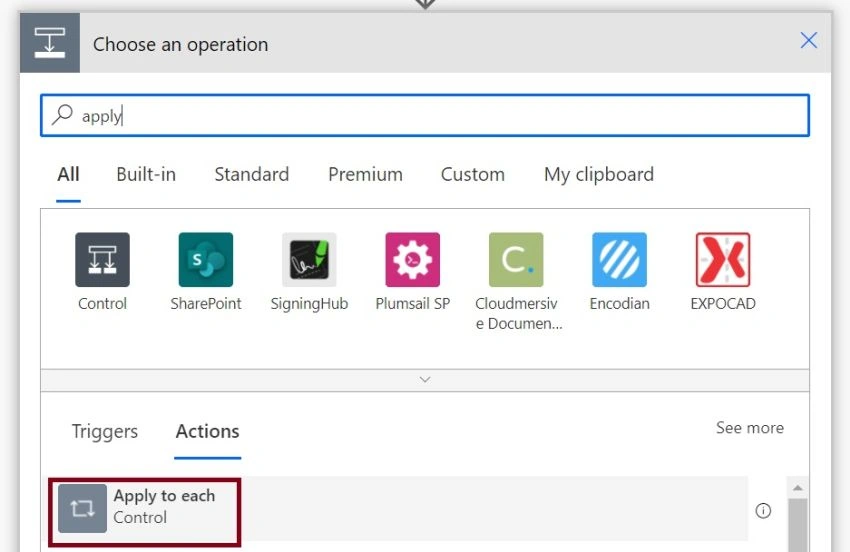
Click on Next Step and find and select the “Apply to Each” action.
Step 9
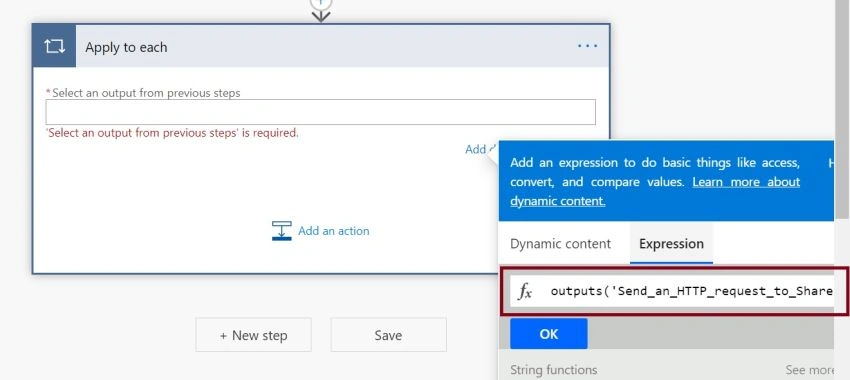
Inside apply for each action box,
Choose input as dynamic content.
body('Send_an_HTTP_request_to_SharePoint')?['body']?['d']?['results']
or
outputs('Send_an_HTTP_request_to_SharePoint')?['body']?['d']?['results']
Step 10
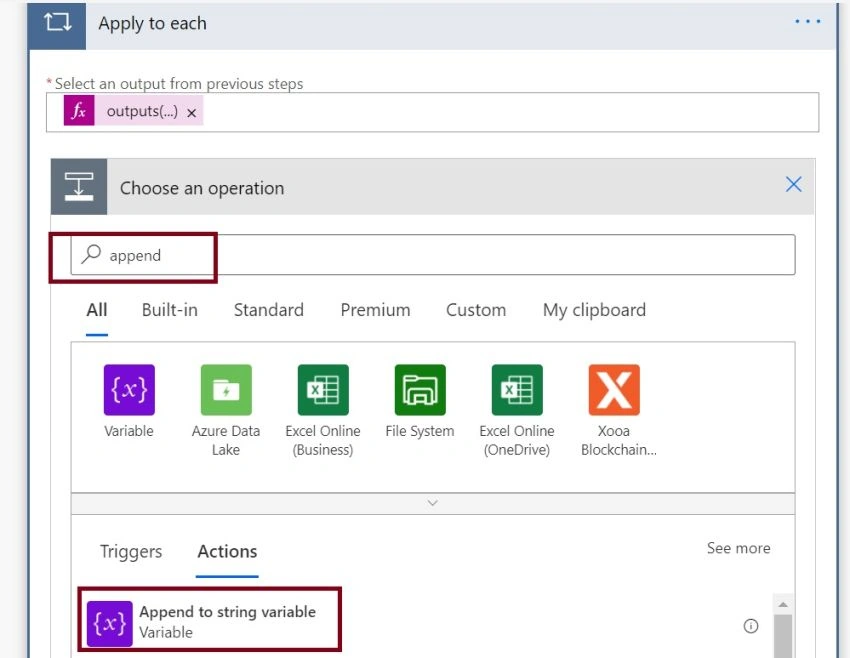
Inside apply for each action box find and select the “Append to string variable” action.
Step 10
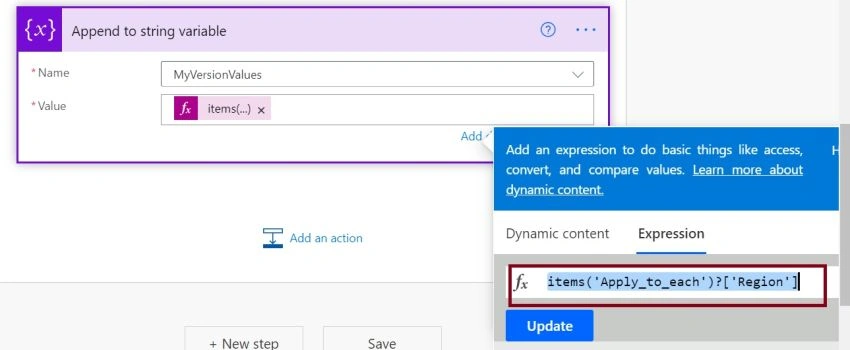
Expand the box Append to a string variable and do the following,
In the value, section use the below expression
items('Apply_to_each')?['Region']
Here I am only taking the field Region from my SharePoint list, as per your need you can take the required fields.
Step 11
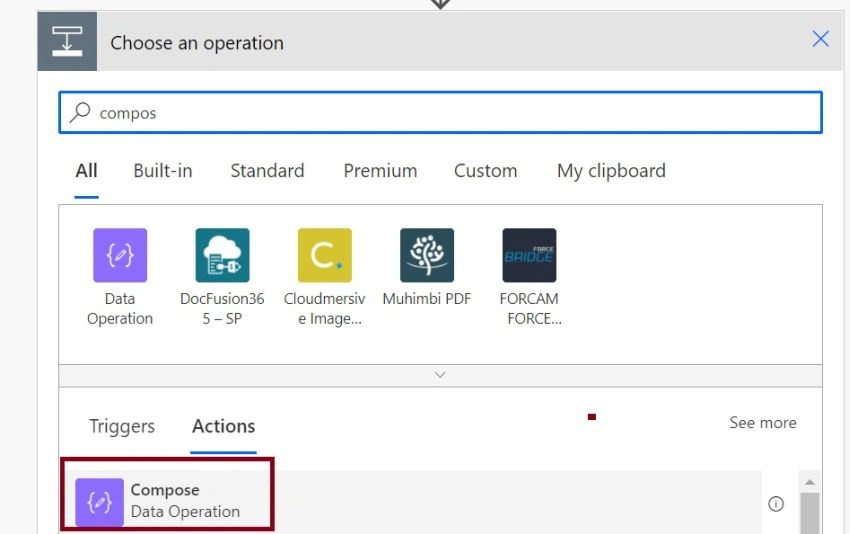
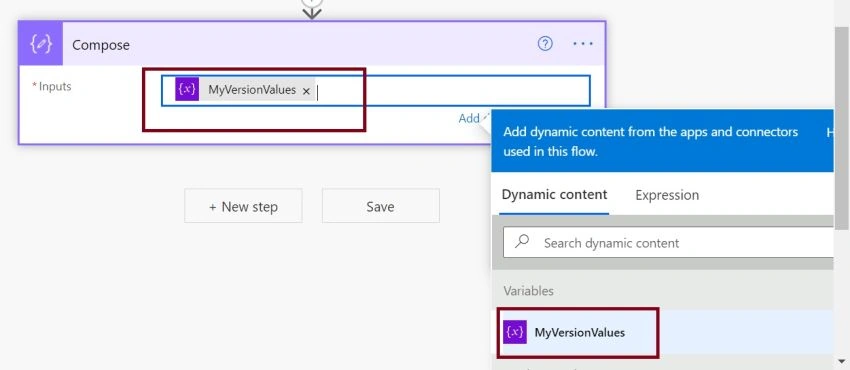
For viewing the output I added compose action in this step.
Step 12
Assign input to compose action box like below,
Step 13
Click on Save Flow.
Step 14
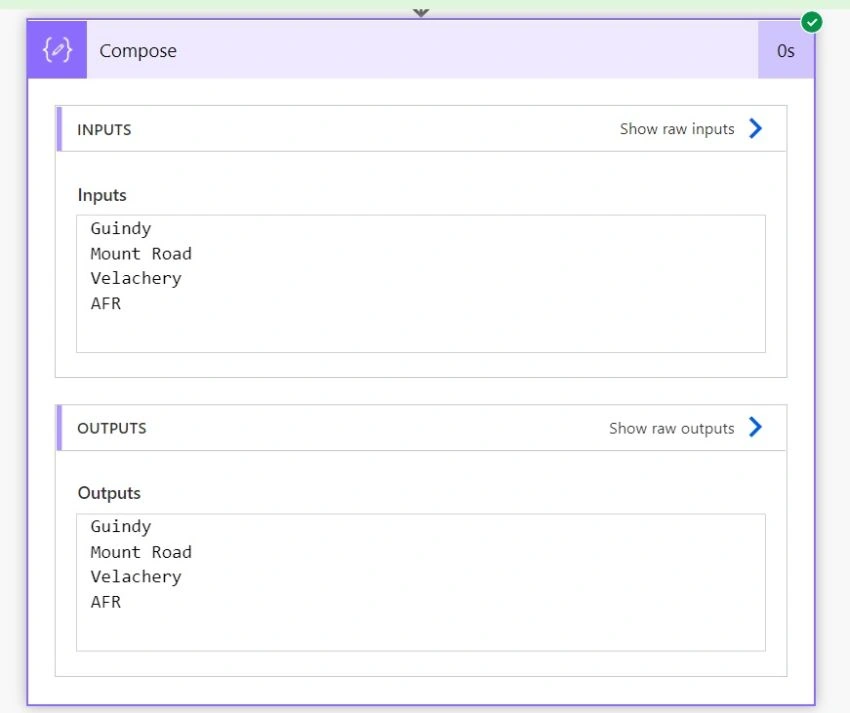
To test the flow, insert a record in the list that you triggered.
Step 15
Expected output,
Conclusion
Cheers, we did it. I hope you have learned how to get the version history of list items from SharePoint list using power automate :)


Tom JacksonPosted Aug 27, 2023, 4:48 AM
I'm not sure if you're trying to get a value from version history, or just the current value of Regions here, but if you're trying to get the last version of value of Regions, this won't be enough to do that, and you shouldn't need the "Apply to each" to get it, either. Here's how you can get the last version for any field. Initialize var: OldStatus Type: String Value: [Status Value] Initialize var: PreviousVersion Name: PreviousVersion Type: Integer Value: sub(mul(int(triggerOutputs()?['body/{VersionNumber}']),512),512) Send an HTTP request to SharePoint Site Address: base site URL Method: GET Uri: _api/web/lists/GetByTitle('My List')/items([ID])/Versions([PreviousVersion])?$select=Status Headers: Accept application/json;odata=nometadata Set var: OldStatus Type: String Value: body('Send_an_HTTP-request_to_SharePoint')['Status'] Note that "My List" is the friendly name version of the list, so you must update this if you change the name of the list - it is not the underlying, permanent name that was first given to the list. [ID] would get replaced with @{triggerOutputs()?['body/ID']} and [PreviousVersion] is the variable from above. Another note, you cannot use this in a Flow that runs on creation - it would fail, because there is no previous version on creation. It can only be part of a Flow that runs on modification of an item, only.
Shengqi TaoPosted May 25, 2023, 8:48 AM
Very good introduction. I have used it in my flow. Thank you!!!