

Introduction
What Is Bootbox In Asp.net Mvc?
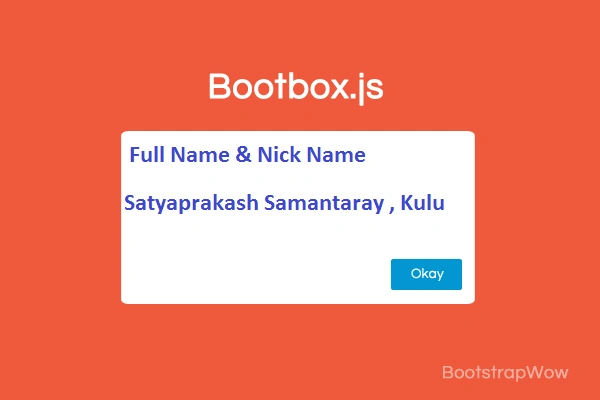
Bootbox.js is a small JavaScript library which allows you to create programmatic dialog boxes
Use Bootstrap modals for creating, managing or removing any of the required DOM elements or JS event handlers.
Bootbox.js is designed to make using Bootstrap modals easier.
Image Reference

File reference
I attached one zip file to get “bootbox.min.js”.
Description
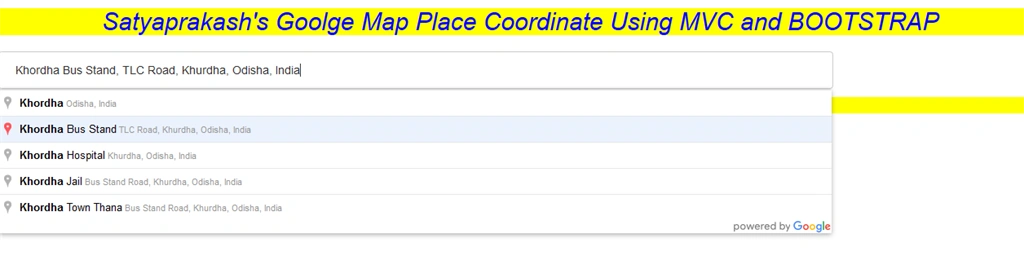
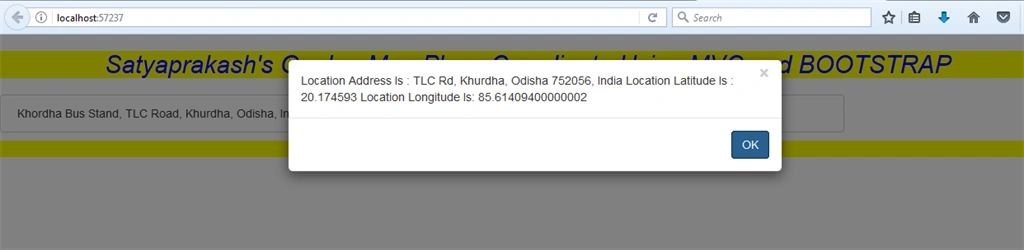
Here I used the Place changed event handler of the Google Autocomplete TextBox to get the selected place, its address and its location coordinates i.e. Latitude and Longitude.
To know more details about Google map , Visit My Blogs and articles.
Steps To Be Followed
Step1
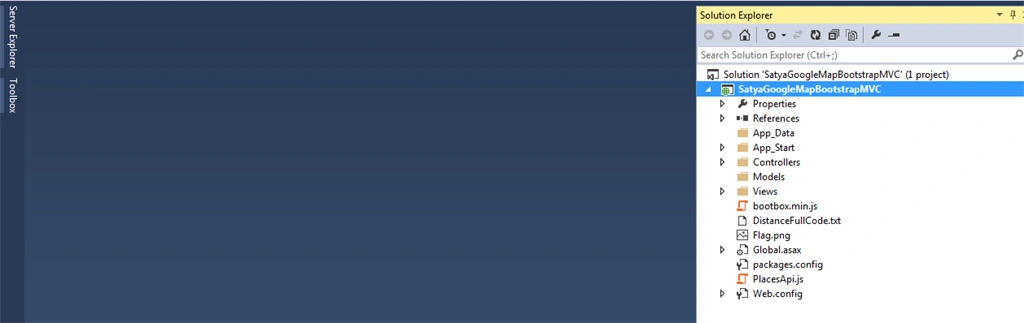
Create a Mvc 5 application named “SatyaGoogleMapBootstrapMVC”.
Step2
Create a controller class file named “HomeController.cs”.
Code Ref
- using System;
- using System.Collections.Generic;
- using System.Linq;
- using System.Web;
- using System.Web.Mvc;
- namespace SatyaGoogleMapBootstrapMVC.Controllers
- {
- public class HomeController : Controller
- {
- //
- // GET: /Home/
- public ActionResult PlaceCord()
- {
- return View();
- }
- }
- }
Code Description
Here I created a controller action method named “PlaceCord()”.
- public ActionResult PlaceCord()
- {
- return View();
- }

Step3
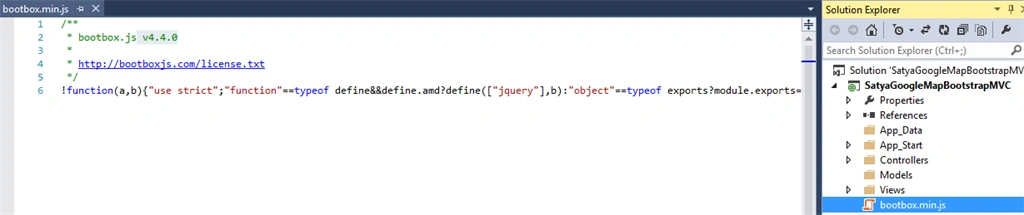
Add a Bootbox javascript library of version v4.4.0. Named “bootbox.min.js”.
This file I added to show alert pop up instead of traditional javascript alert box.
Also it is bootstrap supporting and multiplatform view support,
Step4
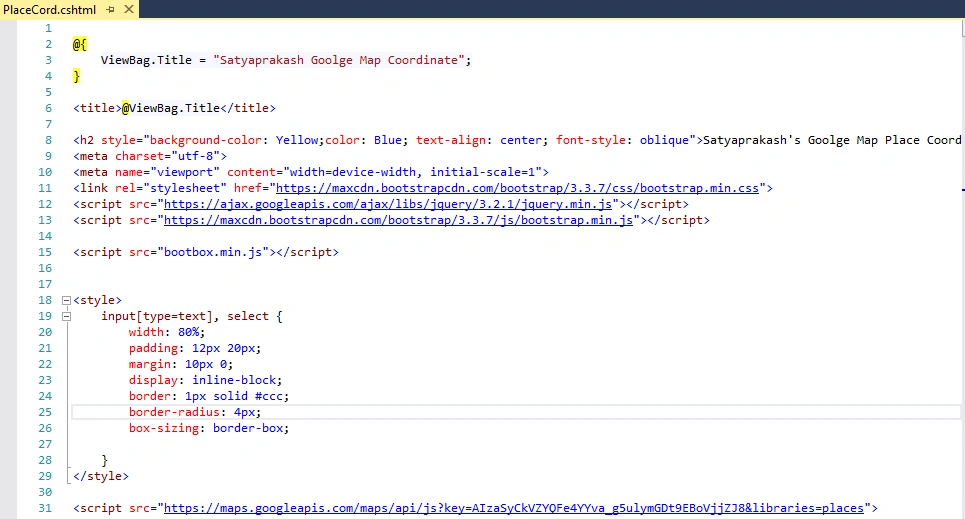
Create a view named “PlaceCord.cshtml”.
Code Ref
- @{
- ViewBag.Title = "Satyaprakash Goolge Map Coordinate";
- }
- <title>@ViewBag.Title</title>
- <h2 style="background-color: Yellow;color: Blue; text-align: center; font-style: oblique">Satyaprakash's Goolge Map Place Coordinate Using MVC and BOOTSTRAP</h2>
- <meta charset="utf-8">
- <meta name="viewport" content="width=device-width, initial-scale=1">
- <link rel="stylesheet" href="https://maxcdn.bootstrapcdn.com/bootstrap/3.3.7/css/bootstrap.min.css">
- <script src="https://ajax.googleapis.com/ajax/libs/jquery/3.2.1/jquery.min.js"></script>
- <script src="https://maxcdn.bootstrapcdn.com/bootstrap/3.3.7/js/bootstrap.min.js"></script>
- <script src="bootbox.min.js"></script>
- <style>
- input[type=text], select {
- width: 80%;
- padding: 12px 20px;
- margin: 10px 0;
- display: inline-block;
- border: 1px solid #ccc;
- border-radius: 4px;
- box-sizing: border-box;
- }
- </style>
- <script src="https://maps.googleapis.com/maps/api/js?key=AIzaSyCkVZYQFe4YYva_g5ulymGDt9EBoVjjZJ8&libraries=places">
- </script>
- <script type="text/javascript">
- google.maps.event.addDomListener(window, 'load', function () {
- var places = new google.maps.places.Autocomplete(document.getElementById('txtLoc'));
- google.maps.event.addListener(places, 'place_changed', function () {
- var place = places.getPlace();
- var address = place.formatted_address;
- var latitude = place.geometry.location.lat();
- var longitude = place.geometry.location.lng();
- var mesg = "Location Address Is : " + address;
- mesg += "\nLocation Latitude Is : " + latitude;
- mesg += "\nLocation Longitude Is: " + longitude;
- //alert(mesg); //For Normal Javascript Alert.
- bootbox.alert(mesg); //For bootstrap Javascript Alert.
- });
- });
- </script>
- <input type="text" id="txtLoc" placeholder="Mention location...." />
- <footer>
- <p style="background-color: Yellow; font-weight: bold; color:blue; text-align: center; font-style: oblique">© @DateTime.Now.ToLocalTime()</p> @*Add Date Time*@
- </footer>

The HTML Markup consists of an HTML TextBox using which the Google Places Autocomplete will be implemented.
The very first thing is to inherit the Google Maps API script along with the places library. Then inside the Google Maps window load event handler, the Google Places Autocomplete is applied to the TextBox and then the place_changed event handler is assigned to it.
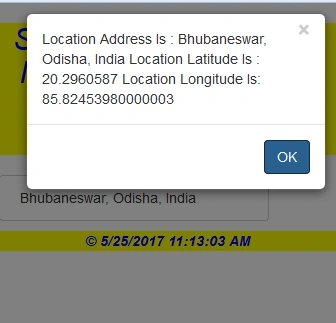
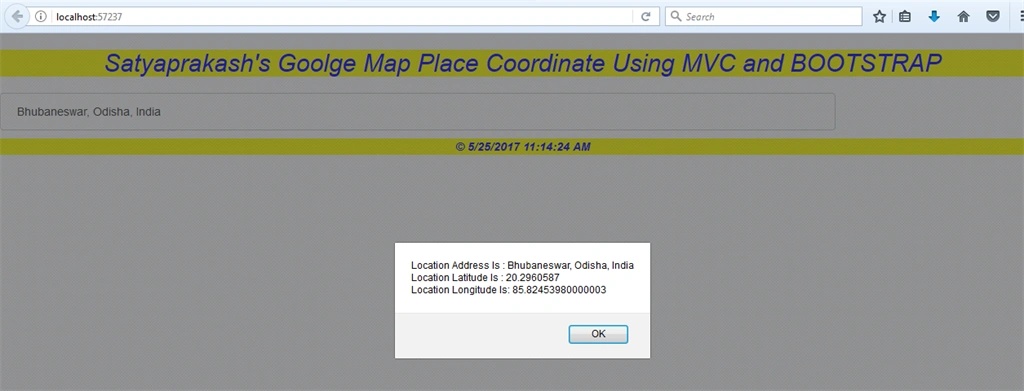
The place_changed event handler is triggered when a place is selected in the Google Places Autocomplete TextBox. It first gets the selected place and then determines its address and its location coordinates i.e. Latitude and Longitude and then displays the details in BootBox alert message box.

To support bootstrap related support added below links.
- <link rel="stylesheet" href="https://maxcdn.bootstrapcdn.com/bootstrap/3.3.7/css/bootstrap.min.css">
- <script src="https://ajax.googleapis.com/ajax/libs/jquery/3.2.1/jquery.min.js"></script>
- <script src="https://maxcdn.bootstrapcdn.com/bootstrap/3.3.7/js/bootstrap.min.js"></script>
- <script src="bootbox.min.js"></script>


Naveen BishtPosted May 31, 2017, 1:54 AM
Thanks for sharing it is really nice