

In our previous article, we learned how to grant read and write permission to any user. We have also seen a demonstration where we provided permissions via GUI and T-SQL.
For this example as well, we require two connections.
- Admin Connection
- SQL Server User Connection
Firstly, connect your SQL Server instance with your admin connection and select your database, we’ll be using as usual database ‘CSharpCornerDB’.
Now let’s create a simple procedure with the following script to work with.
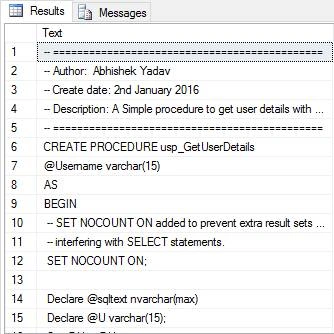
CREATE PROCEDURE usp_GetUserDetails
    @Username varchar(15)
AS
BEGIN
    -- SET NOCOUNT ON added to prevent extra result sets from
    -- interfering with SELECT statements.
    SET NOCOUNT ON;

    SELECT au.Author_Name as [Author], au.City, au.Country, au.IsMVP, Count(at.ArticleName) as [Total Articles]
    FROM tblArticles at
    JOIN tblAuthors au ON au.Author_Name = at.AuthorName
    WHERE at.AuthorName = @Username
    GROUP BY au.Author_Name, au.City, au.Country, au.IsMVP;

    SELECT ArticleName as [Articles]
    FROM tblArticles
    WHERE AuthorName = @Username;
END
GO
Our procedure is ready now.
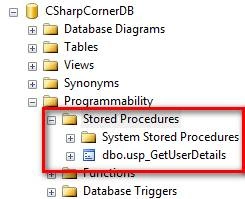
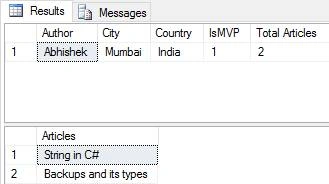
This procedure takes the username as a parameter and returns author details and a number of articles written by them. In short, we’re trying to read user details by providing user’s name.
Now connect your server with the SQL Server Account. We’ve our SQL Account login named ‘MChand’.
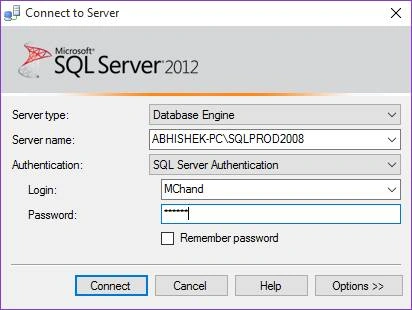
As we already provided our user READ/WRITE permission, let’s connect and run above created stored procedure.
To run the stored procedure, execute the following command, and let’s see the output we get.
EXEC usp_GetUserDetails 'Abhishek';
When an SQL Server user tries to run the above query, he/she will encounter the following error message.
Msg 229, Level 14, State 5, Procedure usp_GetUserDetails, Line 1
The EXECUTE permission was denied on the object 'usp_GetUserDetails', database 'CSharpCornerDB', and schema 'do'.
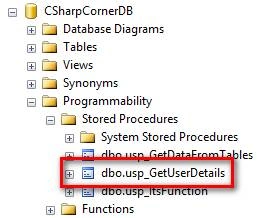
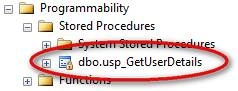
Also, you won’t find the created procedure under the 'Stored Procedures' folder.
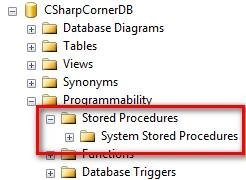
Even if the user had READ permission on the database, the above query should have been executed without any issue or the procedure should have been listed in the folder. But this doesn’t happen. Let’s see why.
If you see the following diagram, we have a database under which we’ve multiple database objects like tables, views, stored procedures, etc.
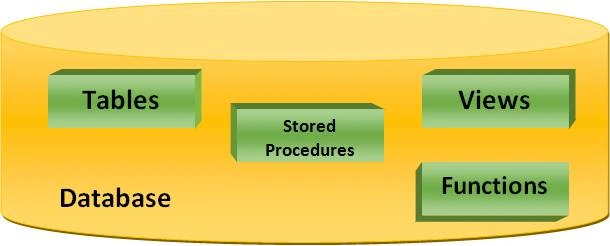
If the user has READ permission on the database, the SQL Server knows that the user has full right to read data stored in its objects and if the user wants to read data from tables or views, he/she requires a SELECT statement. Till here, the SQL Server knows there’s no harm with the SELECT statement because it’s not going to modify any data inside any objects, so it allows the user to READ data from Tables, Views, or Functions.
But when it comes to Stored Procedures, the scenario is different. This is because the stored procedure uses multiple dynamic queries which may contain CREATE, DELETE, UPDATE, or any other statement which may modify data in objects.
Let’s consider a scenario where I have a stored procedure named ‘usp_GetDataFromTables’.
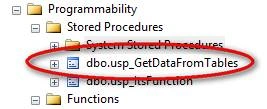
By looking at the procedure name, we may assume that this procedure may return data from tables. But we don’t know what type of statements this procedure is using. Let’s check the statement the procedure is using to get the data from the tables.
CREATE PROC usp_GetDataFromTables
AS
BEGIN
    DELETE FROM tblArticles
END
Oops!! A DELETE statement!!!
Imagine if this procedure executes on your server, you might lose your entire data from that table.
This is the reason SQL Server doesn’t provide direct access to any of the objects which may modify the data.
Even if your stored procedures are using SELECT statements, you won’t be able to execute those procedures unless you’ve permission to execute them. If you’ve READ permission on the database, you can read data only from Tables, Views, and Functions.
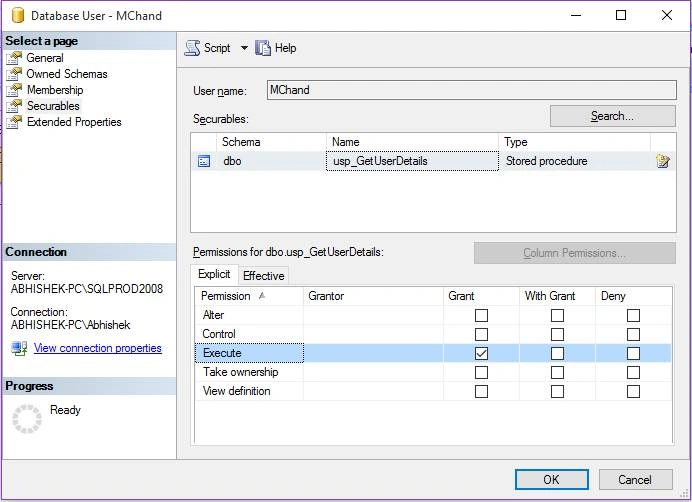
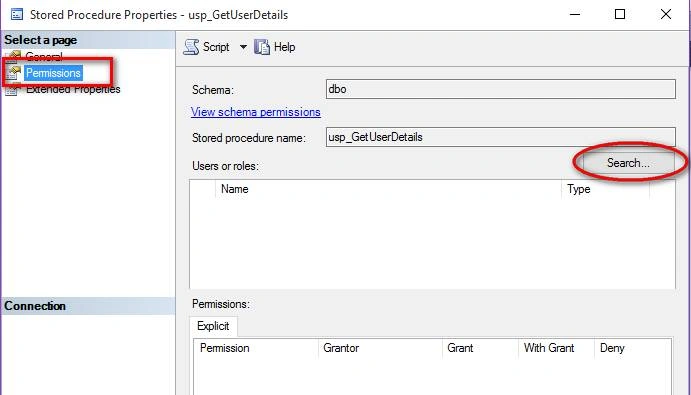
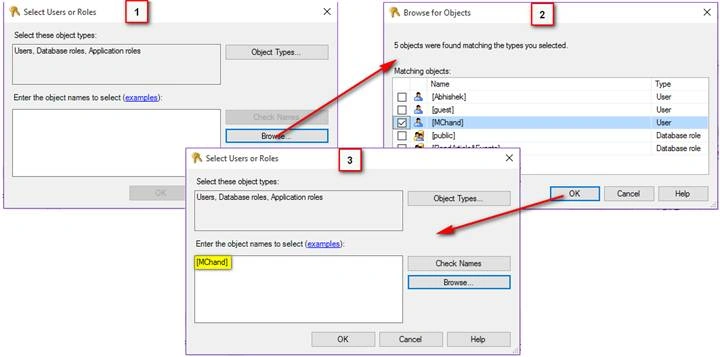
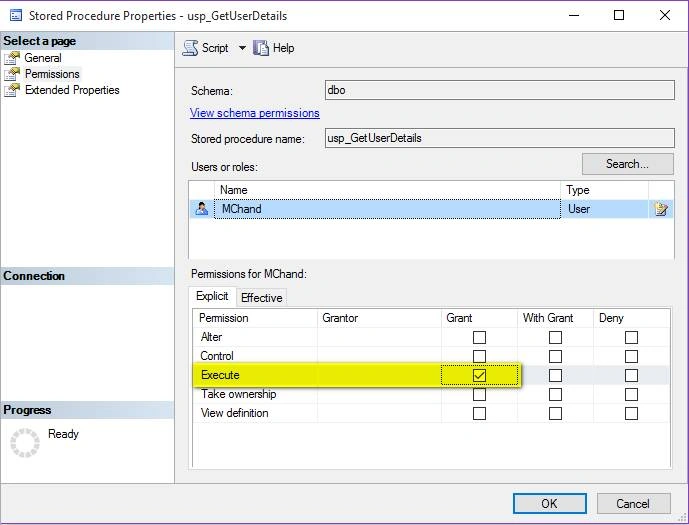
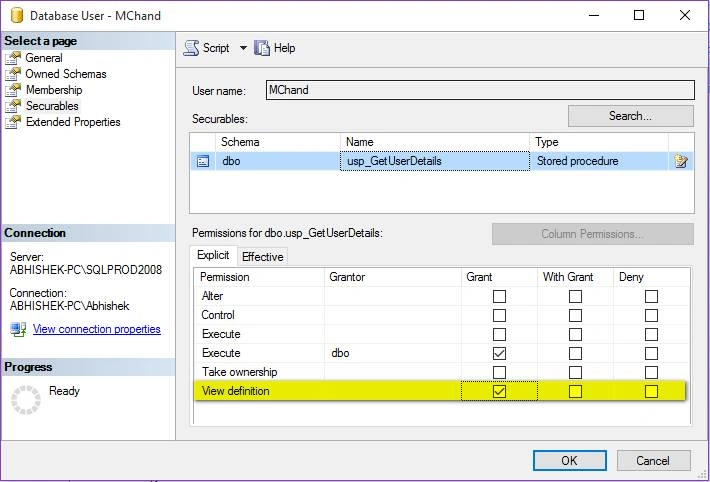
But to execute stored procedures, you need to provide permission explicitly to the user. There are multiple ways you can provide execute permission to any user. We’ll see those one by one.
Way 1
Connect Server with Admin Session
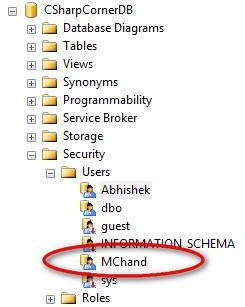
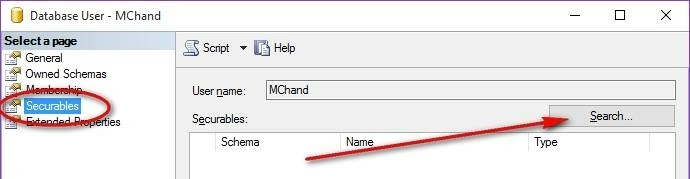
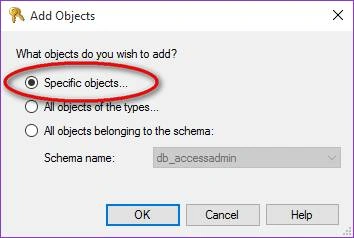
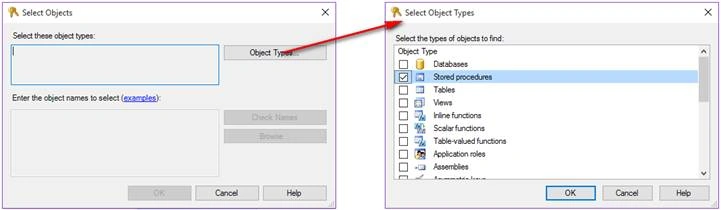
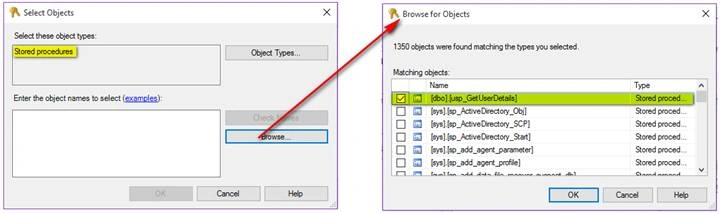
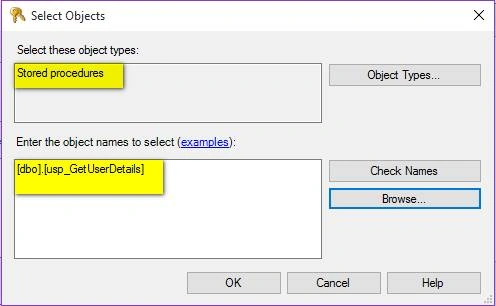
Go to Database, Securities, Users, then select User.
Santhakumar MunuswamyPosted Jan 17, 2016, 2:04 PM
Thanks for nice share
Aasim AbdullahPosted Jan 16, 2016, 9:46 AM
Two things are must to mention here. You need not to grant any type of permission directly on objects which a stored procedure using in its statements and you have granted EXECUTE permission on SP. By granting EXECUTE, you have automatically granted any permissions need to be granted on its contained objects (tables,functions, views etc). Second is more important, that if you use dynamic query with in Stored Procedure and execute it as EXEC ('mYdynamicQuery'). Then any code in dynamic query will be executed outside Stored Procedure context and then you have to separately grant permissions for actions on objects you are performing in dynamic query. That is another reason dynamic queries are bad as security is hard to maintain for these.