

Here we will see how to use the Guid Datatype in LightSwitch Visual Studio 2012.
The following table shows the various format patterns for the Guid Datatype.
|
Format |
Description |
Displayed Result |
| N | Displays 32 characters. | 3261a3cfc18f4747b957e5264b6a430c |
| D | Displays 32 characters separated by hyphens. | 3261a3cf-c18f-4747-b957-e5264b6a430c |
| B | Displays 32 characters separated by hyphens and enclosed in braces. | {3261a3cf-c18f-4747-b957-e5264b6a430c } |
| P | Displays 32 characters separated by hyphens and enclosed in parentheses. | (3261a3cf-c18f-4747-b957-e5264b6a430c) |
| X | Displays four hexadecimal values enclosed in braces, where the fourth value is a subset of eight hexadecimal values enclosed in another set of braces. | {0x3261a3cf,0xc18f,0x4747,{0xb0,0x57,0xe5,0x26,0x4b,0x6a,0x43,0x0c}} |
The following is the procedure to create a sample using the Guid datatype in LightSwitch.
Step 1
Open the LightSwitch Application in Visual Studio 2012 and go to the Solution Explorer.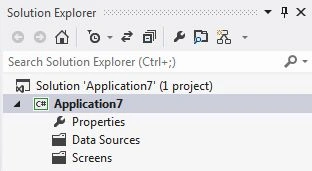
Right-click on Data Sources and choose "Add Table".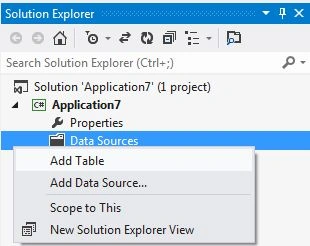
Step 2
The table appears in the table designer window. Insert the records in the following table.
Here in the table I have added a record named "BookletCode" and I have taken its datatype as "Guid" as shown below.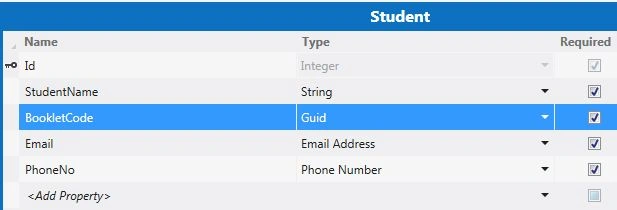
Select the "BookletCode" record from the table and then go to the property window.
In the property window, write "N" for the format in the TextBox under Format Pattern as shown below.
Step 3
Now once again go to the Solution Explorer, right-click on Screens and choose "Add Screen".
The Add New Screen dialog box appears. Select the "Editable Grid Screen" from the Screen Template, inside screen information, choose "Student" under screen data and provide some name to the Screen and click the OK button.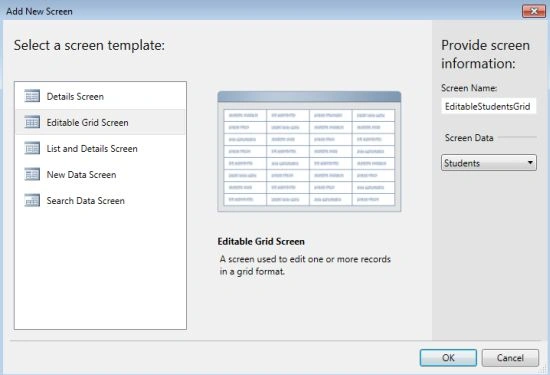
The Screen Designer appears. However you change the Label Position as well as text alignment from the property window.
Step 3
Press F5 to run the application. Note that the Bookletcode field displays 32 characters by default.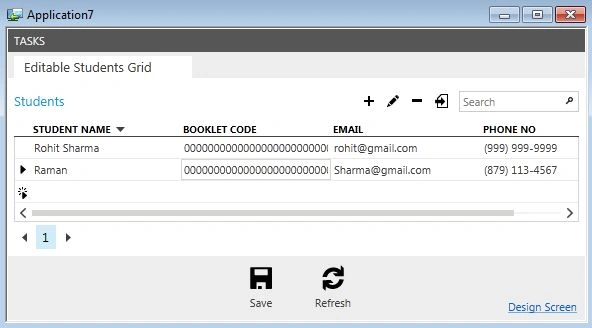
Step 4
Stop debugging the application.
Once again go to the Property window of "BookletCode" in the table and enter "D" in the Format Pattern TextBox as shown below.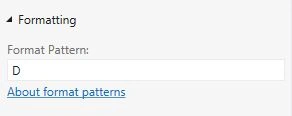
Once again press F5 to run the application. It will display 32 characters separated by hyphens as shown in the following output.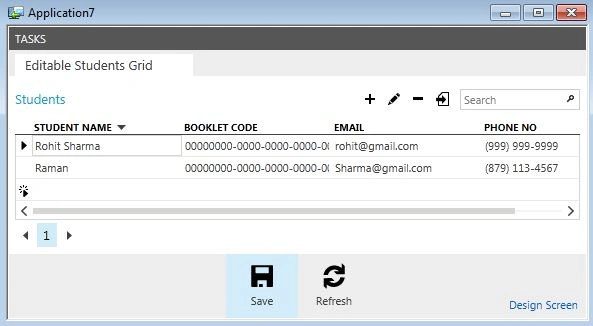
Step 5
Stop debugging the appliaction and once again go to the property window of the table and this time enter "X" in the format pattern TextBox as shown below.
Press F5 to run the application we will get the BookletCode output in the following format.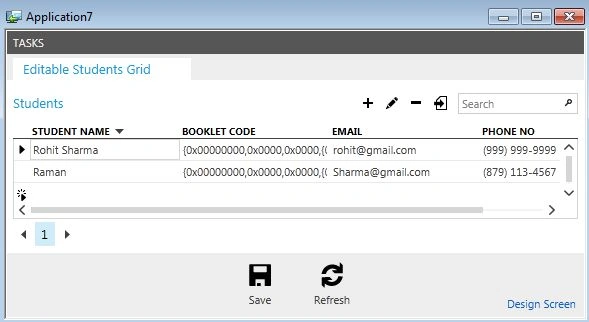
Join the conversation! Your thoughts help the community grow.