

Introduction
Assume I have a blog/website and I want all external URLs to open in a new browser tab. For example when you click on any external URL on Facebook, it opens the URL in a new tag. That does not mean that you have or have not provided a "target" attribute with the URL; I always want external URLs to open in a new tab.
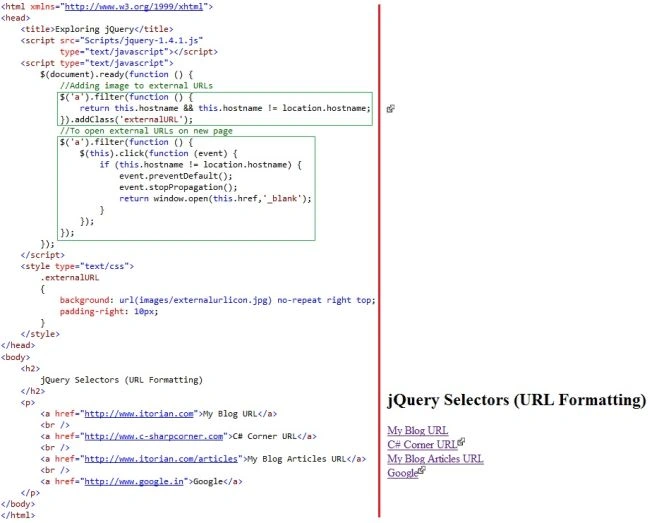
In addition to this, I also want to add an external icon with all external URLs. How to do this?
Let's read all one by one.
If you simply want to open all URLs in a new tab, a quick jQuery code can do this. Here you go.
jQuery Code
<script src="Scripts/jquery-1.4.1.js" type="text/javascript"></script>
<script type="text/javascript">
$(document).ready(function () {
$('div.MyURLs a').attr({ target: '_blank' });
});
</script>
Using above the jQuery, just add a new attribute "target" to "_blank" to all URLs inside <div class="MyURLs">.
ASPX Code
<body>
<div class="MyURLs">
<a href="http://www.itorian.com">ITORIAN</a>
Join the conversation! Your thoughts help the community grow.