
Hi all.
For today this is a new scenario and solution.
Scenario: In our project, we are using an OOB team site for our team workspaces. So the customer will be creating team workspaces using the OOB team site. One of the requirements is, there should be no “GettingStartedWebPart” (as shown in the following figure) on the home page. 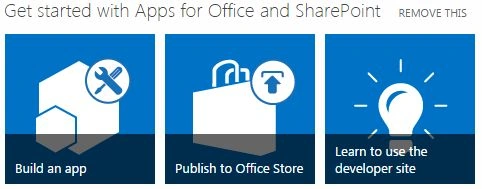
The easiest way to remove the preceding web part is to just click on the “REMOVE THIS” link as shown in the preceding figure.
But we need to automate this process. So the customer does not need to explicitly click the link every time a new workspace is being created. So we can have a control / user control in which we will right the code to hide the web part.
But again the challenge is to make happen only once, the first time the page is being loaded. The code should not be executed every time the workspace is accessed.
Background
There is a hidden site feature called “Basic WebParts” that populates this “GettingStartedWebPart” in the web part gallery. Also we don't want to remove this web part from the web part gallery.
Related to this, there is one more concept. There is a web-level feature “Getting Started” as:
This feature is responsible for provisioning the “GettingStarted.aspx” page and adding a link to the site action menu.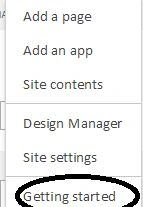
Solution
The following is the procedure:

Join the conversation! Your thoughts help the community grow.