

The purpose of this article is to provide a way in ASP.NET to change the image of a button as soon as the user hovers over it. We assume that you have created a Web site with Visual Studio and added a new page CsharpPage.aspx using the Web Form template.
Introduction
With Visual Studio, you can easily create image buttons called ImageButton.
They appear in the source code in the form:
- <asp:ImageButton ID="ImageButton1" runat="server" ImageUrl="~/csharpcorner.png" OnClick="ImageButton1_Click" />
In ASP.NET, cannot intercept an onmouseover event directing on a method of the code behind.
The only way to intercept a mouseover event type is to use the CSS stylesheet with the hover property or JavaScript event handler onmouseover, onmouseout, onmousemove.
We will focus more particularly on the event handlers onmouseover and onmouseout.
Modifying the attributes
Look at the following HTML button:
- <input type="image" src="images/imag.png" onmouseover="this.src='images/imagover.png';" onmouseout="this.src='images/imagout.png';">
onmouseover and onmouseout are attributes of the input object and followed by instructions to execute when an event occurs.
In the example, the instruction:
- this.src='images/imagover.png';
Replaces the image of the button with a new image.
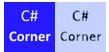
Initially, this button appears with the image imag.png on the page and when the mouse hovers over this image, the image imagover.png is replaced and finally when the mouse exits the image imagover.png, the image imagout.png takes its place.
It is possible to do it in ASP.Net, as in this line of code:
- <asp:ImageButton ID="ImageButton1" runat="server" ImageUrl="images/imag.png" OnMouseOver="this.src='images/imagover.png'" OnMouseOut="this.src='images/imagout.png'" />
But in design mode if you double-click the button to handle the click event, some of these properties may disappear. This trick seems not to be compatible with the object editor. Let mixtures of ASP.Net and JavaScript.
In ASP.NET, the class WebControl represents all controls and allows the addition of attributes.
Here is an example
ImageButton1.Attributes.Add("onmouseover", "this.src=\"imagover.png\"");
This instruction must be executed when the page loads and is usually placed in the code behind in the method Page_Load.
After running this command the following button:
- <asp:ImageButton ID="ImageButton1" runat="server" ImageUrl="~/imag.png" />
Will become in the HTML page:
- <img id="ImageButton1" onmouseover="this.src="imagover.png"" src="imag.png" />
Join the conversation! Your thoughts help the community grow.