

In this article, we will see how to publish your normal HTML website without using Visual Studio or any other tool by using FileZilla in Microsoft Azure.
Publishing a website is a very big challenge without using any tool but with FileZilla, you can publish any open source website consisting of JavaScript, CSS, jQuery, HTML pages in few steps.
Using FTP credentials, we can publish websites very easily in Azure. You can get the Azure FTP credentials from the Azure website itself.
Let’s see how to create or publish your simple HTML website from FileZilla to Microsoft Azure.
Let see how to do the above steps,
- Sign in to your Azure portal.
- Click the plus sign at the top left corner.
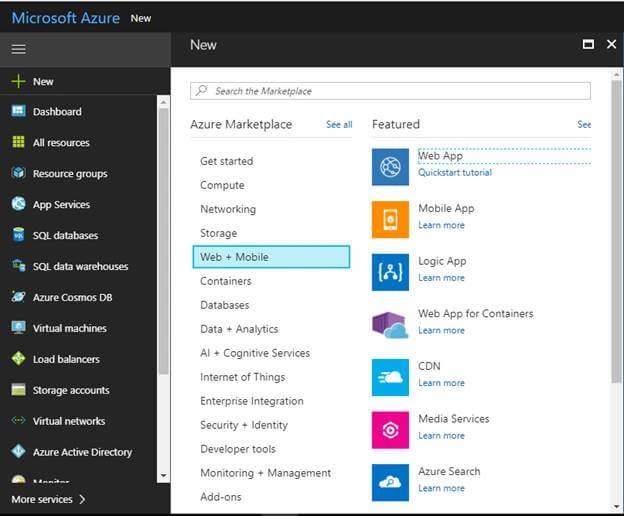
- Click on Web + Mobile > Web App.
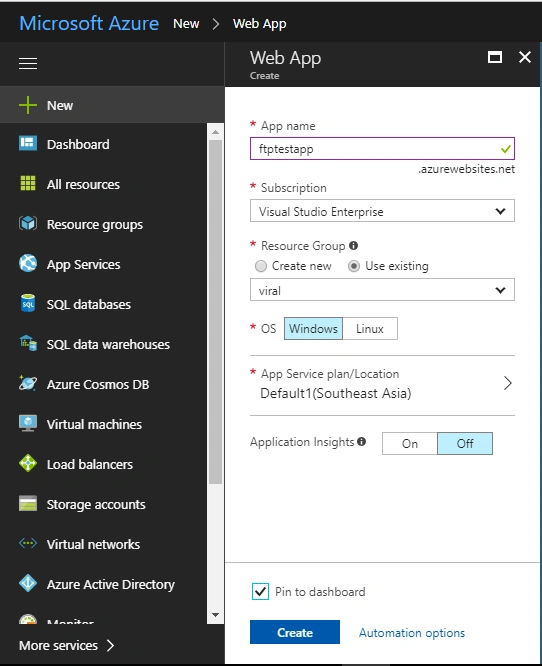
- Fill the required details and click on "Create".
- Fill in all the details like App name.
- Create Resource group or create a new depending on your requirement.
- Select OS and select App Service plan accordingly.
- Then, click "Create".
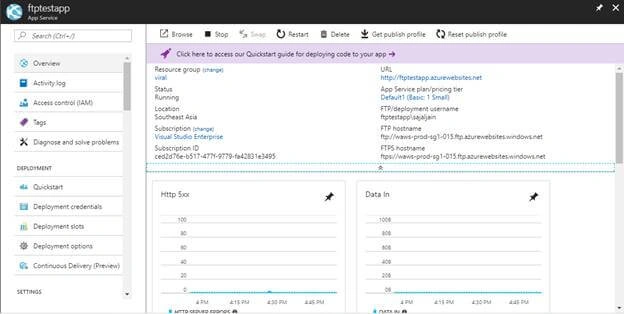
- Once your app is successfully deployed, you will see this screen.
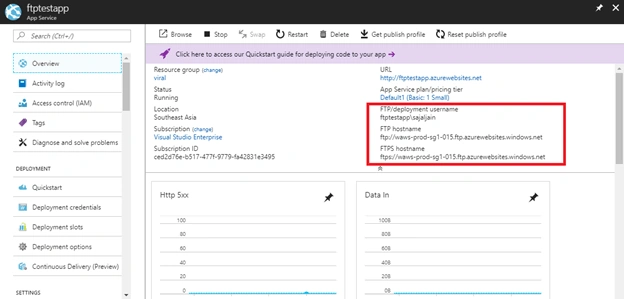
- Note down the FTP details from this screen.
- Go to "Deployment Credentials" to set the credentials for your FTP client.
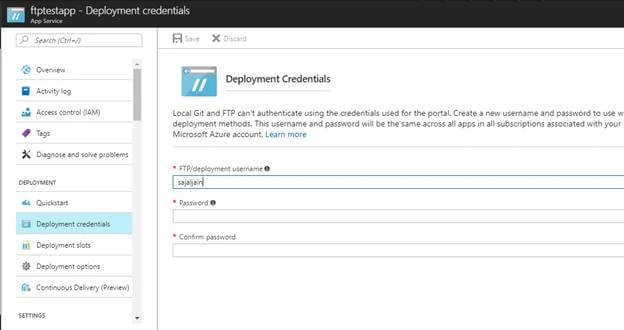
- Set the FTP/Deployment username and password and click on "Save" button at the top.
- Once you set your FTP/Deployment username and password open file zilla client on your system.
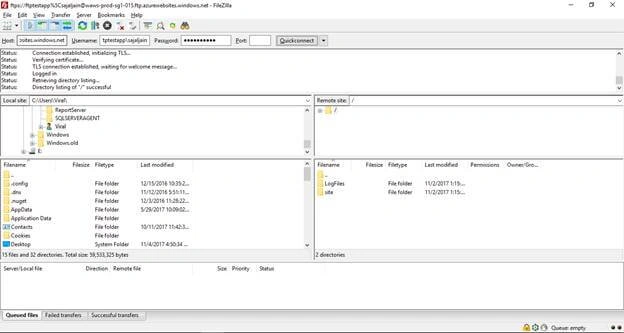
- Copy FTP/deployment username, FTPS host name and put it in a File Zilla.
- Give host name, username and password and then click on Quick Connect.
- Copy your html ,javascript ,jquery files etc in site -> wwwroot folder .
- Then run your xxx.azurewebsites.net Url .
- You are able to see if your website is successfully published to Azure/up and running on azure.
Join the conversation! Your thoughts help the community grow.