

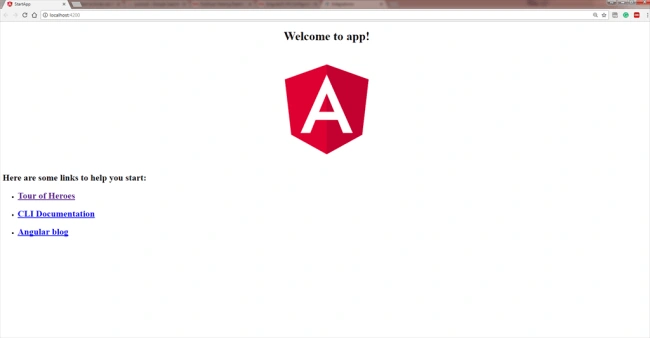
Whenever we create an Angular project and run it with the help of ng-serve command, it looks like the below image.
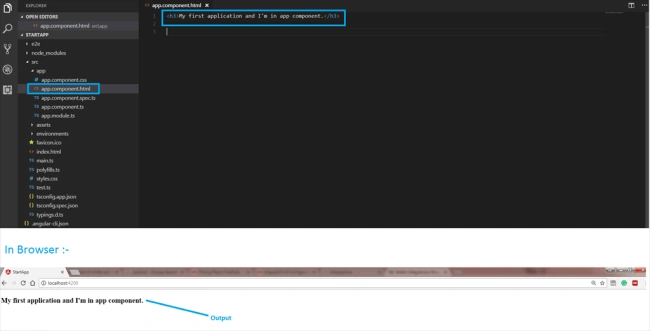
Now, we will try to understand how an Angular application is loaded and started. For this, we need to remove all the code from the app.compoment.html file and write some basic HTML code. Something like below.
Now, we will try to understand how an Angular application is loaded and started. For this, we need to remove all the code from the app.compoment.html file and write some basic HTML code. Something like below.
- <h3>My first application and I'm in app component.</h3>
Now, our application looks like this...
But the concept is that this file is not the file served by the server. The server served an index.html file. Remember that Angular is a framework which allows us to create “Single Page Applications”, and it (index.html) is the single page which was provided by the server.
But the concept is that this file is not the file served by the server. The server served an index.html file. Remember that Angular is a framework which allows us to create “Single Page Applications”, and it (index.html) is the single page which was provided by the server.
In index.html file,
- <html lang="en">
- <head>
- <meta charset="utf-8">
- <title>StartApp</title>
- <base href="/">
- <meta name="viewport" content="width=device-width, initial-scale=1">
- <link rel="icon" type="image/x-icon" href="favicon.ico">
- </head>
- <body>
- <app-root>Loading.....</app-root>
- </body>
- </html>
We look into this file,
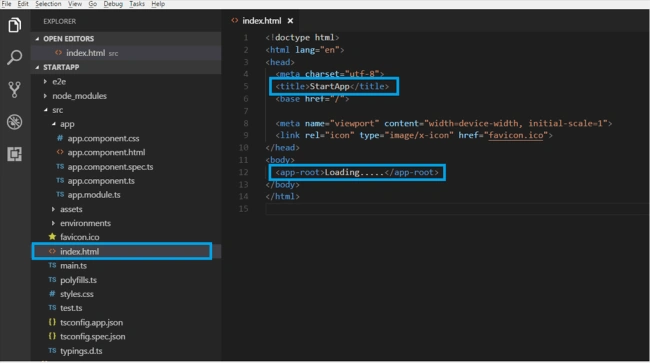
It is a normal HTML file as here, we can see the “title” tag and we can see the same title in the browser as our application title.
It is a normal HTML file as here, we can see the “title” tag and we can see the same title in the browser as our application title.
If we talk about the “body” tag, it is a little bit different from our normal HTML page's body. Here, we can see “<app-root>” tag, and it does not reflect a default tag. It contains “loading...” as a text, but we have never seen this on a page, which means somehow, the page has been changed.
So, here, we come to know that it is a component which is provided by the CLI. We can say that, whenever we create a project from CLI, by default, one component is created, i.e., “app component”.
Now, look into “app.component.ts” file. It is a TypeScript file. We will discuss the component and how we can create a custom component in my next blog. Here, the main thing is the “selector” property.
In app.component.ts file, the code is as below.
- import { Component } from '@angular/core';
- @Component({
- selector: 'app-root',
- templateUrl: './app.component.html',
- styleUrls: ['./app.component.css']
- })
- export class AppComponent {
- title = 'app';
- }
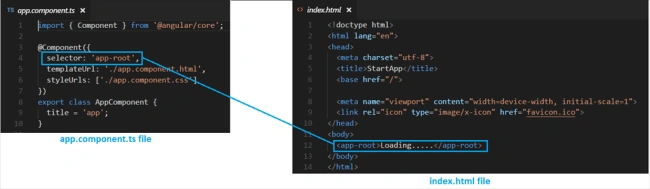
Selector property contains exactly the same string as we have in our index.html file. This information is needed by the Angular to place this part into an index.html file with the template of the component.
The template of the component is “./app.component.html”, so, Angular includes this part into the body of the index.html file.
Now, we are able to understand how an “app-root” is included in our index.html file. But here, the main question is “How did Angular trigger or how did it kick off ?”
Let us understand this concept. We need to inspect our Angular application and we may find a couple of script files, which are injected by the CLI at runtime (dynamically). That's why we are unable to see these files in our “index.html”.
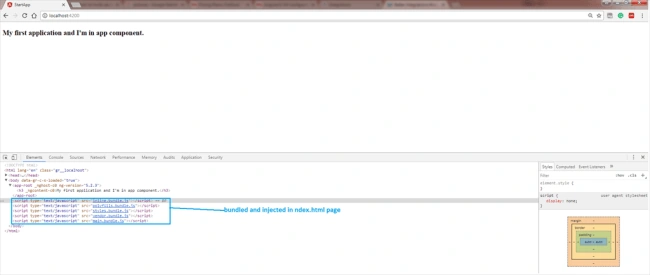
Whenever ng-serve builds our application, it creates “bundles” and automatically adds these to our index.html file at runtime. So, from these bundles, the first code has to be executed from “main.ts” file, i.e., “main.ts” file is the main file from where the execution of an Angular application will start.
Whenever ng-serve builds our application, it creates “bundles” and automatically adds these to our index.html file at runtime. So, from these bundles, the first code has to be executed from “main.ts” file, i.e., “main.ts” file is the main file from where the execution of an Angular application will start.
Have a look at the code this file (main.ts).
- import { enableProdMode } from '@angular/core';
- import { platformBrowserDynamic } from '@angular/platform-browser-dynamic';
- import { AppModule } from './app/app.module';
- import { environment } from './environments/environment';
- if (environment.production) {
- enableProdMode();
- }
- platformBrowserDynamic().bootstrapModule(AppModule)
- .catch(err => console.log(err));
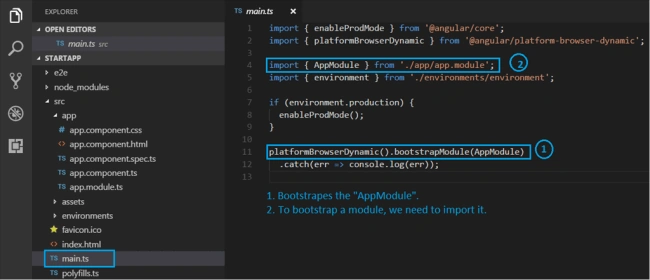
In this file, this “bootstrap” method is important which bootstraps (start) our Angular application.
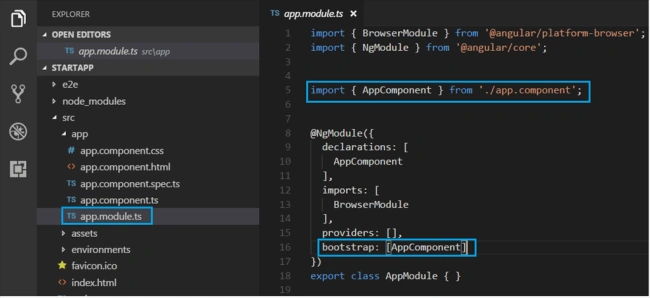
This refers to AppModule, which looks into the app folders. If we look into “app.module” file, here, we can see a bootstrap array which is basically a list of all the components which should be known to the compiler at the point of time it analyzes our index.html file.
- import { BrowserModule } from '@angular/platform-browser';
- import { NgModule } from '@angular/core';
- import { AppComponent } from './app.component';
- @NgModule({
- declarations: [
- AppComponent
- ],
- imports: [
- BrowserModule
- ],
- providers: [],
- bootstrap: [AppComponent]
- })
- export class AppModule { }
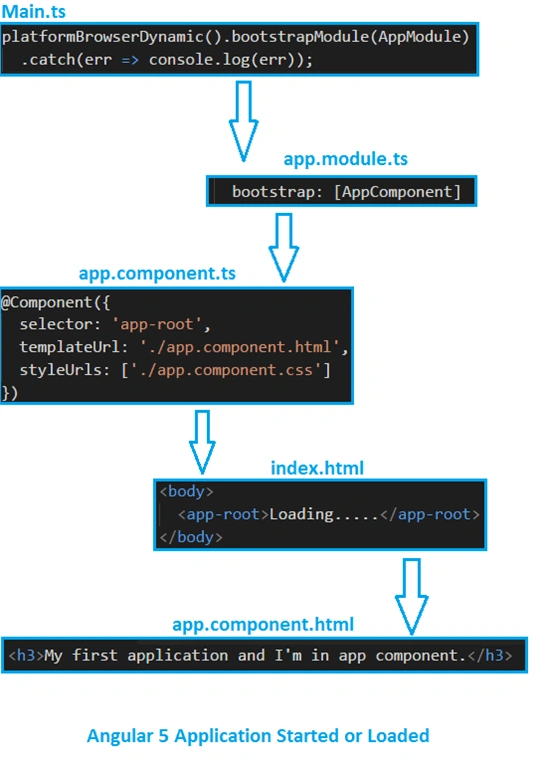
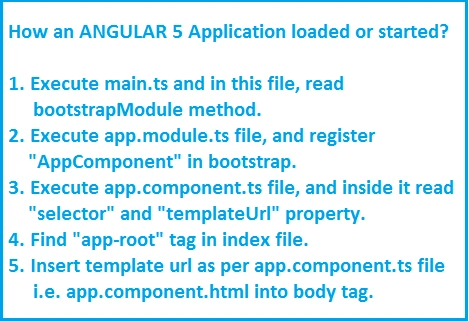
From the above blog, let us just quickly revise how Angular application gets loaded.
Deepak YadavPosted Jul 15, 2019, 3:18 AM
Index.Html is rendering instead of app.component.html in default angular 7 application
Mian UmerPosted Mar 13, 2019, 2:35 AM
Who calls the index.html? there's no reference of it in the main.ts. How does it know that it needs to render from the index.html. as asked by @Sanele
Stephen ElmsPosted Feb 21, 2019, 3:01 PM
Thank you for the article. It provides a very good explanation, but how does the next level work? For example, in VS2017 if you use .Net Core and Angular template it generates a counter.component.ts file that has a selector of 'app-counter-component' and I can't find a place holder for this like the app-root tag found in index.html
SanelePosted Jan 8, 2019, 1:10 AM
Who calls the index.html? there's no reference of it in the main.ts. How does it know that it needs to render from the index.html.
vedprakash mauyraPosted Oct 13, 2018, 10:06 AM
Sir thanks for sharing information i m beginner i want to know those file made by CLI automatically after run ng server command when we see in browser after inspect element like vender.js, styles.js, runtime.js, main.js, polifills.js responsibily of all those file that which file have what responsibility?
Charles BPosted Oct 12, 2018, 7:24 AM
Hi. I'm upgrading my Angular 4 application to Angular 6. 'ng serve' starts with no errors, there are no browser console errors but the bootstrapping is not occurring (looked at app-root through browser inspector and it's empty). Any idea what could possible be the problem or how to determine what it is?
raghu ramPosted Sep 24, 2018, 1:31 AM
If Nested Components are there in app components then how they will load
Rajat jainPosted Sep 10, 2018, 4:47 AM
Hi mahesh , i want to know one thing , when we load application in browser like localhost:4200 then it is showing index.html loading first because i put msg something in index.html its load first then main.ts why??
Idris MPosted Sep 3, 2018, 11:33 AM
Hi Mahesh, Great!! Have you written it for JIT or AOT? Please clarify
Manoranjan TiwariPosted Aug 24, 2018, 6:54 AM
Very informative blog.
yan wangPosted Jun 18, 2018, 10:50 PM
Nice explanation!
krishna mrPosted Jun 13, 2018, 4:03 AM
Nice article Mahesh for beginners.
kamal kantPosted May 11, 2018, 6:02 AM
NIce tutorial and Good explanation Mahesh Verma
HARIKRISHNA KANTAPosted Apr 9, 2018, 8:09 AM
Good explanation and very useful to understand the application startup flow.
Khumana RamPosted Apr 6, 2018, 5:29 AM
Awesome post to start angular 5 application...