

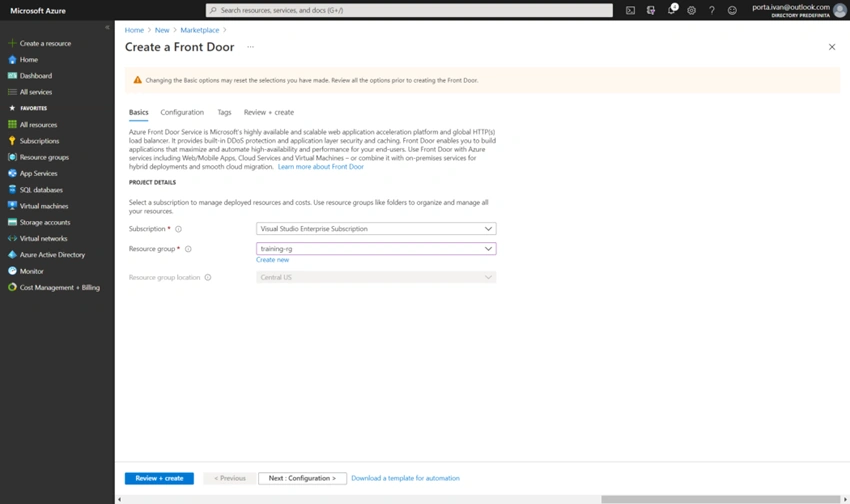
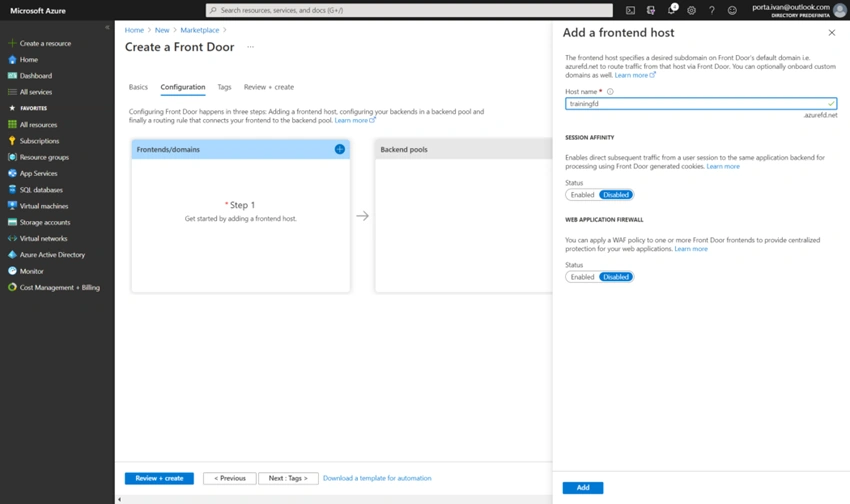
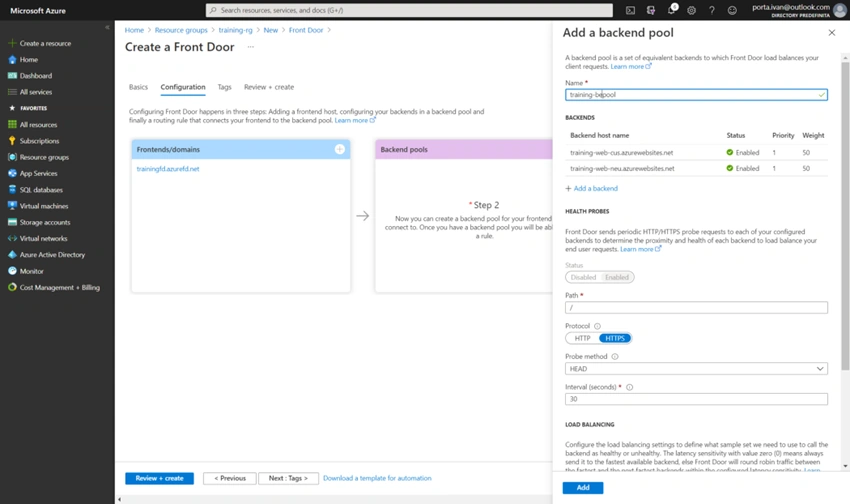
In my previous article, we created an Azure SQL database resource, replicated it in Europe, and set it up to synchronize with Contoso’s primary database in Montana. In today’s article, I will move forward and creating an App Service resource, replicating it in North Europe, and setting up an Azure Front Door resource that will load-balance and forward the HTTP requests to the closest App Service.
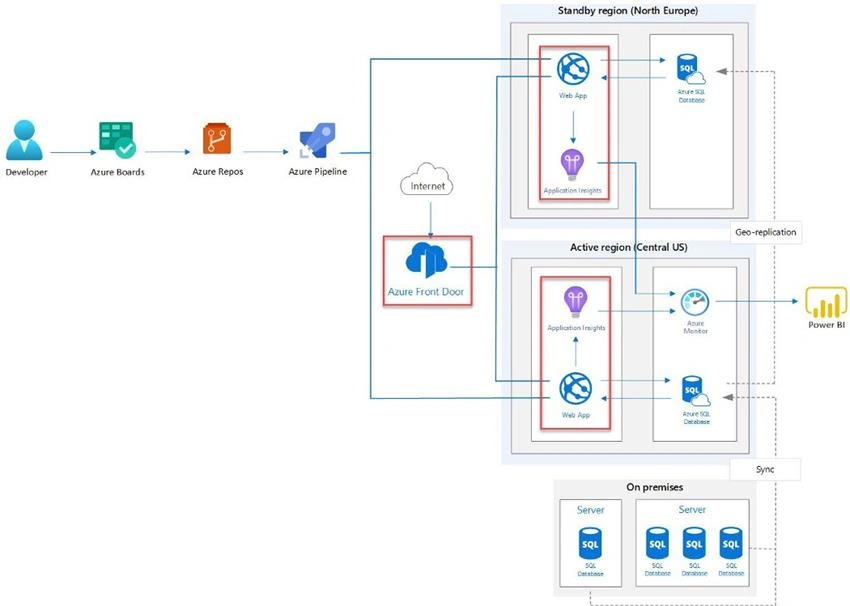
Create a new App Service
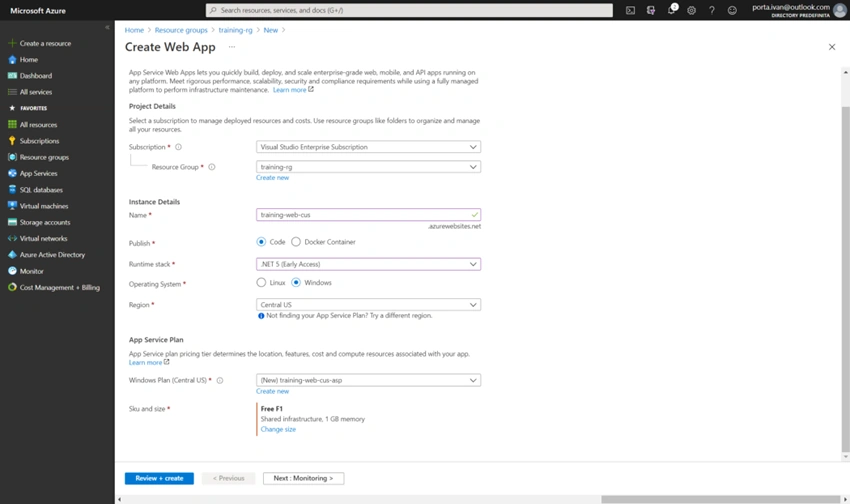
- Select Create a resource, filter the result for Web, and click on Web App.
- In the creation tab, select a resource group, insert a name unique within Azure, select the Central US region (primary location of Contoso), and select a runtime and size.
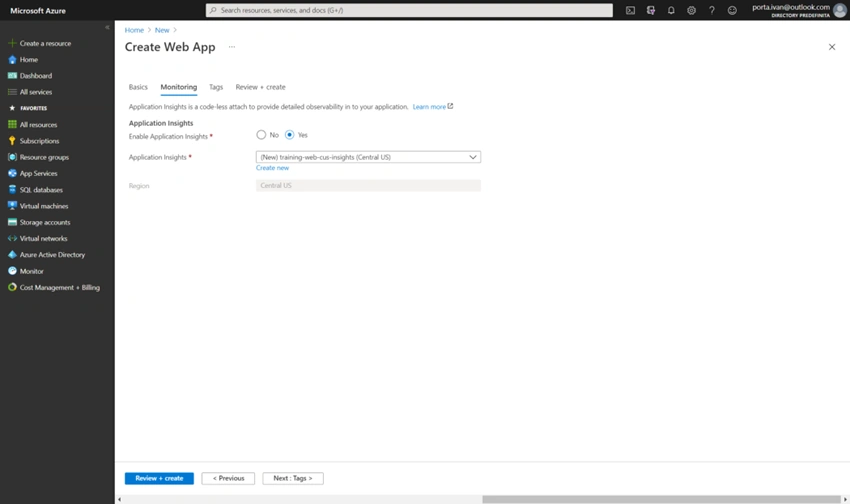
- In the monitoring tab, enable Application Insights and give it a descriptive name.
- Click Review + create to create the web application.
Repeat this procedure for the instance of the application in North Europe.
Configure the app service
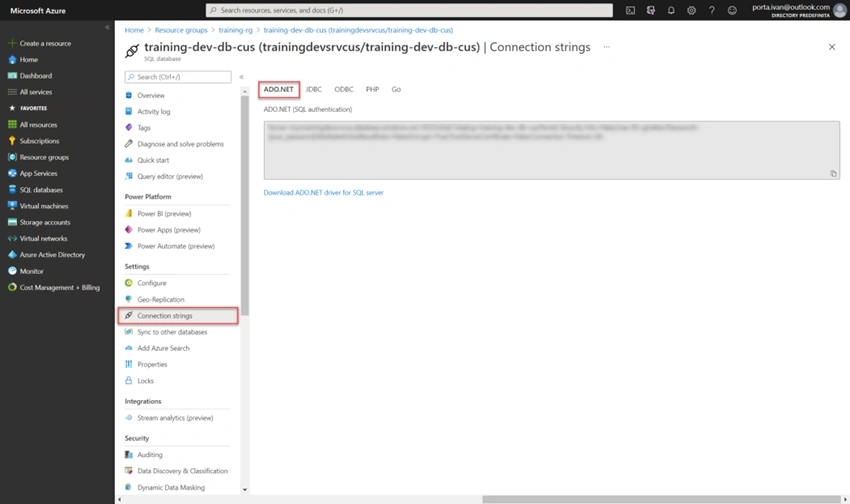
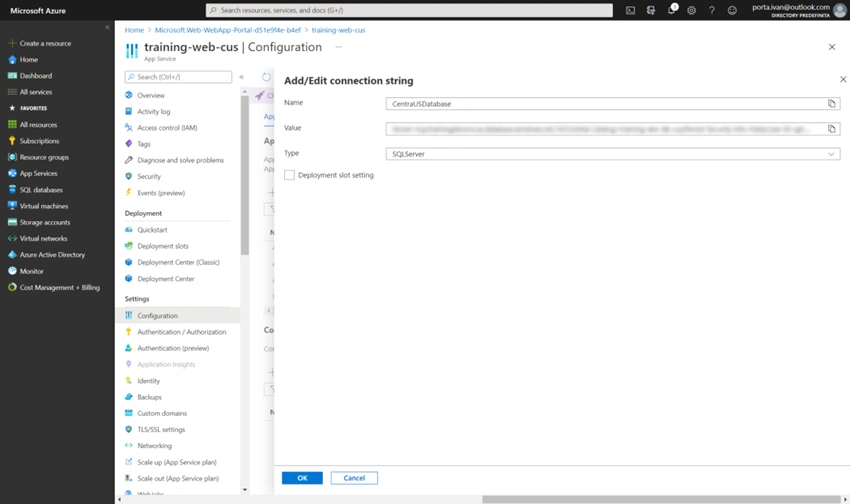
In this step, you are going to set the connection string of your App Services to the database in the same region. First, you need to get the database’s connection string, to do so:
Join the conversation! Your thoughts help the community grow.