

Surprised, yes you can have Facebook linked directly to your lists and libraries. Without wasting much of your time, let's see how you can do it.
Go to the Site Contents of the site and click on Add an App:
Install “Infowise Facebook Like Column” to your site and you will see it installed in your site content.
On clicking on it you can configure your column here:
- Select a List as to where it should be from the drop down that will show all lists and libraries in that site.
- Share Button, as an option to be used or not.
- Width of the Like and Share Buttons.
- Verb to display as Like and Recommend
- The Font you want
- You can also update an existing column or create a new column by a new name.
- You can provide a Layout Style as Standard, Button Count and Box Count
- Then you have show faces, where you can show profile pictures below the button.
- Lastly we have the Color Scheme as Light and Dark.
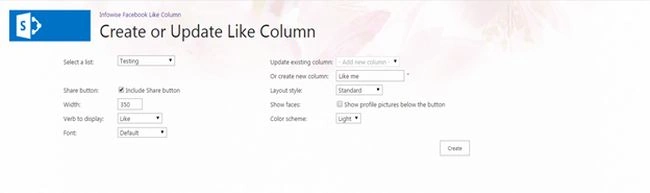
After the you update click on Create and you will see the following message.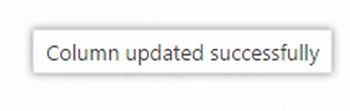
Go to the list and you can see a column created as in the following. As you can see in the following, we have Like and Share Buttons connected to your item.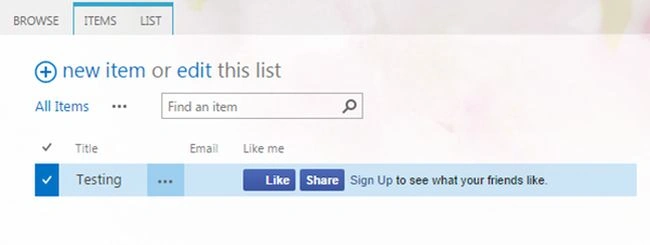
Here you can like your item or share it on your timeline in Facebook where friends and colleagues can see which item you liked or you shared.
Isn't it amazing?
Keep Learning.
Cheers.
Manpreet SinghPosted Sep 18, 2014, 10:08 AM
Yes Rambabu, It is a free version.
Rambabu CHPosted Sep 18, 2014, 6:28 AM
Hi Thanks for the valuable information, but i have a doubt ., is it a free version ?
Prasham SabadraPosted Sep 18, 2014, 4:13 AM
Thanks Manpreet for sharing. Informative article.