

Graph API can be used to automate the Microsoft Teams lifecycle such as creating teams, channels, adding members etc.
Refer to this link to see the list of Graph API’s available for Microsoft Teams.
You will see how to retrieve all the teams by calling Graph API in PowerShell.
See how to list all teams here.
In this article, you will see how to perform the following tasks,
- Register an Application in Azure -- Register an app in Azure AD and add the required permissions to access the Graph API.
- Create and execute the PowerShell script
Register an application in Azure
Register an application in Azure AD to access the Teams Graph API.
- Navigate to Azure portal.
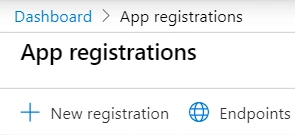
- Search for App Registrations. Click App Registrations as show below.

- Click New Registration.
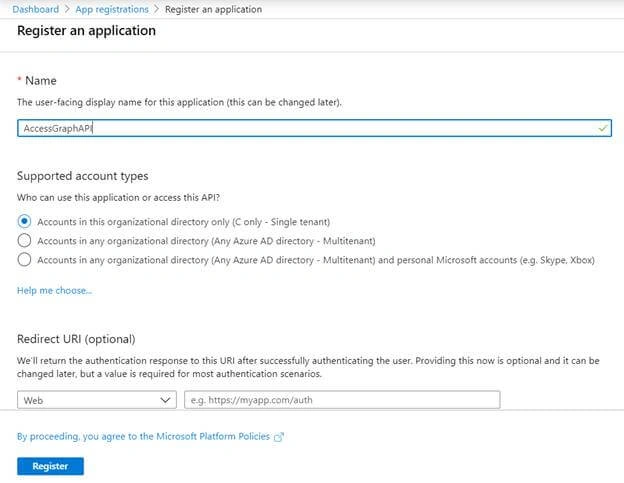
- Enter the Name and click Register.
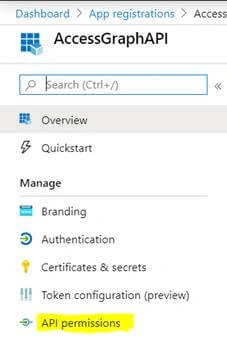
- App is registered successfully. In the left navigation, click API Permissions.
- Click Add a permission.
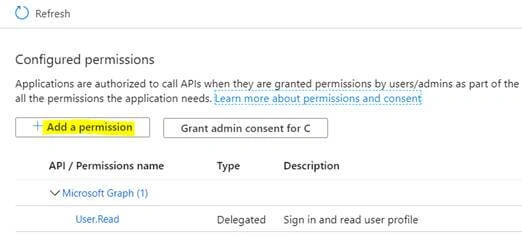
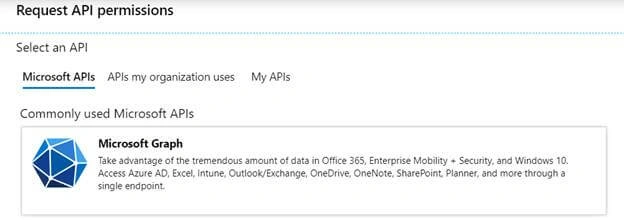
- Select Microsoft Graph API as shown below.
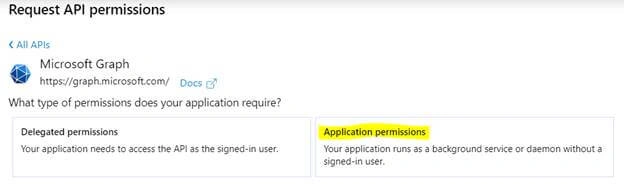
- Click Application Permissions.
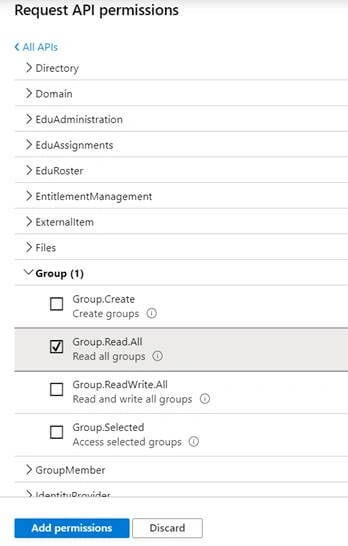
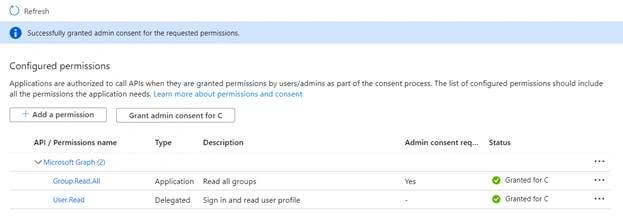
- Select Read.All permissions and click Add permissions.
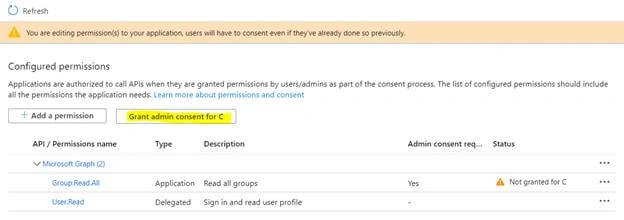
- Click Grant admin consent.
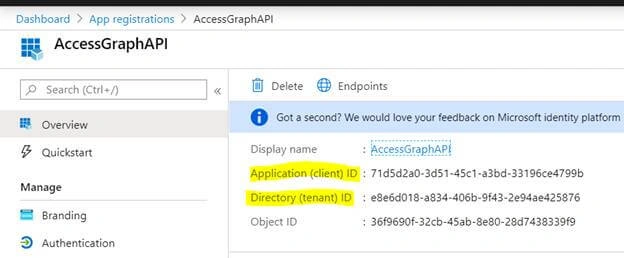
- In the left navigation, click Overview. Copy the Application (client) ID value. This value will be used in PowerShell for authentication.
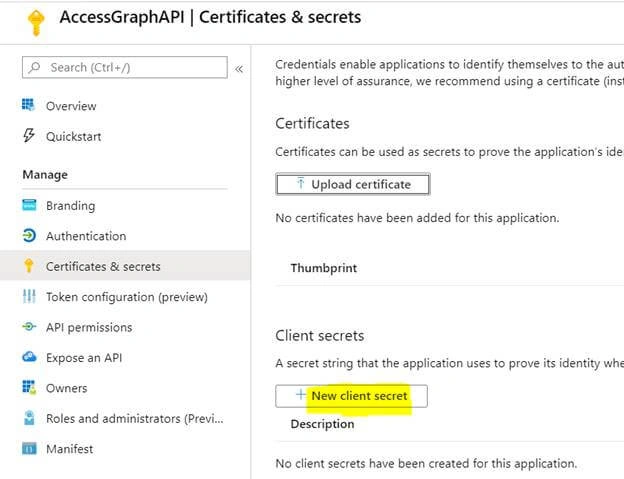
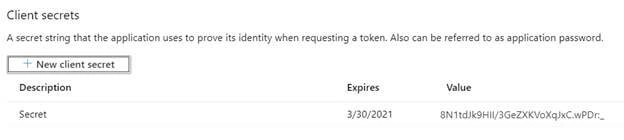
- In the left navigation, click Certificates & secrets. Click New client secret.
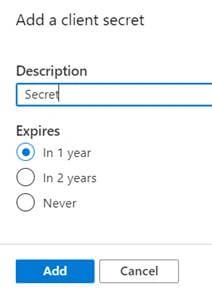
- Enter the description and click Add.
- Copy the secret value which will be used in PowerShell for authentication.
Create and execute the PowerShell script
- Open Notepad and paste the following code. Save the file as ps1.
- # Input Parameters
- $clientId = "c714f180-c8cc-4f70-b720-409c798274a9"
- $clientSecret = "fXzmWCUDmeXXqQ@D3b4xxd6GzrAY5[@="
- $tenantName = "c986.onmicrosoft.com"
- $resource = "https://graph.microsoft.com/"
- $URL = "https://graph.microsoft.com/beta/groups?`$filter=resourceProvisioningOptions/Any(x:x eq 'Team')"
- $tokenBody = @{
- Grant_Type = "client_credentials"
- Scope = "https://graph.microsoft.com/.default"
- Client_Id = $clientId
- Client_Secret = $clientSecret
- }
- $tokenResponse = Invoke-RestMethod -Uri "https://login.microsoftonline.com/$TenantName/oauth2/v2.0/token" -Method POST -Body $tokenBody
- $result = Invoke-RestMethod -Headers @{Authorization = "Bearer $($tokenResponse.access_token)"} -Uri $URL -Method Get
- ($result | select-object Value).Value | Select-Object id, displayName, visibility
- Open PowerShell window. Navigate to the folder path where the script file is saved.
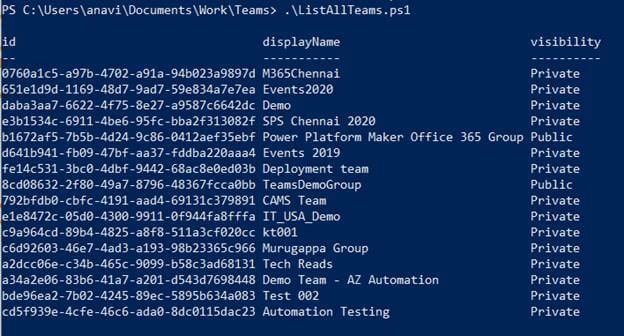
- Execute the following script.
.\ListAllTeams.ps1
Summary
Thus, in this article, you saw how to access Microsoft Teams Graph API in PowerShell.
Join the conversation! Your thoughts help the community grow.