

This article shows how to append items to an existing SharePoint 2013 List containing data. You would need the Access 2013 desktop version to bridge this gap.
Step 1
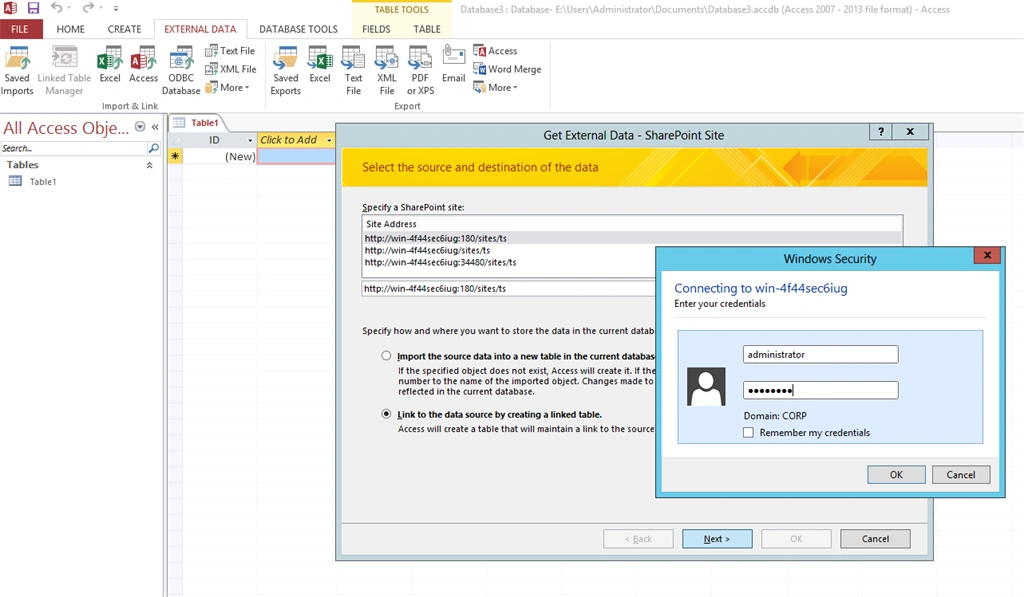
Start Access 2013. Click on the External Data Tab then select More -> SharePoint List. Choose the list and specify the credentials.
Step 2
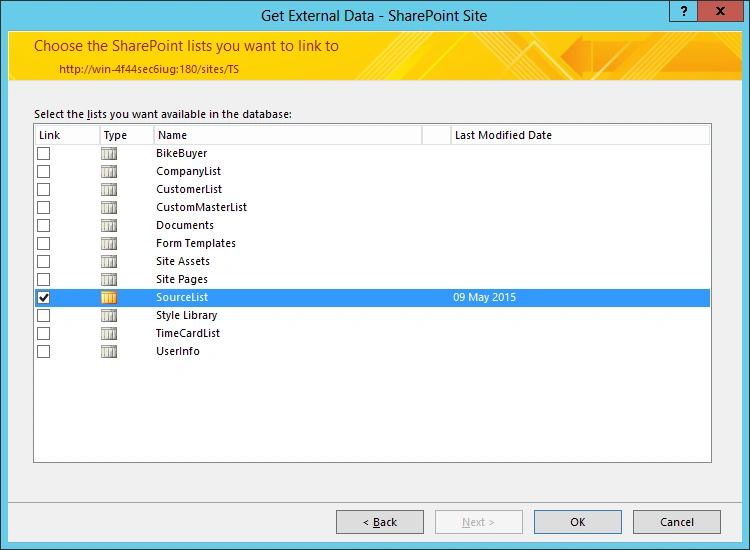
Choose the list.
Step 3
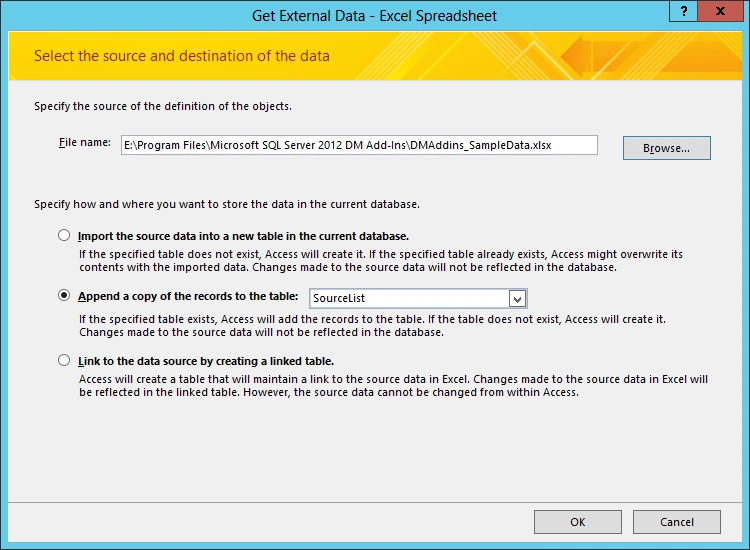
Click on External Data then select Import Excel Spreadsheet. You will see the following window. Choose the FileName. You will see options to import data into Access, or append to a SharePoint List or create a linked Access Table.
Step 4
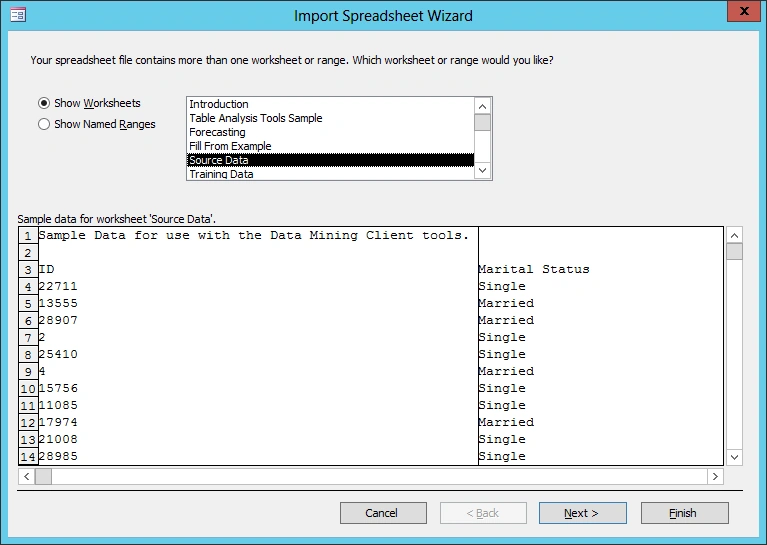
Once you click OK, you will see the import spreadsheet wizard. You can choose a worksheet that has data and click Next.
Step 5
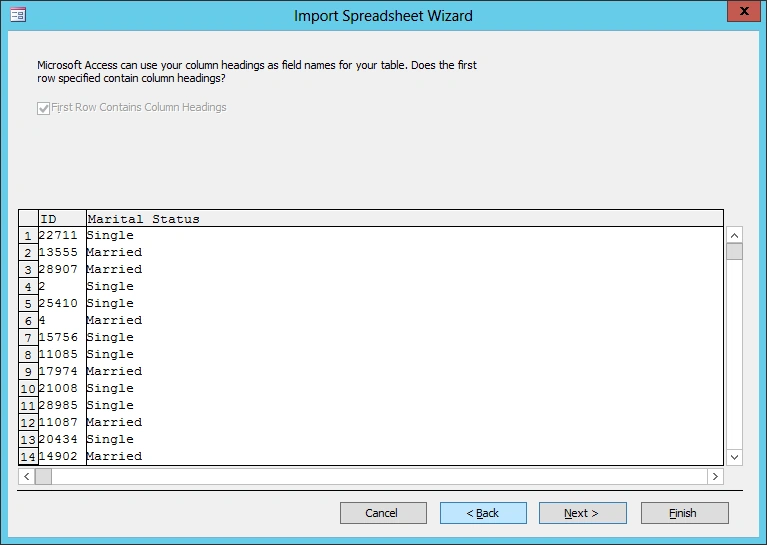
This is an important error message. Your worksheet should contain column names in the first row and the column names should match the SharePoint Columns.

Step 6
After correcting the worksheet, import again.
Step 7
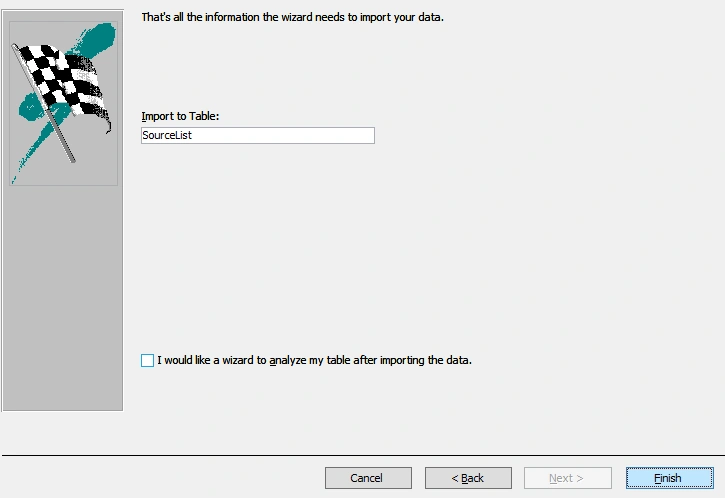
Click Next then click Finish.
Step 8
If all goes well, you will see a status as in the following:

Step 9
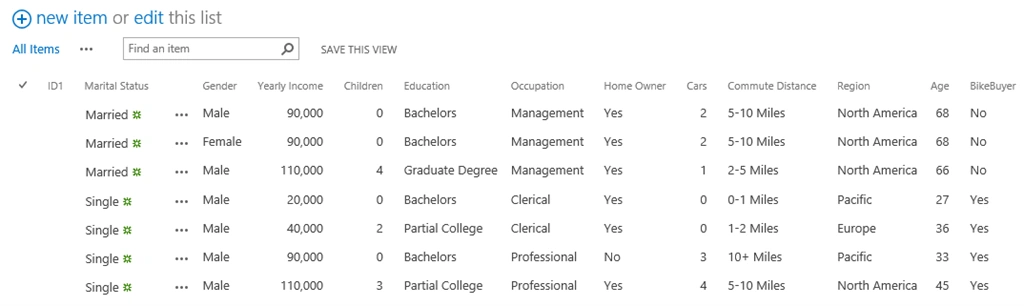
Even when this operation is on, you can refresh the list and see the data being appended. You would see that the ID1 column is blank because that does not match the Excel sheet column heading.
Step 10
I am able to add more than 5000 items with this way. In fact I tried with 10,000 items and that took about 15 minutes.

Step 11
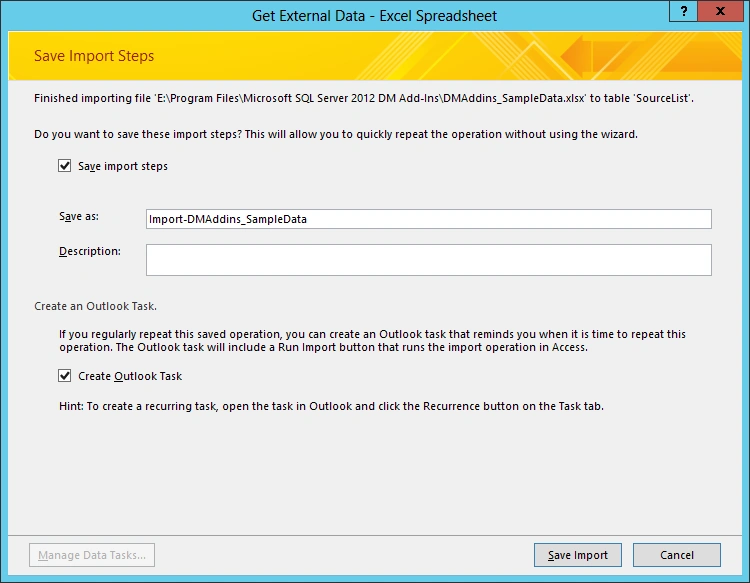
Once the data has been imported, you can save these steps so that you can run them without running the wizard. You can also create an Outlook task for a reminder.
I hope this helps.
Calvin RebelloPosted Dec 13, 2017, 11:16 PM
Hi Veena... Thank you for such an excellent solution. I'm yet to test this, but if I have an Excel file which has only few columns of data Compared to the SharePoint list and I want access to automatically map only these columns to the SharePoint list columns and add the data, would that work??
Krishna MjkPosted Nov 17, 2017, 3:12 AM
Hi Veena I have a question - What if I want to import a custom view into access ? is it possible ?
Keith MartinPosted Oct 5, 2016, 6:32 PM
When I export the table from MS ACCESS it does not give me the opportunity to APPEND to an existing sharepoint list, only creates a new one. If I give a name of the existing list, it still creates a new list with a "1" after it. Any thoughts?
Michael PhamPosted Nov 30, 2015, 9:53 PM
Thanks for your such nice solutions. However, I have a custom list with some look up columns, and it seems not link to the list. It appears blank in that columns. Can you advise for me in this case?
ankit khandekarPosted Jul 23, 2015, 11:19 AM
how I can share the screen shot of error which I am facing?
ankit khandekarPosted Jul 23, 2015, 11:16 AM
Please see the screen shot below:
SriramPosted Jul 3, 2015, 6:01 AM
Good..........
Ankit KhandekarPosted Jul 1, 2015, 7:45 AM
I tried this approach and it worked for me, however if I add one more column to it it gives me subscript out range error message. Could you please suggest me solution for the same.
NitinPosted May 10, 2015, 7:36 AM
nice artcle
Santhakumar MunuswamyPosted May 9, 2015, 2:14 PM
Thanks for sharing
Abhay ShankerPosted May 9, 2015, 1:42 PM
nice article