

As my previous article helps you to learn create procedures. Now I am going to tell about the working of LayoutMdi Method. The LayoutMdi Method is used with MdiLayout enumeration to rearrange the child forms in an MDI Parent Form.
Get to Work
With the help of below given example, you can learn how to use LayoutMdi method with MdiLayout enumeration for the Mdi Parent Form and you have to use enumeration in the code of click event of the Cascade Windows menu item.
Step to Create and Implement MDI Child Form
-
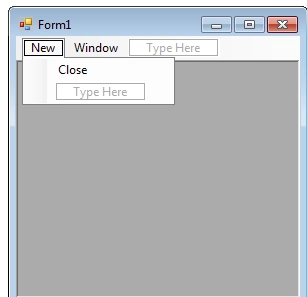
Assumes there is an MDI parent form having MenuStrip with option New, Window and Close in New Menu, main form contain one Child form having a RichTexBox. For details, see Creating an MDI Form.
-
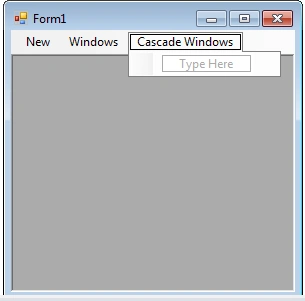
Add one more control in Main Form MenuStrip as Cascade Windows.
-
Double click on Cascade Windows control and write this Code.
private void cascadeWindowToolStripMenuItem_Click(object sender, EventArgs e)
{
this.LayoutMdi(System.Windows.Forms.MdiLayout.Cascade);
}
-
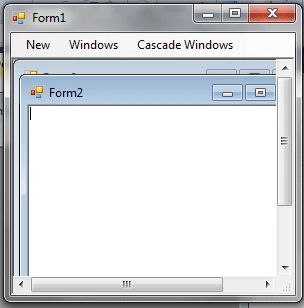
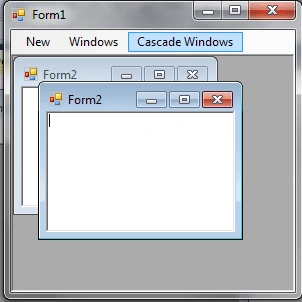
Debug the application and click on New button two times then two MDI Child form with RichTextBox will open. Now by using Cascade Windows control in the Main Menu you can arrange all the opened Mdi Child Form in Cascade mode.
Summary
In this article, we discussed how to arrange MDI Child Form in Cascading mode using Visual
Sajid MehmoodPosted Aug 19, 2015, 2:15 PM
How could we get Skype, Ms word, wib mmedia player instead of New form1 in mdi
anupam sharmaPosted Aug 4, 2010, 3:39 PM
Thanks Manish, just received a reply for my problem. Here is something more i need your help on. I am connecting to database through add data source options & not programatically creating connections. But now i want to display data in fields of my form from the row selected in datagridview. Also plz tell how so i create a dataset object when my connection is not through coding. I will be very much thankful for your timely help.
Divya SaxenaPosted Jul 15, 2010, 12:01 AM
Thnx for sharing nice Article..