

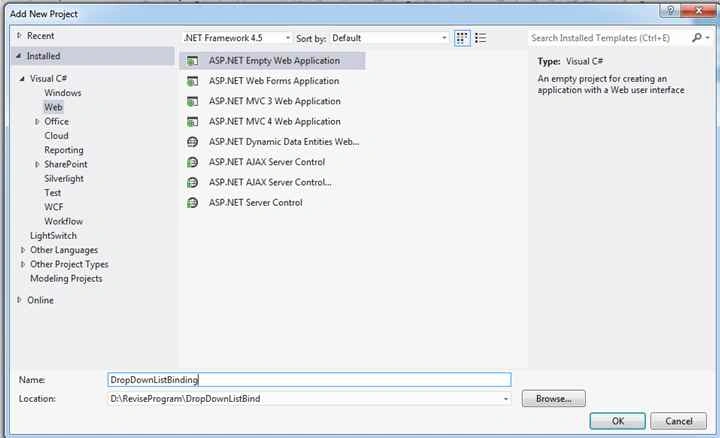
Go to Visual Studio and select new project. After that select Web from installed template and ASP .NET Empty Web Application. After that write the application name as in the following figure and click OK.
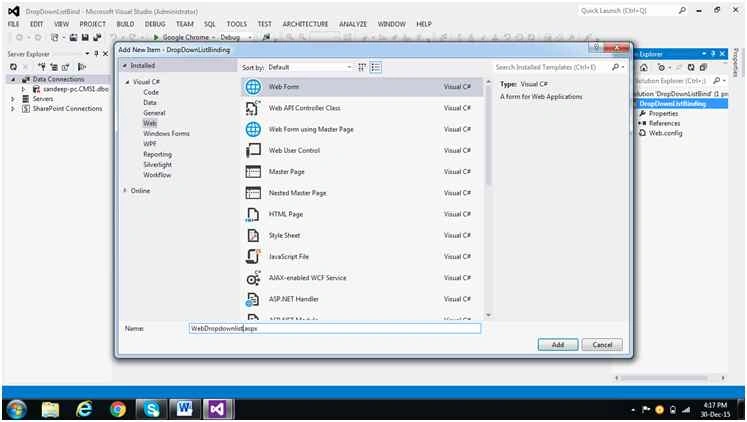
Go to Solution Explorer, click with right mouse button and select Add New Item. After that select Web Form as in the following. Then write the form name with extension .aspx and click Add,
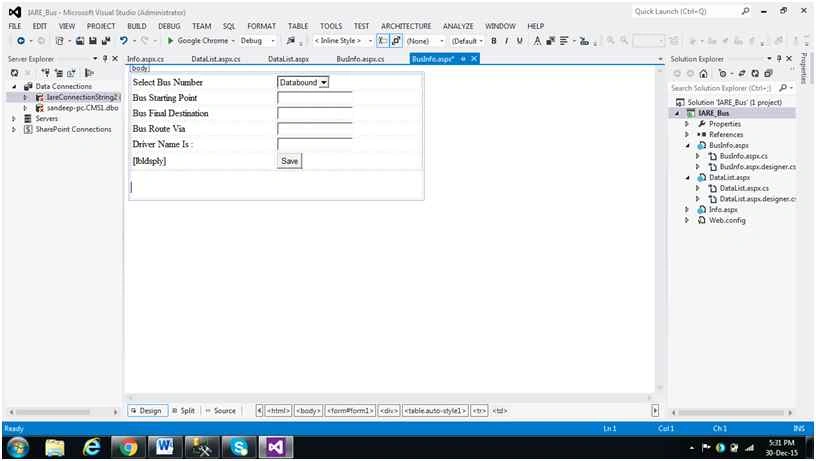
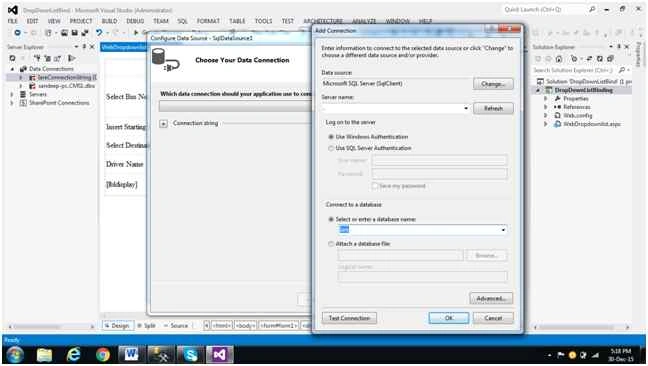
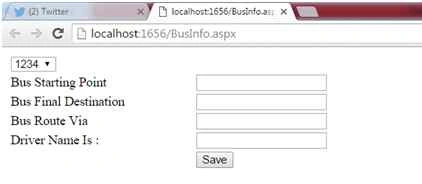
Go to dropdownlist aspx and write the following code for design the page and create data source for binding Dropdownlist from back end to front end (in this example I am binding Bus Number).
- <%@ Page Language="C#" AutoEventWireup="true" CodeBehind="BusInfo.aspx.cs" Inherits="IARE_Bus.BusInfo" %>
- <!DOCTYPE html>
- <html xmlns="http://www.w3.org/1999/xhtml">
- <head runat="server">
- <title></title>
- <style type="text/css">
- .auto-style1 {
- width: 100%;
- }
- </style>
- </head>
- <body style="height: 209px; width: 490px">
- <form id="form1" runat="server">
- <div>
- <table class="auto-style1">
- <tr>
- <td> Select Bus Number</td>
- <td>
- <asp:DropDownList ID="DropDownList1" runat="server" DataSourceID="BusInfos" DataTextField="Bus_No" DataValueField="Bus_No"> </asp:DropDownList>
- </td>
- </tr>
- <tr>
- <td>
- <asp:Label ID="Label1" runat="server" Text="Bus Starting Point"></asp:Label>
- </td>
- <td>
- <asp:TextBox ID="TextSPoint" runat="server"></asp:TextBox>
- </td>
- </tr>
- <tr>
- <td>
- <asp:Label ID="Label2" runat="server" Text="Bus Final Destination"></asp:Label>
- </td>
- <td>
- <asp:TextBox ID="TextEPoint" runat="server"></asp:TextBox>
- </td>
- </tr>
- <tr>
- <td>
- <asp:Label ID="Label3" runat="server" Text="Bus Route Via"></asp:Label>
- </td>
- <td>
- <asp:TextBox ID="TextVia" runat="server"></asp:TextBox>
- </td>
- </tr>
- <tr>
- <td>
- <asp:Label ID="Label4" runat="server" Text="Driver Name Is :"></asp:Label>
- </td>
- <td>
- <asp:TextBox ID="TextDriver" runat="server"></asp:TextBox>
- </td>
- </tr>
- <tr>
- <td>
- <asp:Label ID="lbldsply" runat="server"></asp:Label>
- </td>
- <td>
- <asp:Button ID="Button1" runat="server" OnClick="Button1_Click" Text="Save" /> </td>
- </tr>
- </table>
- </div>
- </form>
- </body>
- </html>
Ekrem TapanPosted Jan 11, 2016, 10:02 PM
good article
Sibeesh VenuPosted Dec 31, 2015, 3:24 AM
Nice Share
Raja TPosted Dec 30, 2015, 9:57 PM
Nice, thanks for sharing
Santhakumar MunuswamyPosted Dec 30, 2015, 3:08 PM
Thanks for nice share
Ankur MistryPosted Dec 30, 2015, 1:14 PM
good one
Rupesh KahanePosted Dec 30, 2015, 12:42 PM
good...