

Introduction
The purpose of this sample is to show how to bind a Dictionary a Lisbox in apps based in XAML, using the MVVM pattern.
Building the Sample
You only need Visual Studio 2012/2013 running in Windows 7, 8, 8.1 or later.
Description
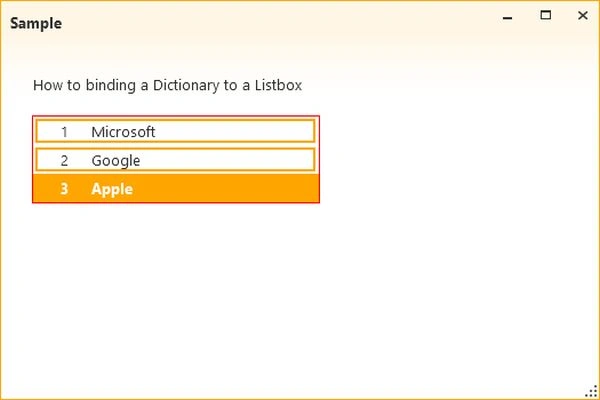
Suppose we have a resource dictionary with some data that we need to show in an application and for each item in a Listbox, we want to show the key/value.
We will start by creating a model class called "Company" that has only two properties: Name and URL.
C#
- /// <summary>
- /// Define the Company.
- /// </summary>
- public class Company
- {
- /// <summary>
- /// Gets or sets the name.
- /// </summary>
- /// <value>The name.</value>
- public string Name { get; set; }
- /// <summary>
- /// Gets or sets the URL.
- /// </summary>
- /// <value>The URL.</value>
- public string Url { get; set; }
- }
The MainViewModel will be defined by:
C#
- public class MainViewModel : ViewModelBase
- {
- private Company _selectedCompany;
- /// <summary>
- /// Initializes a new instance of the MainViewModel class.
- /// </summary>
- public MainViewModel()
- {
- Companies = new Dictionary<Company, int>
- {
- {
- new Company
- {
- Name = "Microsoft", Url="www.microsoft.com"
- }, 1
- },
- {
- new Company
- {
- Name = "Google", Url="www.google.com"
- }, 2
- },
- {
- new Company
- {
- Name = "Apple", Url="www.apple.com"
- }, 3
- }
- };
- }
- /// <summary>
- /// Gets or sets the selected company.
- /// </summary>
- /// <value>The selected company.</value>
- public Company SelectedCompany
- {
- get { return _selectedCompany; }
- set { Set(() => SelectedCompany, ref _selectedCompany, value); }
- }
- /// <summary>
- /// Gets or sets the companies.
- /// </summary>
- /// <value>The companies.</value>
- public Dictionary<Company, int> Companies { get; set; }
- }
Krishna Rajput SinghPosted Nov 22, 2014, 6:31 PM
helpful article
Pradip PandeyPosted Nov 21, 2014, 6:54 AM
nice article
Vithal WadjePosted Nov 20, 2014, 11:08 PM
good one