

Introduction
This article demonstrates how the BoxView can be used to build a clock application using C# and XAML in Xamarin.Forms. A classic analog clock can be realized entirely with BoxView.
This article demonstrates how the BoxView can be used to build a clock application using C# and XAML in Xamarin.Forms. A classic analog clock can be realized entirely with BoxView.

Although Xamarin.Forms doesn't provide a vector graphics programming interface, it does have a BoxView which is normally used for displaying the rectangular blocks of color. However, BoxView can be sized, positioned, and rotated. This is enough to render a classic analog clock.
Let’s start.
Step 1
Open Visual Studio and go to New Project >> installed >> Visual C# >> Cross-Platform. Select Cross-Platform App, then give your project a name and location.
Let’s start.
Step 1
Open Visual Studio and go to New Project >> installed >> Visual C# >> Cross-Platform. Select Cross-Platform App, then give your project a name and location.
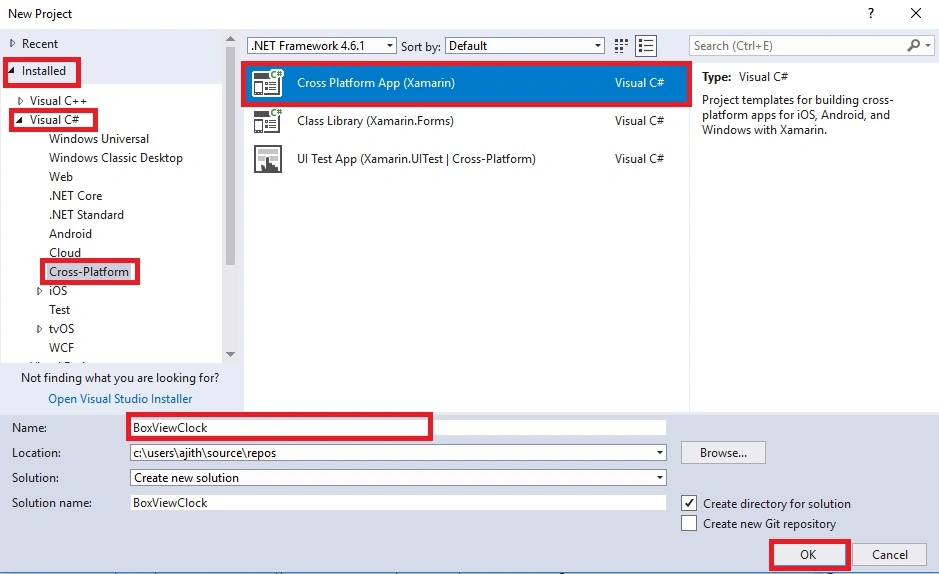
Step 2
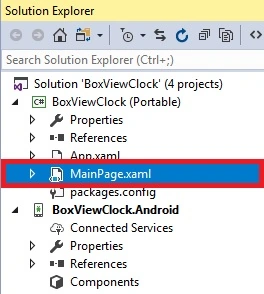
Open Solution Explorer >> Project Name >> Mainpage.xaml. Open the Design View of this page.
The code is given below.
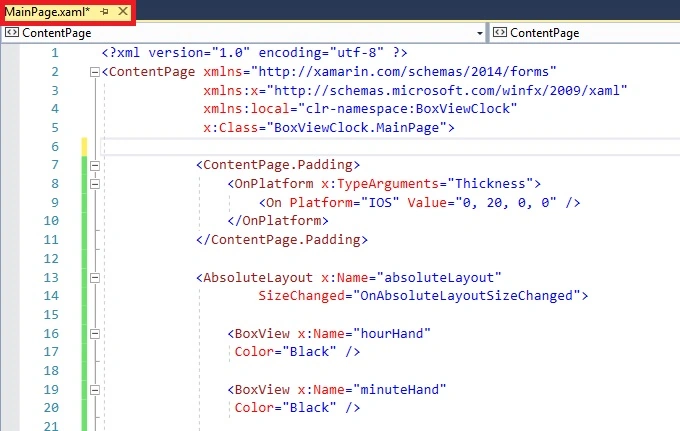
XAML Code
- <ContentPage.Padding>
- <OnPlatform x:TypeArguments="Thickness">
- <On Platform="IOS" Value="0, 20, 0, 0" />
- </OnPlatform>
- </ContentPage.Padding>
- <AbsoluteLayout x:Name="absoluteLayout"
- SizeChanged="OnAbsoluteLayoutSizeChanged">
- <BoxView x:Name="hourHand"
- Color="Black" />
- <BoxView x:Name="minuteHand"
- Color="Black" />
- <BoxView x:Name="secondHand"
- Color="Black" />
- </AbsoluteLayout>
Step 3
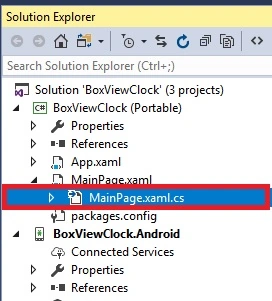
Open Solution Explorer >> Project Name >> Mainpage.xaml.cs. Open the Design View of this page.
The code is given below.
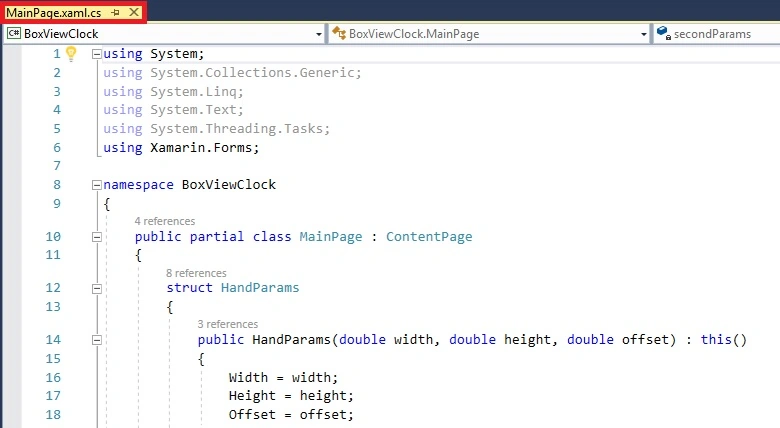
CS Code
Open Solution Explorer >> Project Name >> Mainpage.xaml.cs. Open the Design View of this page.
The code is given below.
CS Code
- namespace BoxViewClock
- {
- public partial class MainPage : ContentPage
- {
- struct HandParams
- {
- public HandParams(double width, double height, double offset) : this()
- {
- Width = width;
- Height = height;
- Offset = offset;
- }
- public double Width { private set; get; } // fraction of radius
- public double Height { private set; get; } // ditto
- public double Offset { private set; get; } // relative to center pivot
- }
- static readonly HandParams secondParams = new HandParams(0.02, 1.1, 0.85);
- static readonly HandParams minuteParams = new HandParams(0.05, 0.8, 0.9);
- static readonly HandParams hourParams = new HandParams(0.125, 0.65, 0.9);
- BoxView[] tickMarks = new BoxView[60];
- public MainPage()
- {
- InitializeComponent();
- // Create the tick marks (to be sized and positioned later).
- for (int i = 0; i < tickMarks.Length; i++)
- {
- tickMarks[i] = new BoxView { Color = Color.Black };
- absoluteLayout.Children.Add(tickMarks[i]);
- }
- Device.StartTimer(TimeSpan.FromSeconds(1.0 / 60), OnTimerTick);
- }
- void OnAbsoluteLayoutSizeChanged(object sender, EventArgs args)
- {
- // Get the center and radius of the AbsoluteLayout.
- Point center = new Point(absoluteLayout.Width / 2, absoluteLayout.Height / 2);
- double radius = 0.45 * Math.Min(absoluteLayout.Width, absoluteLayout.Height);
- // Position, size, and rotate the 60 tick marks.
- for (int index = 0; index < tickMarks.Length; index++)
- {
- double size = radius / (index % 5 == 0 ? 15 : 30);
- double radians = index * 2 * Math.PI / tickMarks.Length;
- double x = center.X + radius * Math.Sin(radians) - size / 2;
- double y = center.Y - radius * Math.Cos(radians) - size / 2;
- AbsoluteLayout.SetLayoutBounds(tickMarks[index], new Rectangle(x, y, size, size));
- tickMarks[index].Rotation = 180 * radians / Math.PI;
- }
- // Position and size the three hands.
- LayoutHand(secondHand, secondParams, center, radius);
- LayoutHand(minuteHand, minuteParams, center, radius);
- LayoutHand(hourHand, hourParams, center, radius);
- }
- void LayoutHand(BoxView boxView, HandParams handParams, Point center, double radius)
- {
- double width = handParams.Width * radius;
- double height = handParams.Height * radius;
- double offset = handParams.Offset;
- AbsoluteLayout.SetLayoutBounds(boxView,
- new Rectangle(center.X - 0.5 * width,
- center.Y - offset * height,
- width, height));
- // Set the AnchorY property for rotations.
- boxView.AnchorY = handParams.Offset;
- }
- bool OnTimerTick()
- {
- // Set rotation angles for hour and minute hands.
- DateTime dateTime = DateTime.Now;
- hourHand.Rotation = 30 * (dateTime.Hour % 12) + 0.5 * dateTime.Minute;
- minuteHand.Rotation = 6 * dateTime.Minute + 0.1 * dateTime.Second;
- // Do an animation for the second hand.
- double t = dateTime.Millisecond / 1000.0;
- if (t < 0.5)
- {
- t = 0.5 * Easing.SpringIn.Ease(t / 0.5);
- }
- else
- {
- t = 0.5 * (1 + Easing.SpringOut.Ease((t - 0.5) / 0.5));
- }
- secondHand.Rotation = 6 * (dateTime.Second + t);
- return true;
- }
- }
- }
Step 4
Press F5 or Build and Run the application.
Output

Finally, we have successfully created a Xamarin.Forms BoxView Clock app.
Press F5 or Build and Run the application.
Output
Finally, we have successfully created a Xamarin.Forms BoxView Clock app.
Mohamed BenabdiPosted Jan 9, 2020, 7:35 AM
Hi,thank you for the share , there is a way to use it in a grid or other?
Ravishankar VelladuraiPosted Dec 30, 2017, 10:43 PM
Next time clear to explain
Ravishankar VelladuraiPosted Dec 30, 2017, 10:42 PM
Nice article Ajith...Keep doing
Ahsan SiddiquePosted Dec 29, 2017, 1:45 PM
Oh Nice and level friend...