

In a previous grpc-vs-rest article I introduced gRPC and explained it, what is it? it different types, and when use it
In this article i will explain it in a real project situation, where we need to think about the contract, project structure, dependency injection, authentication, validation, error handling, logging, and, most importantly, how we're going to test the service.
We'll build a small gRPC service in .NET with those concerns in mind. The goal is to create something that resembles the structure and practices we would actually use in a distributed system.
What are we going to build?
The example that always encounter me, which is obviously easy to explain, is an e-commerce platform.
We have an OrderService, and other backend services need to retrieve orders.
Instead of exposing this functionality only through a REST endpoint such as:
GET /api/orders/123we decide that internal services will communicate with the Order Service through gRPC.
The Order Service owns the order data, it does not need to know how the database works. It simply call the gRPC contract.
First step
To be more make let's create the solution and folder structure:
Solution/
├── Solution.slnx
├── OrderService.Server/     (ASP.NET Core gRPC server)
└── OrderService.Client/     (console gRPC client)
Start with the contract
Create a new project:
Solution> dotnet new grpc -n OrderService
// dont forget to add project to solution
Solution> dotnet sln add OrderService/OrderService.csproj
The ASP.NET Core gRPC template gives us the basic infrastructure required to get started.
Let's start by creating a contract for our domain:
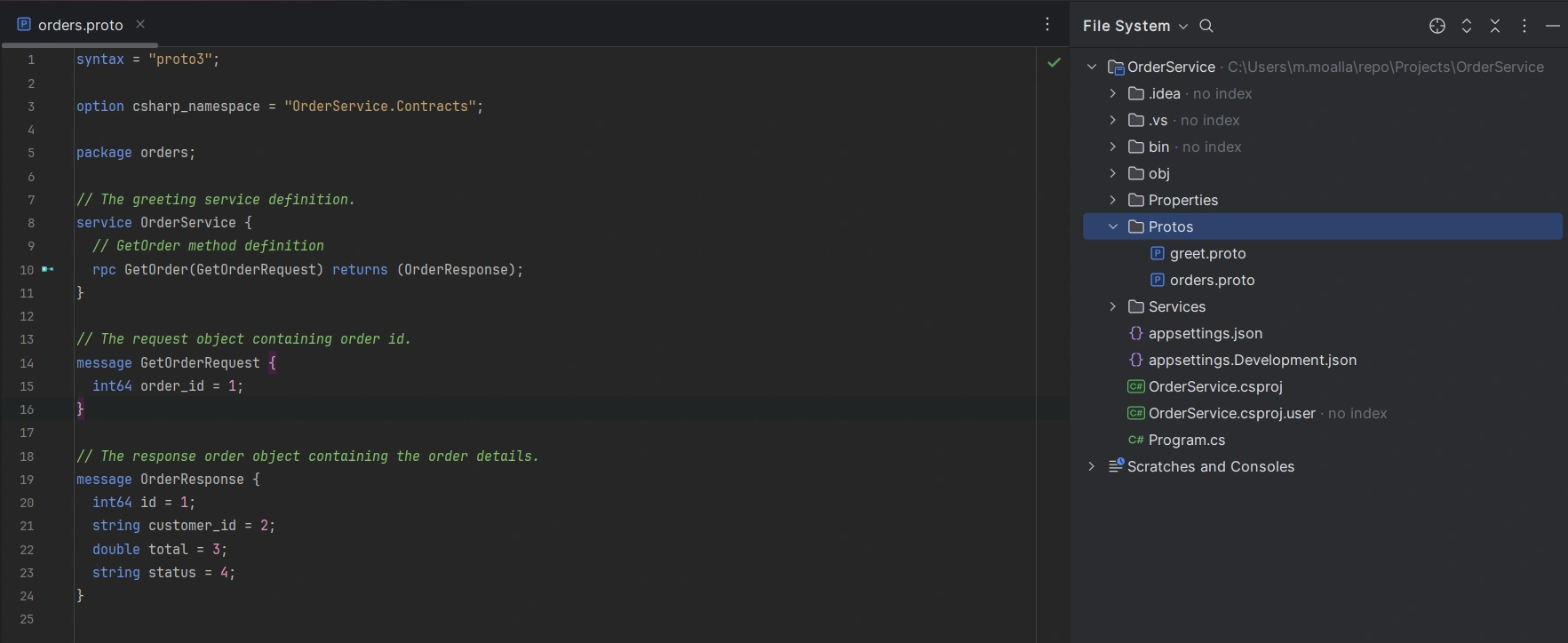
This contract says that our service exposes a GetOrder operation.
It receives: GetOrderRequest
and returns: OrderResponse
The important thing here is that the .proto file becomes the contract between the two applications.
The C# classes aren't something we manually write. They are generated from this contract when the project builds.
So for the next step we need to explicitly configure the generated proto file in the project file by adding the following item to the .csproj file:
<ItemGroup>
    <Protobuf Include="Protos\orders.proto"
              GrpcServices="Server" />
</ItemGroup>
If another project consumes the contract, it can generate the client instead:
<ItemGroup>
    <Protobuf Include="Protos\orders.proto"
              GrpcServices="Client" />
</ItemGroup>
Next we build our project so that the order service will be automatically generated
dotnet buildKeep the gRPC service thin
The generated base class gives us something like:
OrderService.OrderServiceBaseWe can implement it:
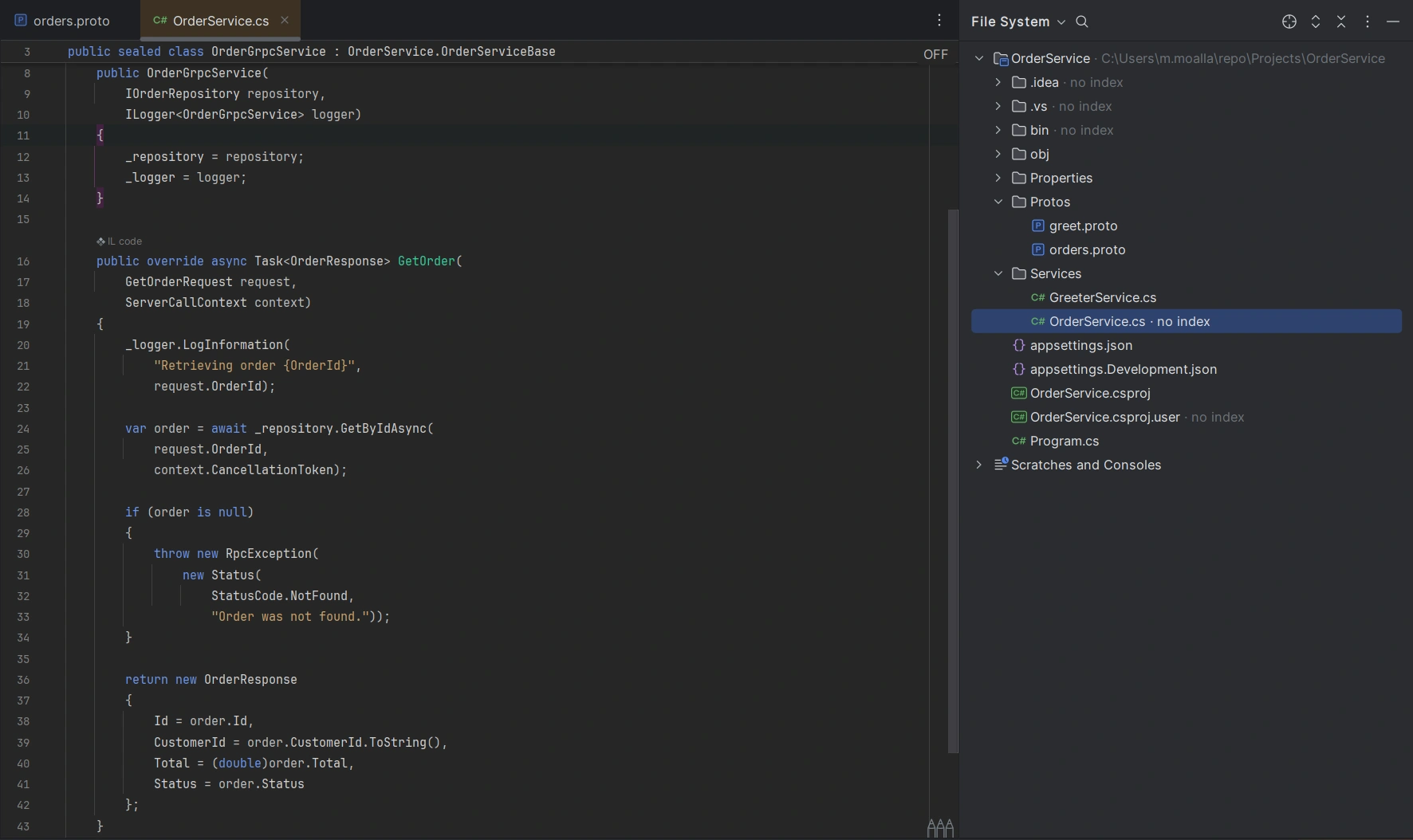
before going any further don't forget to configure the generated service and exposes it through ASP.NET Core's routing pipeline.:

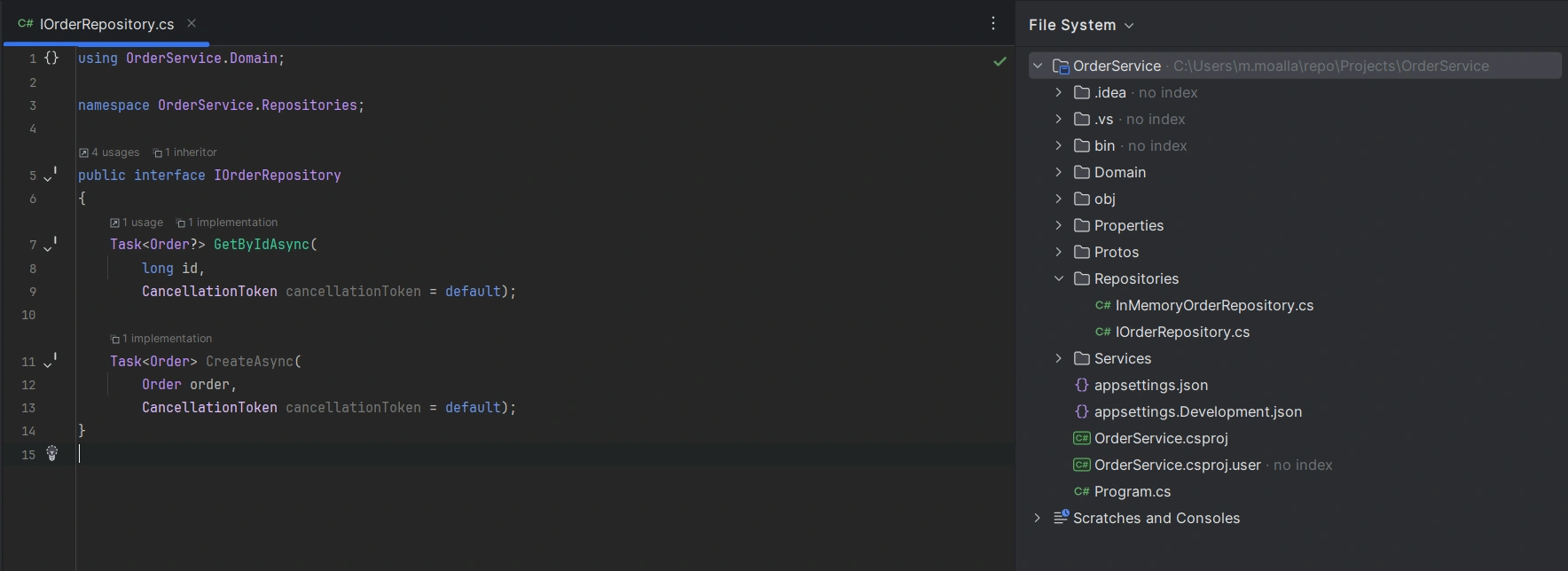
Add the repository
For the tutorial we can use an in-memory repository, but in a real application this could be EF Core:
And for it implementation we can go with:
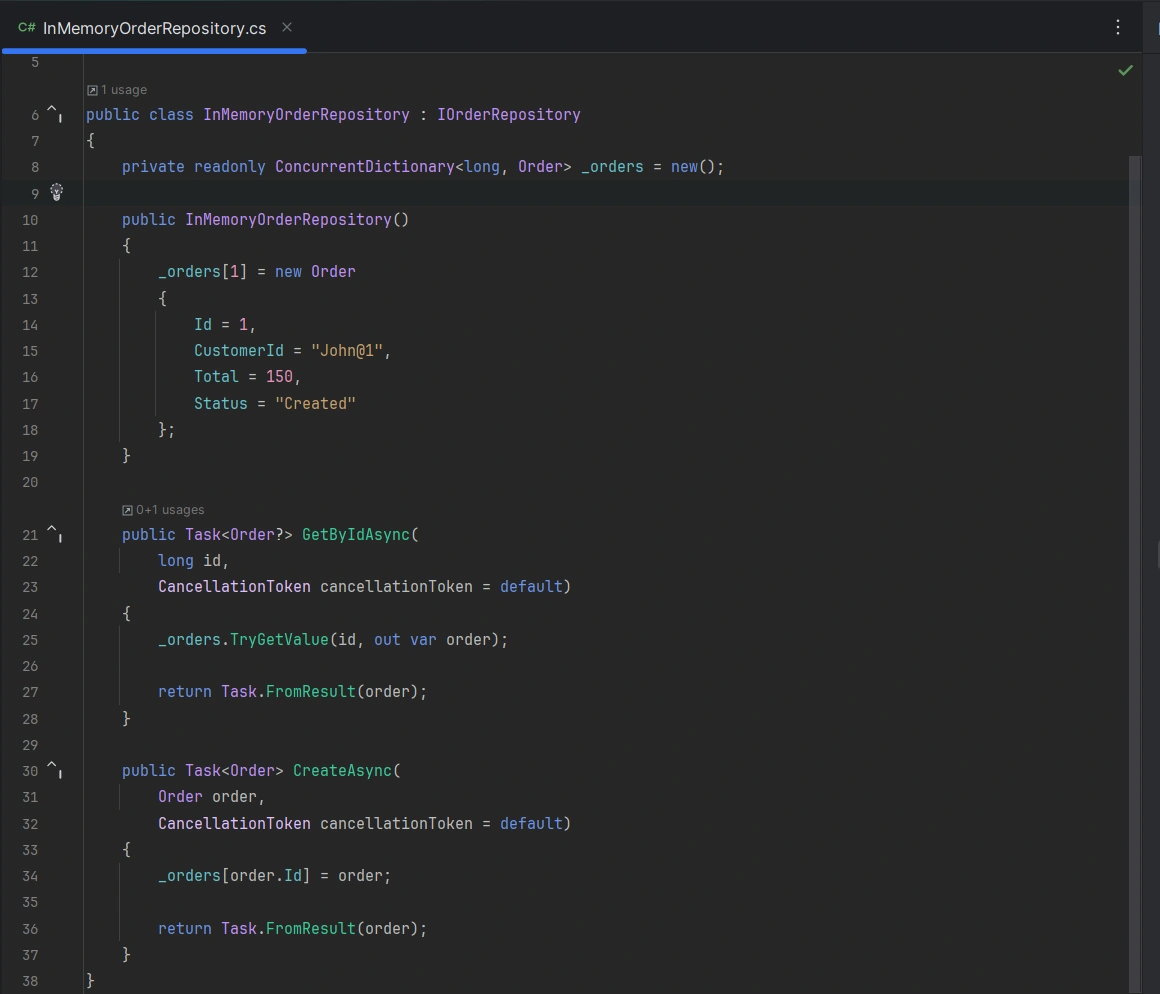
This is it for the server side, as simple as this we finished configuring the OrderService.
Next we will move to creating the client .
Create a gRPC client
Start by creating the project:
Solution> dotnet new console -o OrdersClient
// dont forget to add project to solution
Solution> dotnet sln add OrdersClient/OrdersClient.csproj
The client needs access to the same contract.
You can either share the .proto file through a shared contracts project/package or include the contract in the client project.
  <ItemGroup>
    <Protobuf Include="..\OrdersService\Protos\orders.proto" GrpcServices="Client" />
  </ItemGroup>
Next we install the required gRPC client package:
dotnet add package Grpc.Net.Client
dotnet add package Google.Protobuf
dotnet add package Grpc.Tools
Then we build the project
dotnet buildWrite the client code
Replace OrdersClient/Program.cs with:
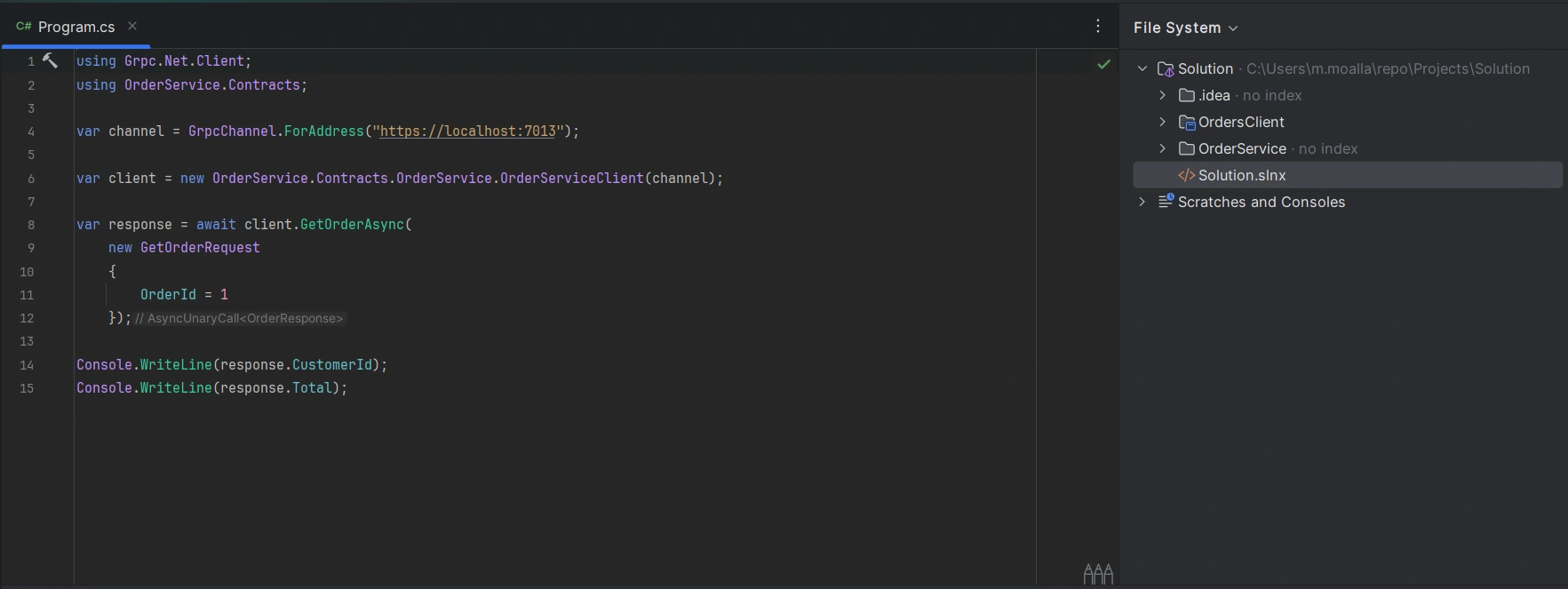
The important part is:
var client = new OrderService.OrderServiceClient(channel);This class was generated from:
service OrderService {
    rpc GetOrder(...);
}
Final Results
Now we start testing, let's run first our OrderService server:
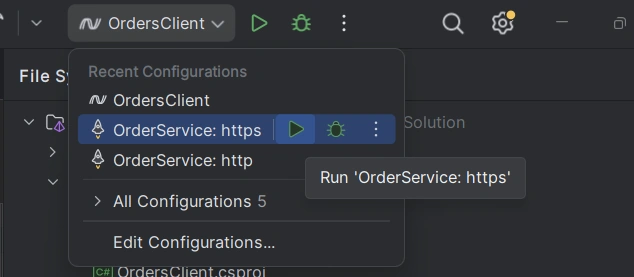
make sure to check the Kestrel/HTTP2 configuration in launchsettings before.
The we run client project:
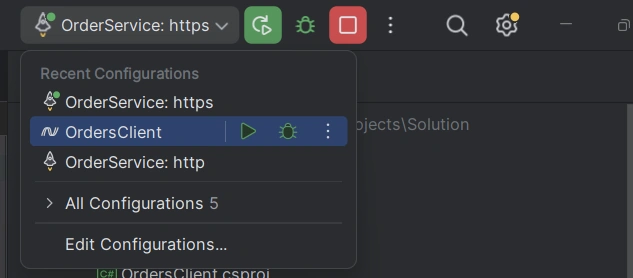
Once both project are launched we notice the following output:
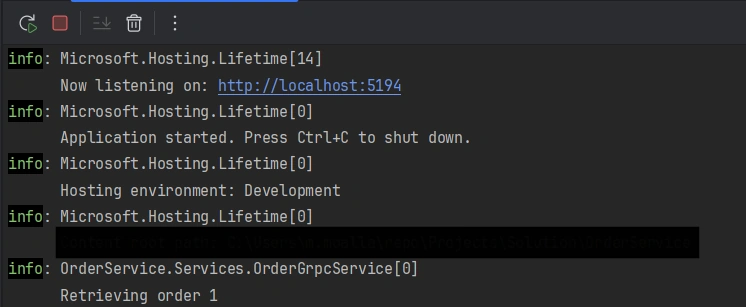
So what happened here
var client = new OrderService.Contracts.OrderService.OrderServiceClient(channel);

var response = await client.GetOrderAsync(
    new GetOrderRequest
    {
        OrderId = 1
    });
First in our OrderClient.Program.cs :
A gRPC channel pointed at https://localhost:7013 was created
It calls the GetOrder RPC as a unary request, sending a GetOrderRequest with OrderId = 1
 public override async Task<OrderResponse> GetOrder(
        GetOrderRequest request,
        ServerCallContext context)
    {
        ...
        var order = await _repository.GetByIdAsync(
            request.OrderId,
            context.CancellationToken);
        ...
        return new OrderResponse
        {
            Id = order.Id,
            CustomerId = order.CustomerId,
            Total = (double)order.Total,
            Status = order.Status,
        };
    }
OrderService project's OrderService.cs file GetOrder method was called thanks using the gRPC connection (i just noticed that the ClientService project name could have been clearer such as ClientServer )
    public InMemoryOrderRepository()
    {
        _orders[1] = new Order
        {
            Id = 1,
            CustomerId = "John@1",
            Total = 150,
            Status = "Created"
        };
    }
An order object will be created in our in-memory repository implementation and returned to client.
Console.WriteLine(response.CustomerId);
Console.WriteLine(response.Total);
Client receive object and log results
An important question we can ask here: What happens in a real scenario where we are working with microservices each hosted in their proper servers ?
Because we no longer have a single .csproj reference or shared folder to lean on.
Here are the common approaches that we can adapt:
1. Shared. proto via a NuGet package (most common)
Package the. proto files alone (not generated code) into a tiny NuGet package, example OrderService.Contracts.Proto.
Both the server and client solutions add this package.
xml:
<ItemGroup>
  <PackageReference Include="OrderService.Contracts.Proto" Version="1.2.0" />
</ItemGroup>
The package just needs to drop the. proto file somewhere Grpc.Tools can find it.
2. Git submodule / shared repo for. proto files
A dedicated repo holds all. proto contracts across services.
Each solution pulls it in as a git submodule.
Simpler to set up than a NuGet feed, but less clean for versioning.
Jasen FiciPosted Sep 4, 2026, 12:43 PM
This article was featured in DotNetNews here: https://dotnetnews.co/archive/the-net-news-daily-issue-534/