

When working with SharePoint lists, you may need to remove custom columns that are no longer required. although Power Automate provides actions to create and update SharePoint items, it does not include a built-in action to delete list columns.
Fortunately, you can delete custom SharePoint columns by using the Send an HTTP Request to SharePoint action.
In this article, you'll learn how to delete a custom SharePoint column step by step.
Stepwise Implementation
1 - Create flow
Here i have choose instant flow type.
2 - Add HTTP action of SharePoint
This action will get all custom columns from list which can be deleted.
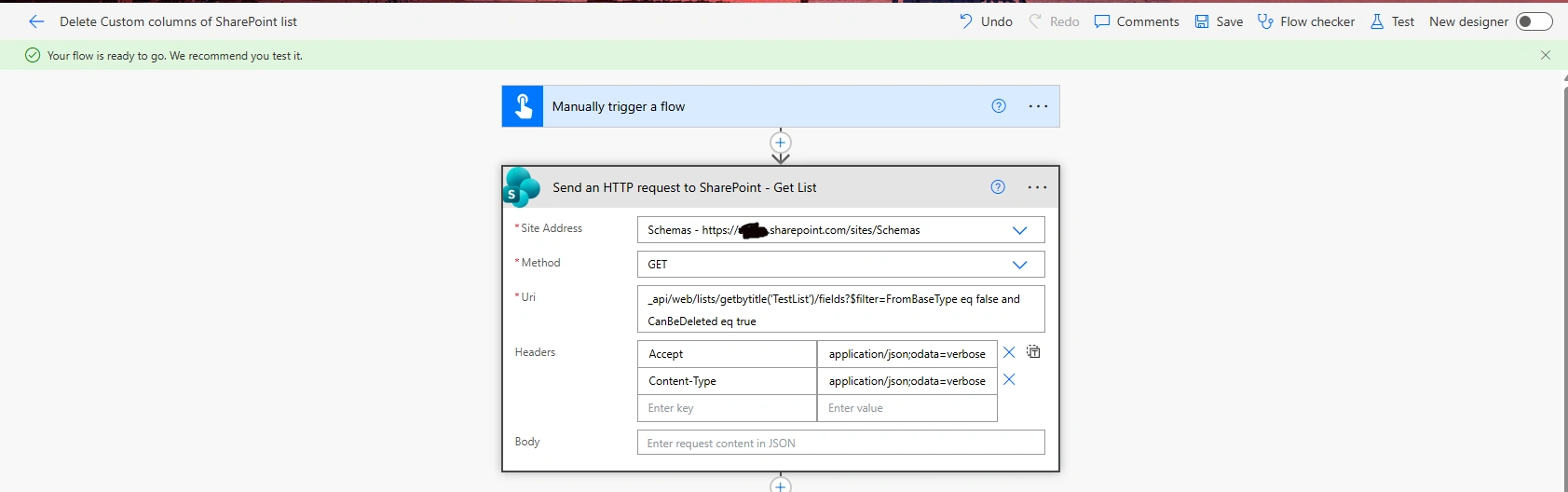
$filter=FromBaseType eq false and CanBeDeleted eq trueThis will filter only custom columns which can be deleted.
3 - Add apply to each control
Inside this control, add HTTP action for SharePoint.
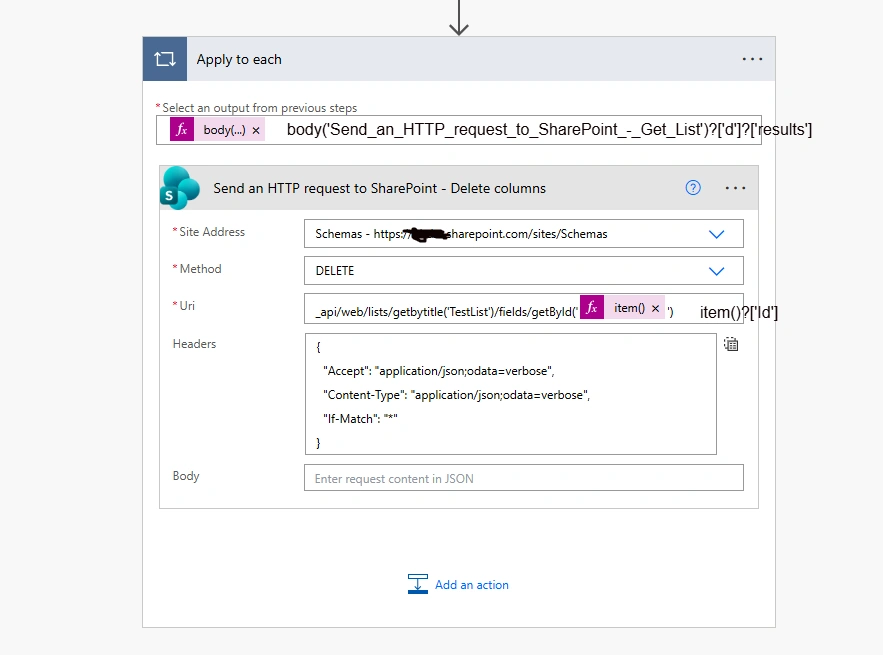
Where 'Testlist' is name of SharePoint list.
Conclusion
Here, we have learnt to implement bulk deletion of custom columns of SharePoint list.
Join the conversation! Your thoughts help the community grow.