Introduction
This article shows how to center an image horizontally. So, let's dive right in.
Step 1
The first thing we need to do is to create an HTML file and put the following in it.
- <html>
- <head>
- <title></title>
- </head>
- <body>
- <img src="images/1.jpg" width="300px" height="300px">
- <p>
- Lorem ipsum dolor sit amet, consectetur adipisicing elit, sed do eiusmod
- tempor incididunt ut labore et dolore magna aliqua. Ut enim ad minim veniam,
- quis nostrud exercitation ullamco laboris nisi ut aliquip ex ea commodo
- consequat. Duis aute irure dolor in reprehenderit in voluptate velit esse
- cillum dolore eu fugiat nulla pariatur. Excepteur sint occaecat cupidatat non
- proident, sunt in culpa qui officia deserunt mollit anim id est laborum.
- </p>
- </body>
- </html>
Save this HTML file and give it the name Index.html.
Open the file in a browser.
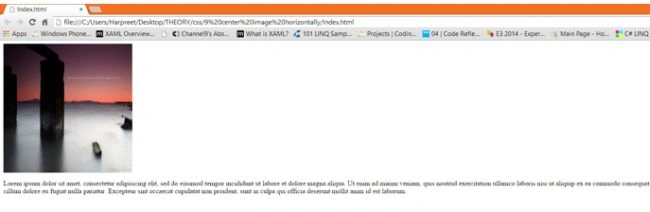
Currently, our image is aligned to its default position.
Step 2
The next step is to create an external stylesheet file and give it the name style.css and in the head section of your HTML file write the following:
- <link rel="stylesheet" type="text/css" href="css/style.css">
The preceding is nothing but the address location of our CSS file.
Step 3
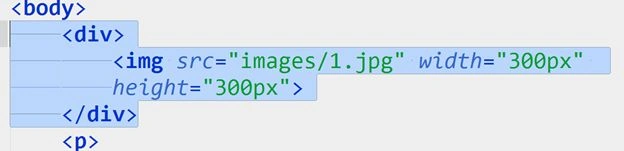
There are two ways to center an image horizontally.
- Add an image element inside the div container element.
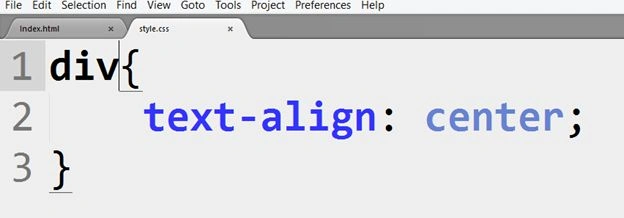
Create a new rule in style.css with the following:
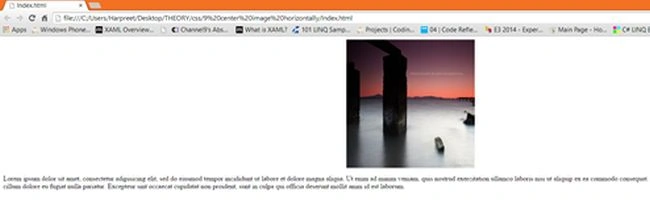
Refresh the page.
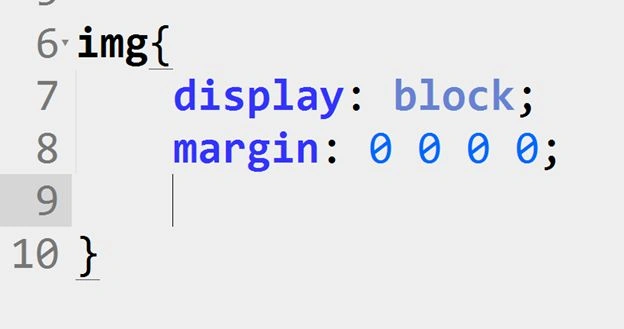
- Another way to do it is by changing the display property of the image element to a block-level element.
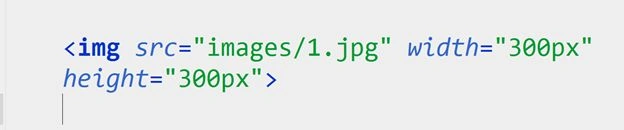
But first, remove the img element from the div element.
Refresh the page and you will see the image is now back to its initial position.
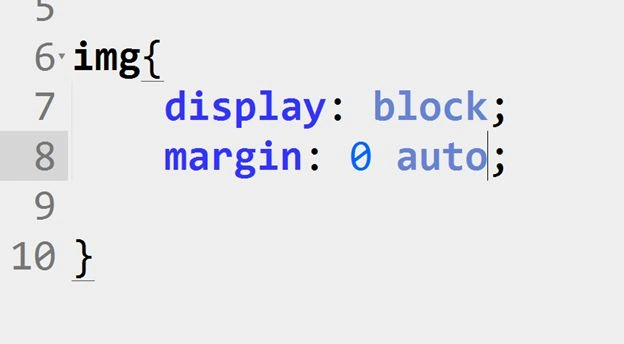
In the CSS file create a new rule and write the following:
The margin is set to 0 (top), 0 (left), 0 (bottom) and 0 (right).
Or you can also say:
Refresh the page.
So, in this article, we saw how to center an image horizontally.
I hope you like it and find this helpful. Thank you.




Sibeesh VenuPosted Feb 28, 2015, 10:12 AM
You welcome... :)
Sibeesh VenuPosted Feb 28, 2015, 10:12 AM
You welcome... :)
Harpreet SinghPosted Feb 28, 2015, 8:20 AM
Sibeesh Venu thanks a lot :)
Harpreet SinghPosted Feb 28, 2015, 8:20 AM
Khargesh Rajput thank you
Harpreet SinghPosted Feb 28, 2015, 8:20 AM
Rahul Saxena thanks mate :)
Sibeesh VenuPosted Feb 28, 2015, 5:30 AM
Good one....
Khargesh RajputPosted Feb 28, 2015, 5:10 AM
nice
Rahul Kumar SaxenaPosted Feb 27, 2015, 11:20 PM
Nice One bro...
Rahul BansalPosted Feb 27, 2015, 10:19 PM
Nice effort Harpreet..there is mistake in 2nd paragraph of 2nd way. It will not ' remove the img element from the div element.' It will be vice versa