

Introduction
In this article, we are explaining how to change the date and timezone in Windows 8. Unlike previous versions of Windows, when you install Windows 8 it does not prompt you to select the timezone that your computer resides in. Having the wrong timezone will not only affect what time is displayed, but it could also affect how certain programs operate or even cause errors when visiting web sites. Therefore, it is important that once you install Windows 8, you then go and configure your timezone so that it uses the correct setting.
How to change data and timezone in Windows 8?
Step 1
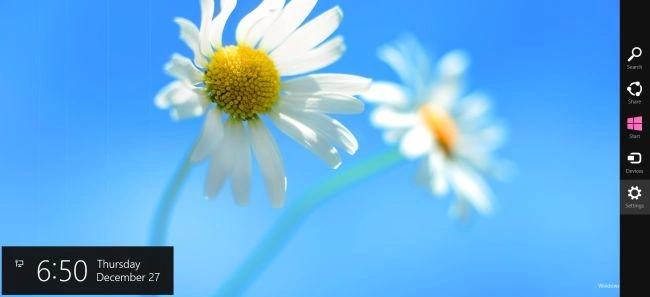
Move the cursor to right-button and select "Settings".
Step 2
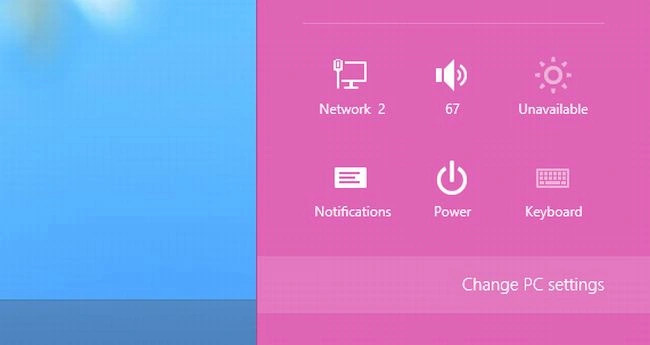
Select "Change PC Settings" from the setting window.
Step 3
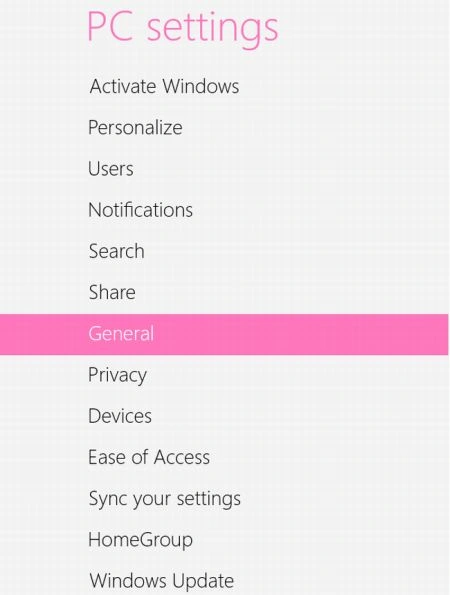
In the PC settings window go to the "General" tab.
Step 4
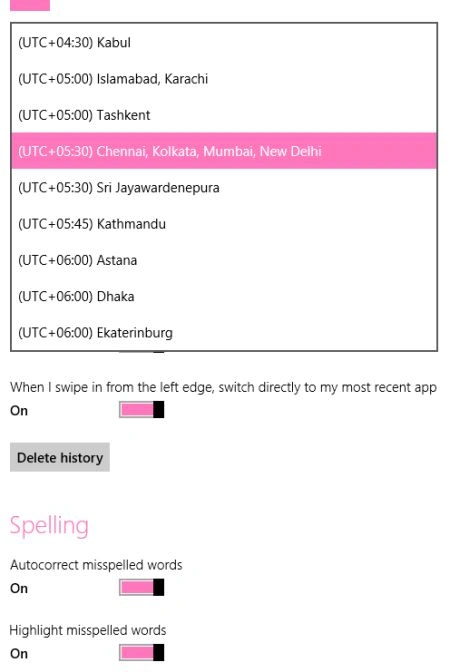
Now select your timezone from the Time categories and exit from PC settings.
Summary
In this article, we learned about How to Change Time Zone in Windows 8.
Join the conversation! Your thoughts help the community grow.