

In this exercise we see how to change guava title and description of site in
SharePoint.
- Proceed with Title Sharepoint site is "Team Site"
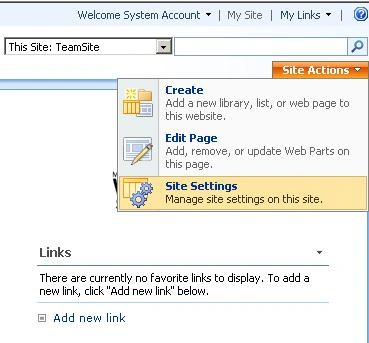
- Click on "Site Actions" | Site Settings
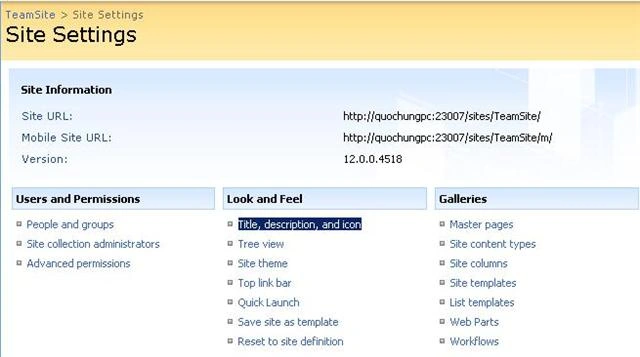
- On the Look and Feel
- Click on " Title, description, and icon "
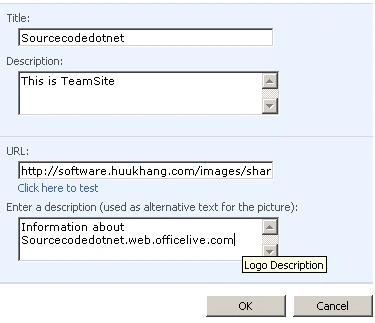
- Change the title of "Sourcecodedotnet"
- Description, as shown in below URL ...
- Click on " Title, description, and icon "
Join the conversation! Your thoughts help the community grow.