

Introduction
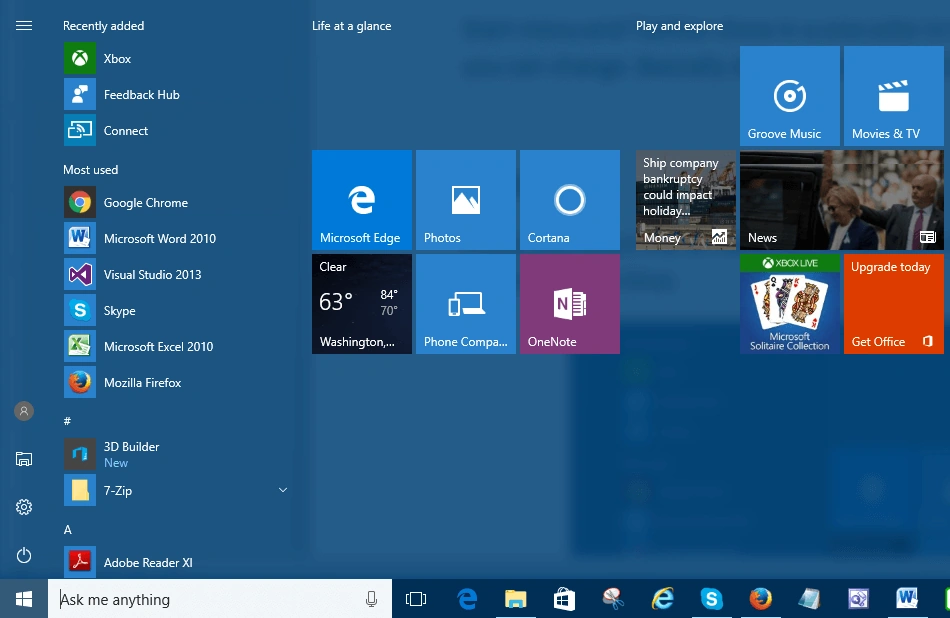
Firstly, you will select the Windows key button and choose settings options.
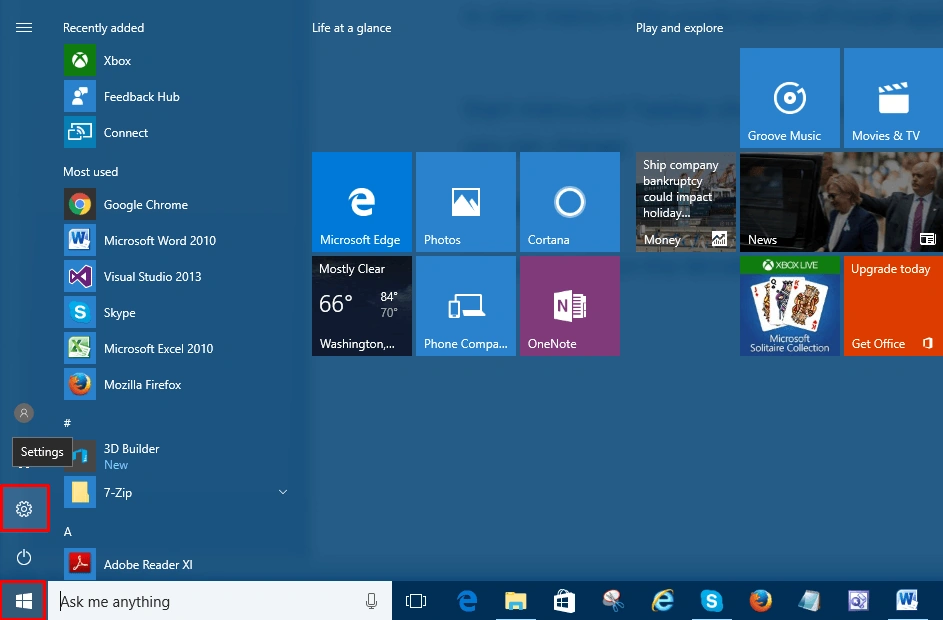 Step 2
When you click setting, a dialogue box opens and you choose the personalization settings options.
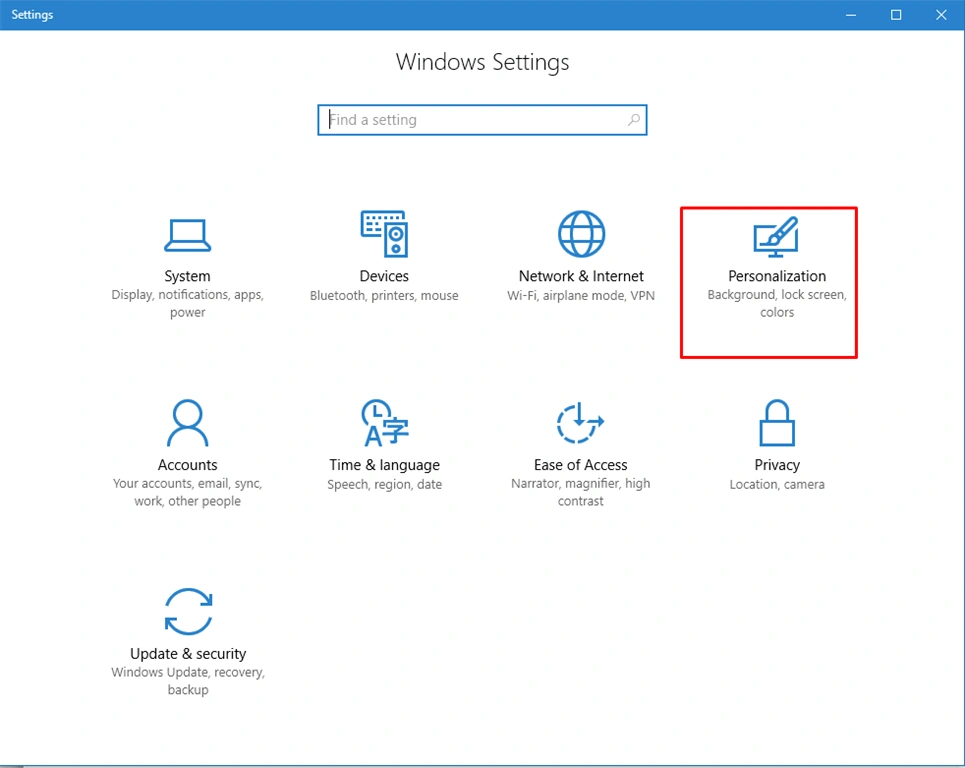 Step 3
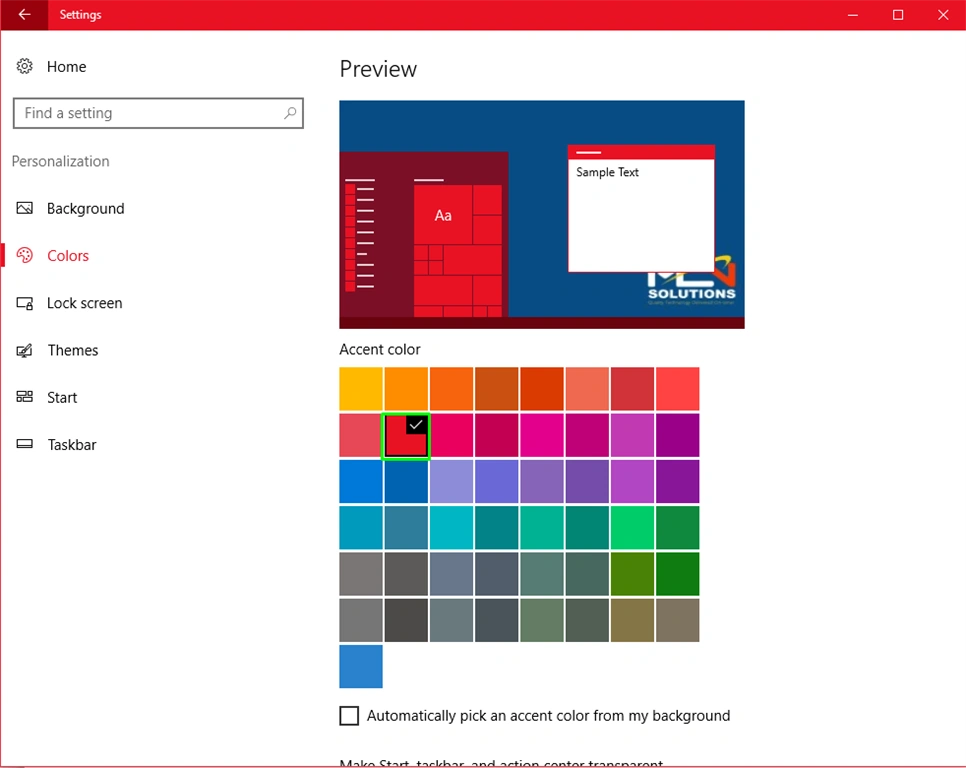
After choosing the personalization settings options, a dialogue box opens and you select the color options.
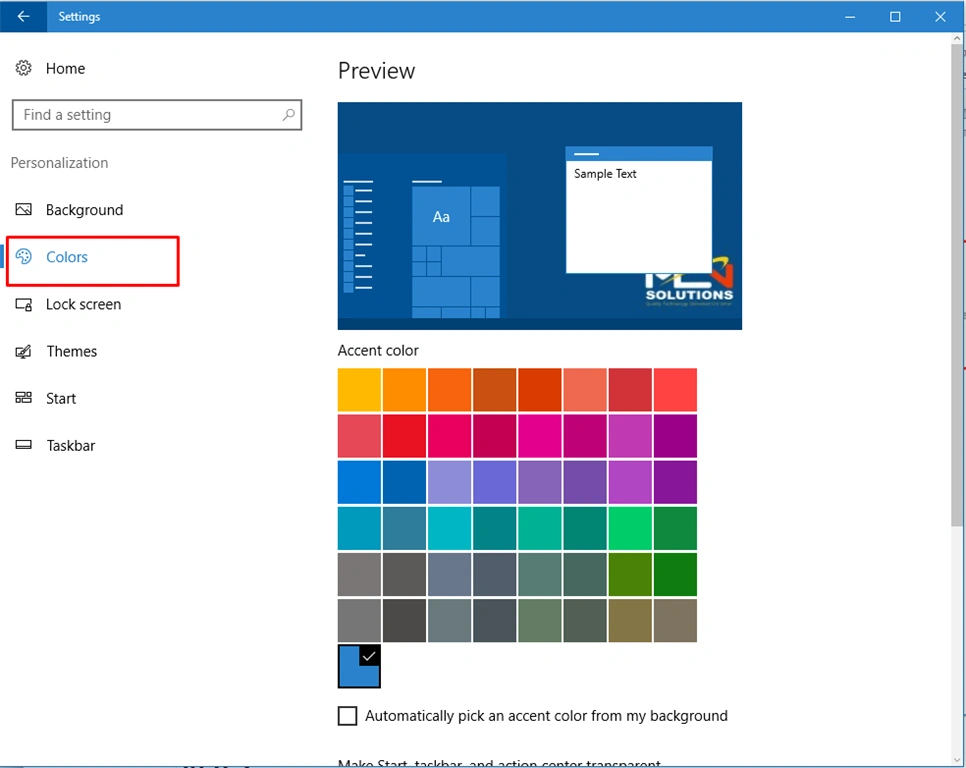 Step 4
Now, you will select color, as to your choice. Here, I have selected the Red color.
 Step 5
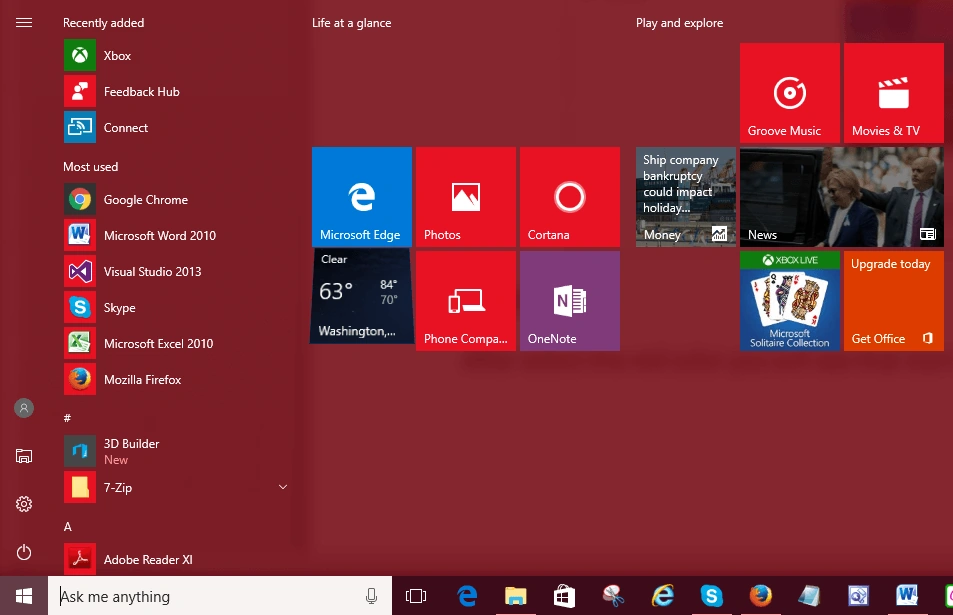
After selecting Red color, you will see that Start menu and toolbar color changes, as shown below
 Here, you saw, how to change the color of the Start menu and taskbar. I hope you enjoyed, how to change the Start menu and Taskbar color. Follow C# Corner to learn more new and amazing things about Windows 10.
Thanks for reading this article.
Here, you saw, how to change the color of the Start menu and taskbar. I hope you enjoyed, how to change the Start menu and Taskbar color. Follow C# Corner to learn more new and amazing things about Windows 10.
Thanks for reading this article.
Shubham SharmaPosted Sep 13, 2016, 3:03 AM
Thanks
Prasanna MuraliPosted Sep 13, 2016, 12:57 AM
Nice share...
SubashPosted Sep 13, 2016, 12:05 AM
Nice info