

Introduction
If you won't change the default Web Browser Microsoft Edge in Windows 10, you need to set Chrome Web Browser for the default Browser. It (Chrome Browser) was first released in 2008 for Microsoft Windows. It works properly with Linux, OS, and Android. Google Chrome is also the main component of the Chrome Web Browser, where it serves a platform to run and search the Web apps and news.
If you want to change the default Web Browser, first, select the settings.
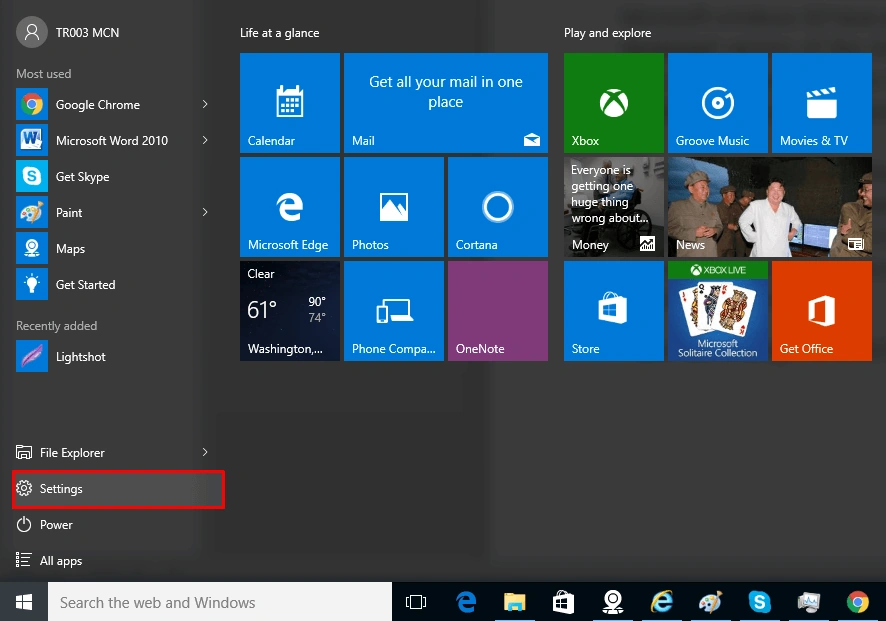
Afterward, select Settings. A new dialogue box will open and you choose the systems options in the figure, given below-
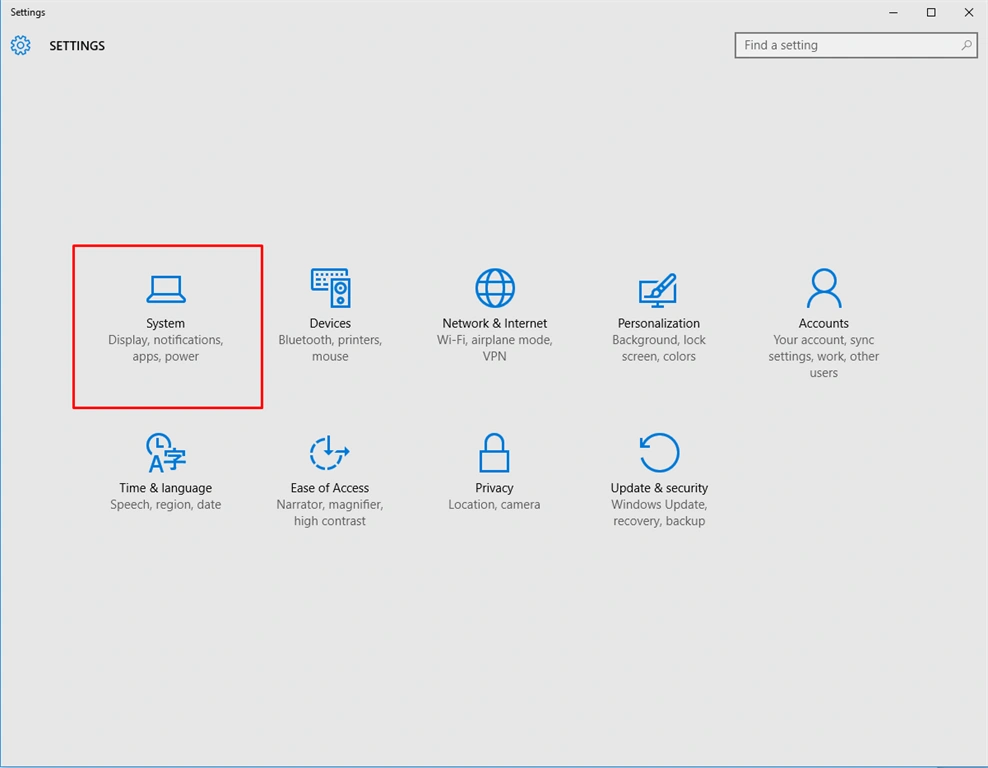
Now, after clicking on the system, new settings opens with a dialogue box and you need to select the default apps.
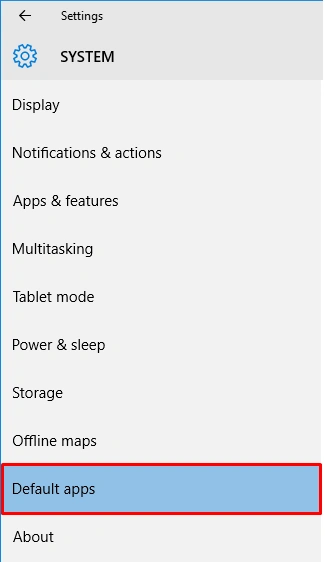
When you choose the default apps, the dialogue box opens with some new settings. Now, you need to select the Web Browser.
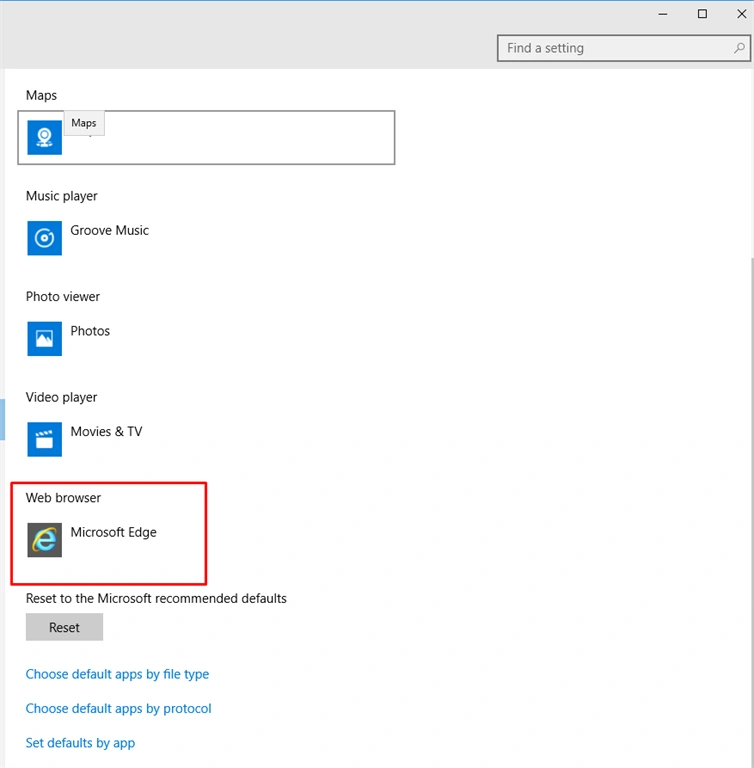
When you select the Web Browser you see that all Browsers open for the selection like you select Chrome Browser.
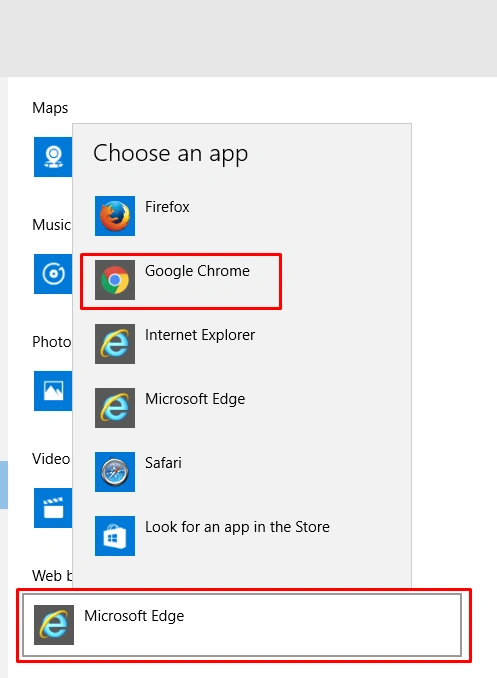
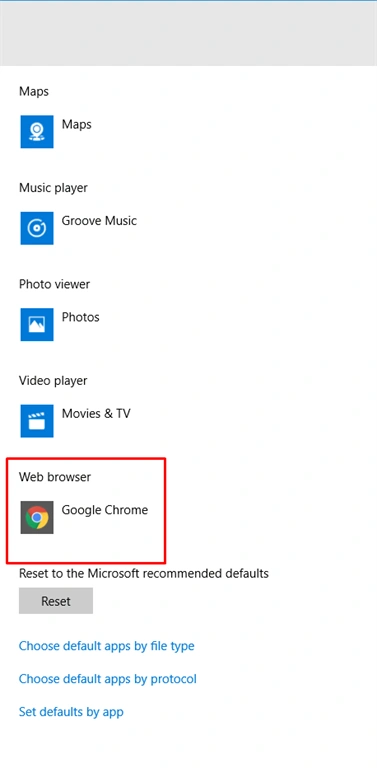
When you select Chrome Browser, then it’s your default Web Browser. Now, see the image, given below-
SubashPosted Sep 7, 2016, 3:28 AM
Good
Prasanna MuraliPosted Sep 6, 2016, 11:41 AM
Nice post....