

Introduction
In Microsoft Windows 10, all PCs are set to a “Balanced” power option by default in Windows. A power plan is a collection of hardware and system settings, which manages how your computer uses the power.
Windows 10 provides the power plans, which are given below-
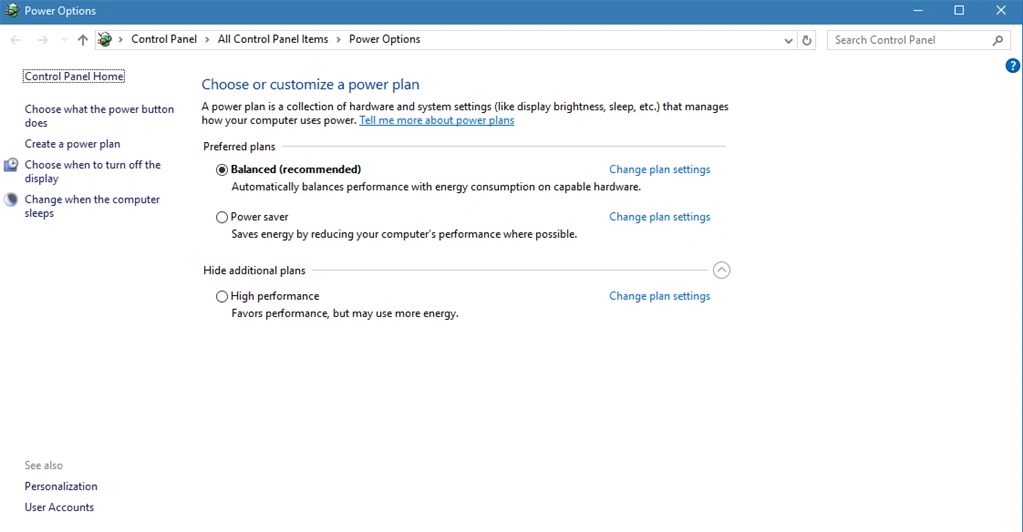
- Balanced- This option automatically balances the performance and manages your computer power option. This is the best power plan.
- Power saver- This saves power by reducing the system's performance and reduced brightness.
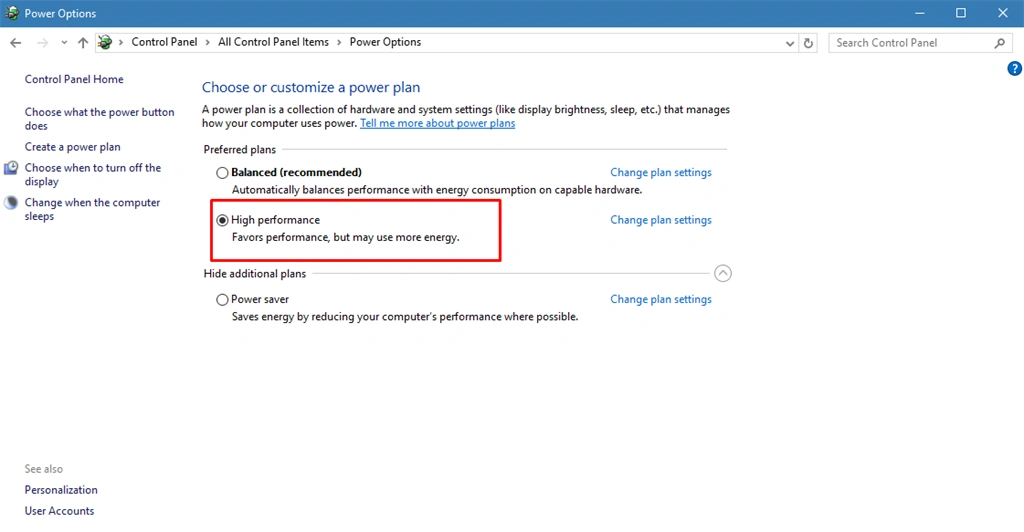
- High-Performance- This plan uses more power.
Now, you can change your power plan in Windows 10. You can follow the steps, given below-
Step 1
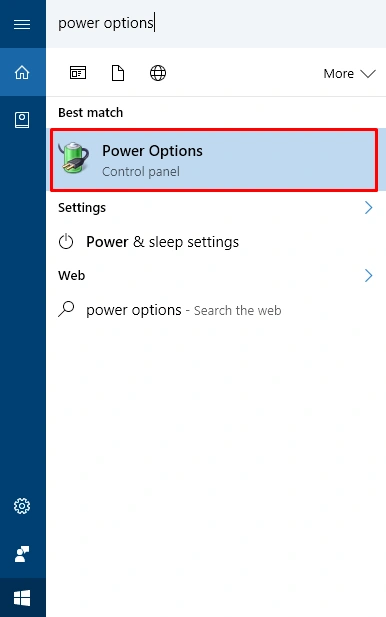
In this step, you can select Ask me anything search bar and type the power options.
Step 2
In this step, you can select the power options. The new dialogue box will open.
Step 3
In this step, you can choose your power options, which you want.
Summary
In this article, we learned about how to change your power options in Windows 10.
Prasanna MuraliPosted Oct 9, 2016, 10:08 AM
Nice post..