

Introduction
A time zone is a region, which observes a uniform standard time for lawful, business, and social purposes. Time zones have a tendency to take care of the limits of the nations and their subdivisions since it is helpful for the territories in close business or other correspondence to keep a similar time.
To change the timezone in Windows 10, follow the steps, given below.
Step 1
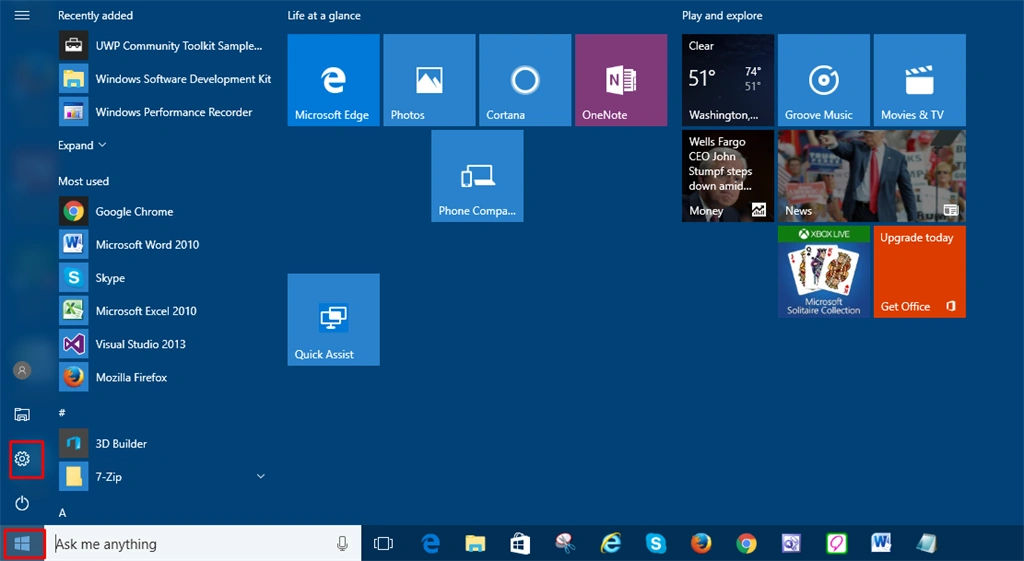
First, you can click on the start icon and select the settings icon.
Step 2
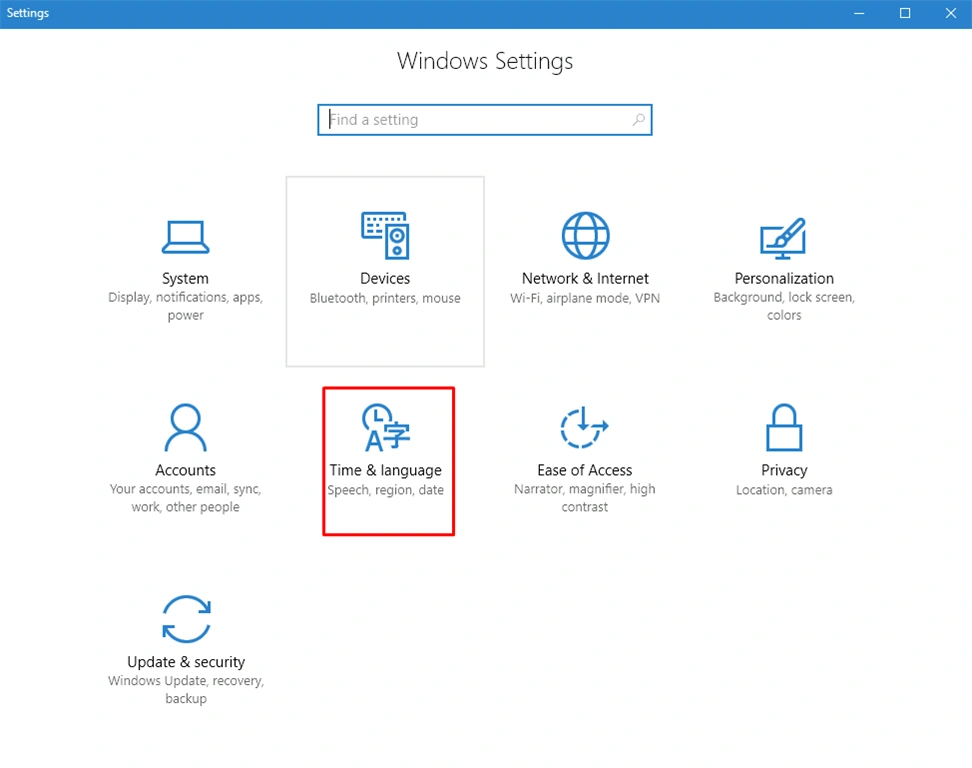
In this step, you need to click on Time & Language option.
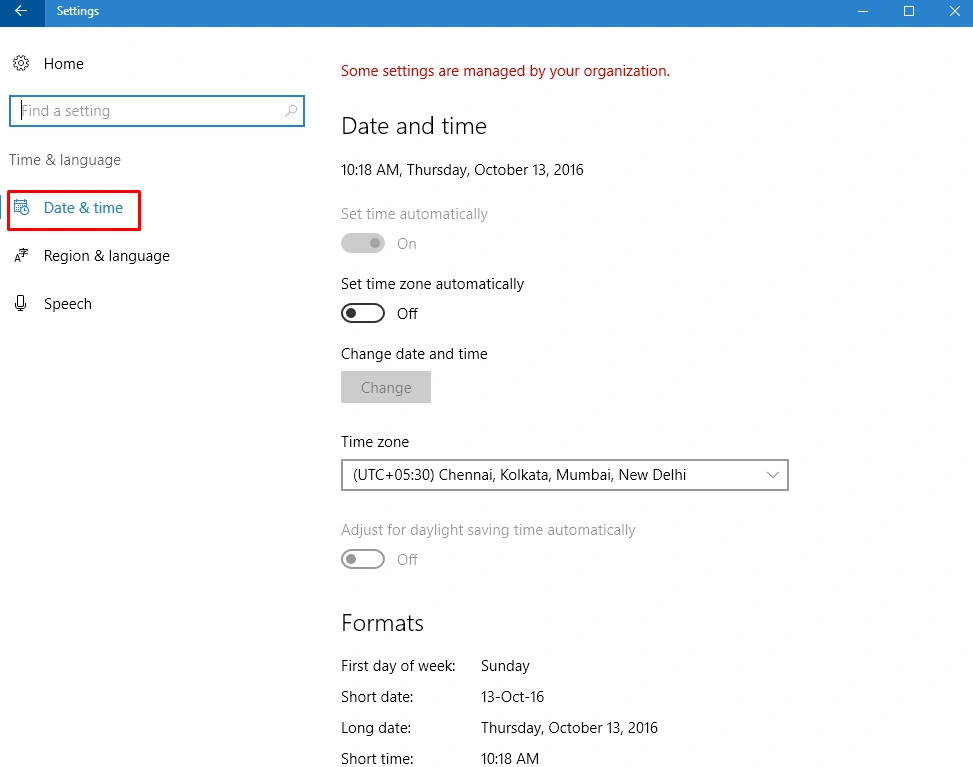
In this step, you can click on Date & Time from the left-hand side.
Step 4
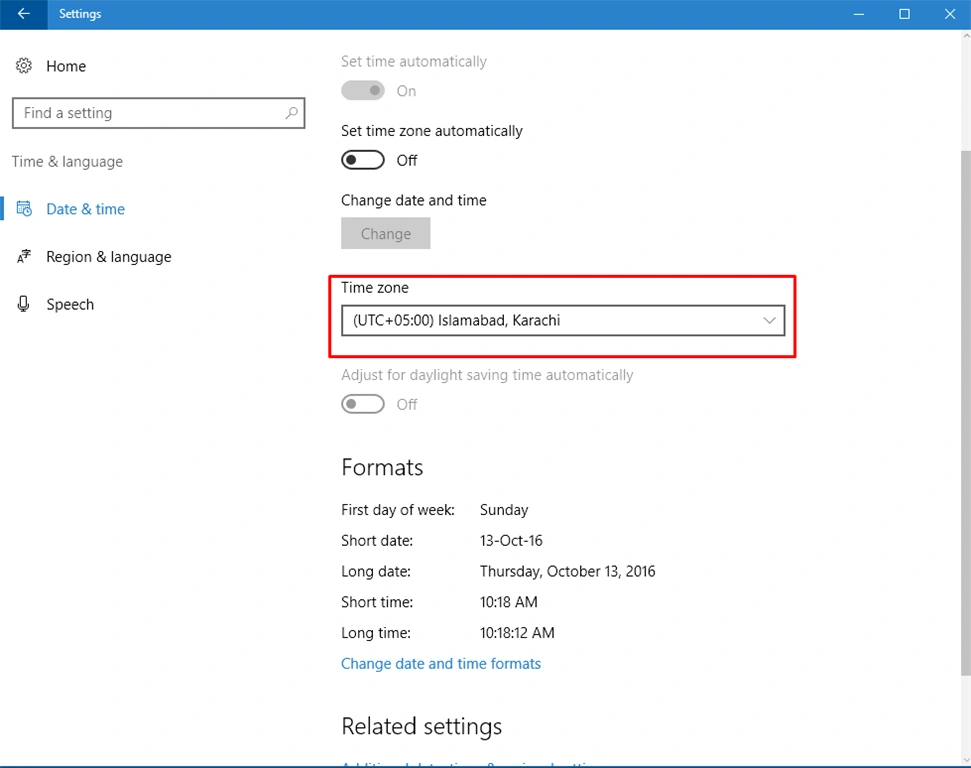
On the right hand, you can select the Time zone and select the Time zone from the dropdown list.
Summary
Finally, you have changed your time zone in Windows 10.
SubashPosted Oct 20, 2016, 11:18 AM
Good