

Introduction
If you want to change the theme of Windows 10, follow these steps.
Step 1
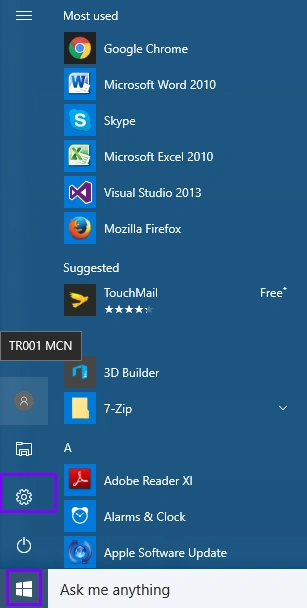
First, click on the Start menu and choose the Settings options.
Step 2
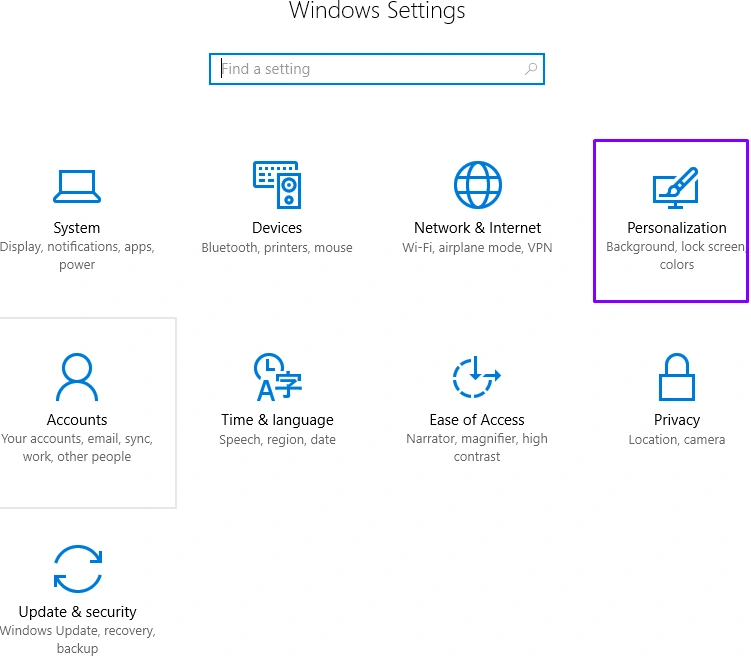
In the Windows Settings window, select the "Personalization" icon.
Step 3
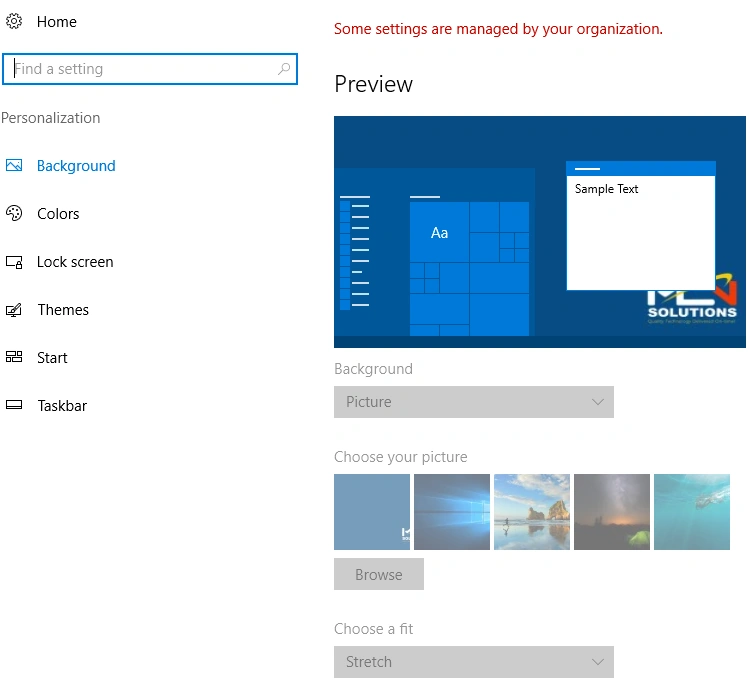
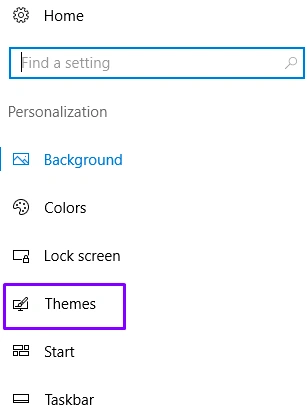
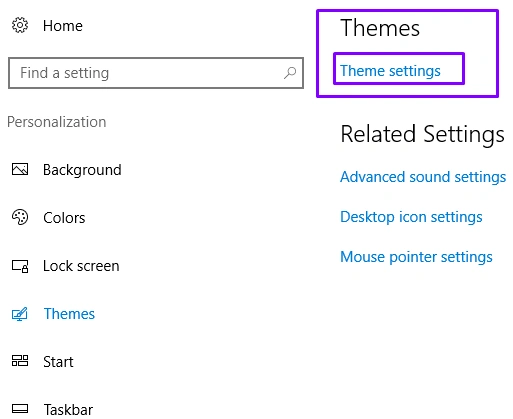
In the next window, open and select the "Themes" option from left-hand panel.
Step 4
Now, navigate to the Theme Settings.
Step 5
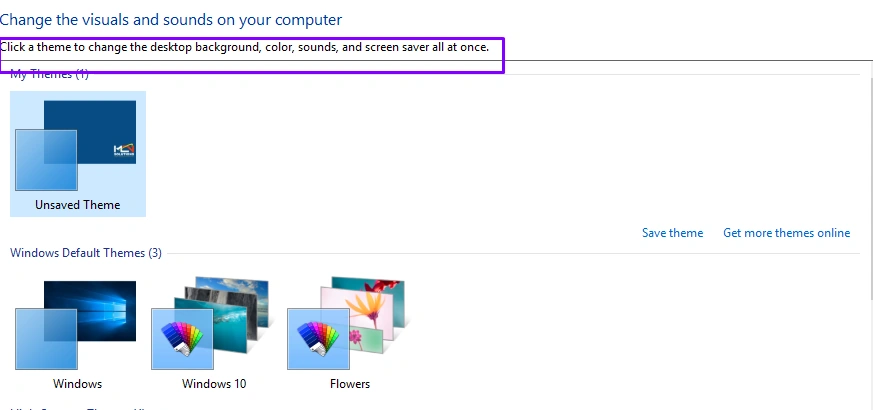
You will reach another screen where you can change the visuals and sounds on your computer.
Step 7
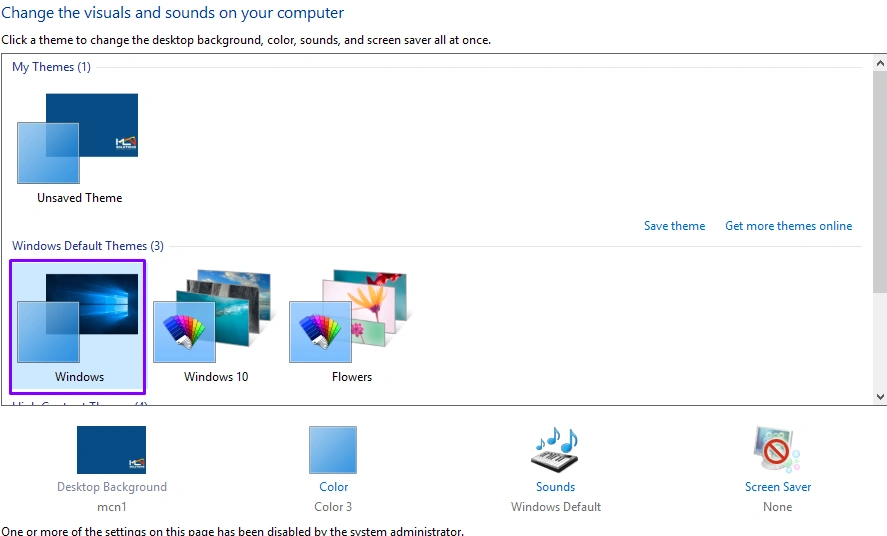
Now, select the theme that you want for your computer. Here, we are selecting the default Window 10 theme, as shown below.
Summary
I hope you enjoyed this tutorial. Follow C# Corner to learn more new and amazing things about Windows 10.
Join the conversation! Your thoughts help the community grow.