

In this article, we will explore how to automate the process of checking out and checking in document files in a SharePoint Document Library using Power Automate. Instead of manually managing document versions, we can leverage the SharePoint HTTP action to automate the check-out and check-in process.
Stepwise Implementation of Flow Creation
1 - Open Power Automate
Go to make.powerautomate.com
You can select any flow type based on your requirement, here i have used instant (manual).
2 - Add files in Document Library
Here i have sample excel file.

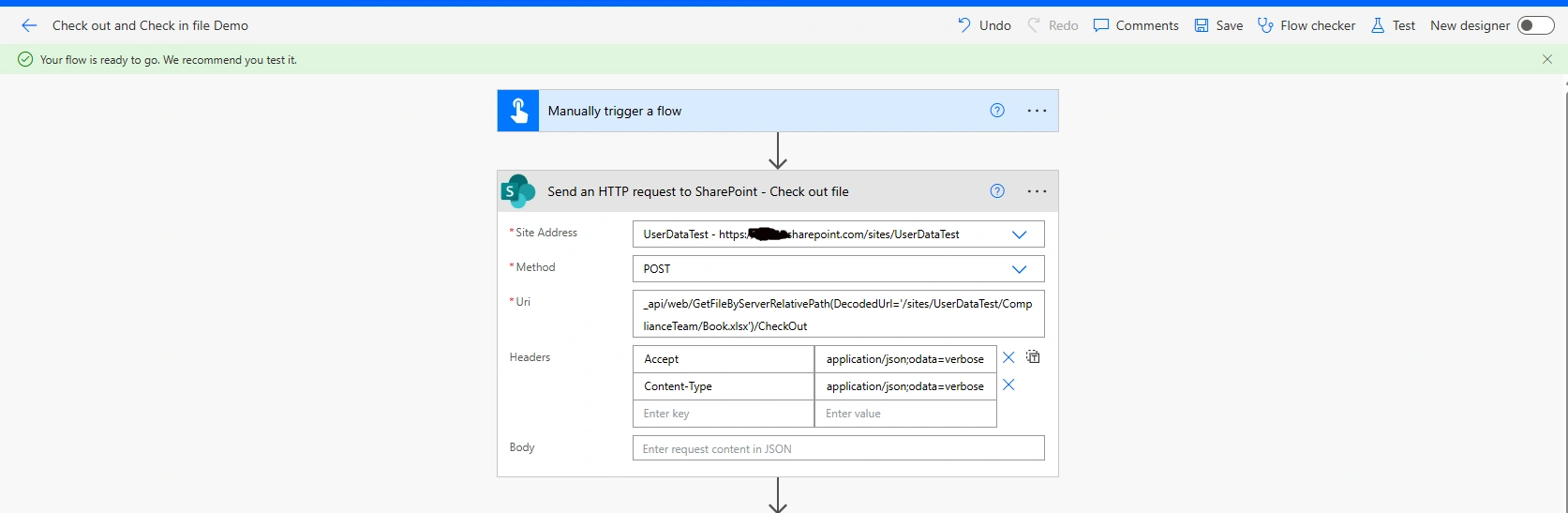
3 - Add Send HTTP action of SharePoint for Check Out file
Uri:
_api/web/GetFileByServerRelativePath(DecodedUrl='/sites/UserDataTest/ComplianceTeam/Book.xlsx')/CheckOutWhere in DecodeUrl, put path of file in it.
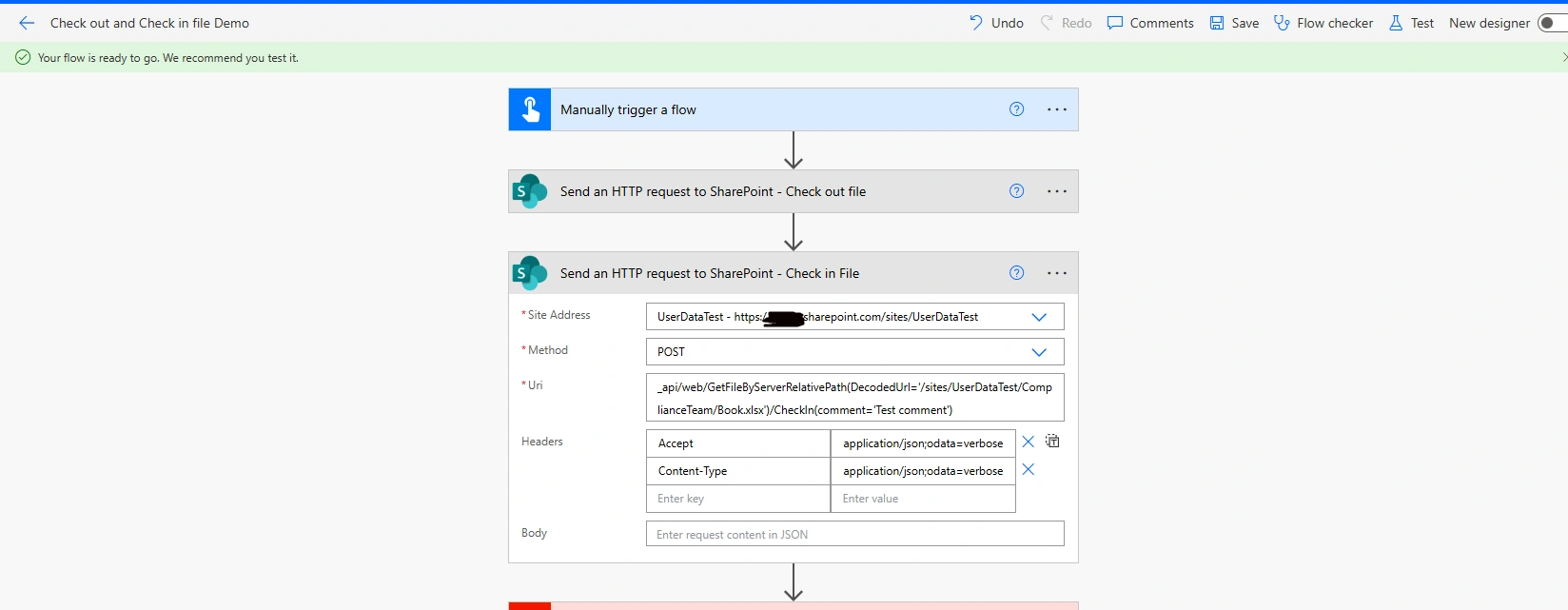
4 - Add Send HTTP action of SharePoint for Check In file
Uri
_api/web/GetFileByServerRelativePath(DecodedUrl='/sites/UserDataTest/ComplianceTeam/Book.xlsx')/CheckIn(comment='Test comment')Where in comment, you can place your comments in it.
5 - Save and Run Flow
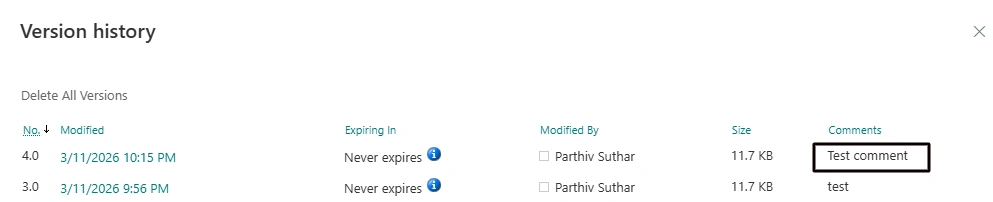
You can see check in comments by (...) of file then click on Version histroy
Conclusion
With just a few simple steps, you can leverage Power Automate to improver your workflows and reduce manual effort in managing SharePoint documents.
Join the conversation! Your thoughts help the community grow.