

Introduction
I have encountered many confused developers attempting to compare two dates in JavaScript. There are many methods or algorithms for comparing dates in JavaScript, but I will explain the simplest ways to compare dates and times using JavaScript.
This article will help you to resolve the following problems,
- Compare two dates with time.
- Compare today's date with any other date.
- Compare past and future dates with a given date.
Create a Date Object in JavaScript
The following describes the creation of Date objects,
- First, we need to create a date object.
- The Date object is used to work with dates and times.
- Date objects are created with the Date() constructor.
- There are four ways of instantiating a date object:
- new Date() //This will return the current date and time.
- new Date(milliseconds)
- new Date(dateString)
- new Date(year, month, day, hours, minutes, seconds, milliseconds)
- Here are a few examples of instantiating a date,
- var today = new Date() //Current date
- var anotherDate = new Date("March 01, 2000 20:50:10")
- var anotherDate = new Date(2000,03,01)
- var anotherDate = new Date(2000,03,01,20,50,10)
- Note. Here, the month parameter will start from 0 to 11.
Comparing dates in JavaScript
The following describes how to compare the two dates,
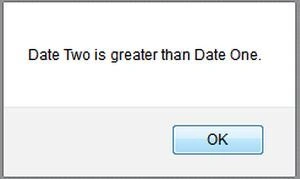
- I have two dates. Date one is 15-01-2010, and another date is 15-01-2011.
- I compare these two dates using the following JavaScript code.
<script type="text/javascript"language="javascript">
       function CompareDate() {
           //Note: 00 is month i.e. January
           var dateOne = new Date(2010, 00, 15); //Year, Month, Date
           var dateTwo = new Date(2011, 00, 15); //Year, Month, Date
           if (dateOne > dateTwo) {
                alert("Date One is greater than Date Two.");
            }else {
                alert("Date Two is greater than Date One.");
            }
        }
        CompareDate();
</script>
Output
Comparing dates with time in JavaScript
The following describes how to compare dates with times:
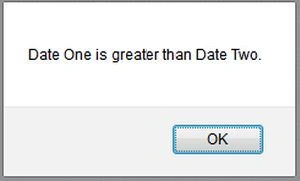
- Here I will compare two dates with their times.
- I have two dates
- Date One: 20-05-2012 14:55:59
- Date Two: 20-05-2012 12:10:20 - The following JavaScript code will compare these dates with their times.
<script type="text/javascript"language="javascript">
       function CompareDate() {
           //            new Date(Year, Month, Date, Hr, Min, Sec);
           var dateOne = new Date(2012, 04, 20, 14, 55, 59);
           var dateTwo = new Date(2012, 04, 20, 12, 10, 20);
            //Note: 04 is month i.e. May
           if (dateOne > dateTwo) {
                alert("Date One is greater than Date Two.");
            }else {
                alert("Date Two is greater than Date One.");
            }
        }
        CompareDate();
</script>
Output
Comparing today's date with another date
The following describes how to compare today's date with another date,
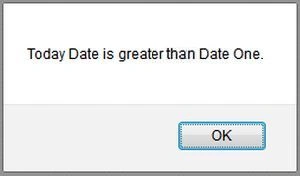
- The following code will compare today's date with the given date.
- The given date is 25-12-2010. This date will be compared with today's date using the following code,
<script type="text/javascript"language="javascript">
       function CompareDate() {
           var todayDate = new Date(); //Today Date
           var dateOne = new Date(2010, 11, 25);
           if (todayDate > dateOne) {
                alert("Today Date is greater than Date One.");
            }else {
                alert("Today Date is greater than Date One.");
            }
        }
        CompareDate();
</script>
Output
Some valuable methods of Date Objects,
- getDate- Returns the day of the month (1-31) for the specified date according to local time.
- getDay- Returns the day of the week (0-6) for the specified date according to local time.
- getFullYear- Returns the year (4 digits for 4-digit years) of the specified date according to local time.
- getHours- Returns the hour (0-23) on the specified date according to local time.
- getMilliseconds- Returns the milliseconds (0-999) in the specified date according to local time.
- getMinutes- Returns the minutes (0-59) on the specified date according to local time.
- getMonth- Returns the month (0-11) on the specified date according to local time.
- getSeconds- Returns the seconds (0-59) in the specified date according to local time.
- getTime- Returns the numeric value of the specified date as the number of milliseconds since January 1, 1970, 00:00:00 UTC (negative for prior times).
- getTimezoneOffset- Returns the time-zone offset in minutes for the current locale.
- getUTCDate- Returns the day (date) of the month (1-31) on the specified date according to universal time.
- getUTCDay- Returns the day of the week (0-6) on the specified date according to universal time.
- getUTCFullYear- Returns the year (4 digits for 4-digit years) in the specified date according to universal time.
- getUTCHours- Returns the hours (0-23) on the specified date according to universal time.
- getUTCMilliseconds- Returns the milliseconds (0-999) in the specified date according to universal time.
- getUTCMinutes- Returns the minutes (0-59) in the specified date according to universal time.
- getUTCMonth- Returns the month (0-11) on the specified date according to universal time.
- getUTCSeconds- Returns the seconds (0-59) in the specified date according to universal time.
- getYear- Returns the year (usually 2-3 digits) on the specified date according to local time. Use getFullYear instead.
- setDate- Sets the day of the month (1-31) for a specified date according to local time.
- setFullYear- Sets the entire year (4 digits for 4-digit years) for a specified date according to local time.
- setHours- Sets the hours (0-23) for a specified date according to local time.
- setMilliseconds- Sets the milliseconds (0-999) for a specified date according to local time.
- setMinutes- Sets the minutes (0-59) for a specified date according to local time.
- setMonth- Sets the month (0-11) for a specified date according to local time.
- setSeconds- Sets the seconds (0-59) for a specified date according to local time.
- setTime- Sets the Date object to the time represented by several milliseconds since January 1, 1970, 00:00:00 UTC, allowing for negative numbers for times prior.
- setUTCDate- Sets the day of the month (1-31) for a specified date according to universal time.
- setUTCFullYear- Sets the entire year (4 digits for 4-digit years) for a specified date according to universal time.
- setUTCHours- Sets the hour (0-23) for a specified date according to universal time.
- setUTCMilliseconds- Sets the milliseconds (0-999) for a specified date according to universal time.
- setUTCMinutes- Sets the minutes (0-59) for a specified date according to universal time.
- setUTCMonth- Sets the month (0-11) for a specified date according to universal time.
- setUTCSeconds- Sets the seconds (0-59) for a specified date according to universal time.
- setYear- Sets the year (usually 2-3 digits) for a specified date according to local time. Use setFullYear instead.
- toDateString- Returns the "date" portion of the Date as a human-readable string.
I hope you will enjoy this article. Please provide your valuable suggestions.
Anthony LoueyPosted Sep 5, 2024, 10:54 PM
Thanks for sharing this tip on comparing dates. Thought it was interesting and helpful. It was well explained.
Harrikanth DPosted Feb 1, 2018, 12:07 AM
Hi Mahesh, your example is working fine, but i have an issue in this. Today's date is 01/02/2018 if i give 31/01/2018 or 30/01/2018 , the message is displaying as "Today Date is greather then Date One". Kindly Help me to resolve.
kalu singh raoPosted Jul 7, 2016, 1:44 AM
Nice...
Thiruppathi RPosted Jun 3, 2016, 11:23 AM
Recently I have searched one.thanks..
Vineet Kumar AryaPosted Dec 8, 2015, 5:42 AM
Hi Mahesh, I m confuse. You have two dates like Date One: 20-05-2012 14:55:59- Date Two: 20-05-2012 12:10:20 . But you passing these dates with comma separated in New Date function. What these ???? How to pass actual date ??
Enrique SanchezPosted Aug 21, 2014, 11:35 AM
You are missing the equal comparison everywhere, if dateOne > dateTwo is false, it doesn't necessarily mean that dateTwo is GREATER THAN dateOne.